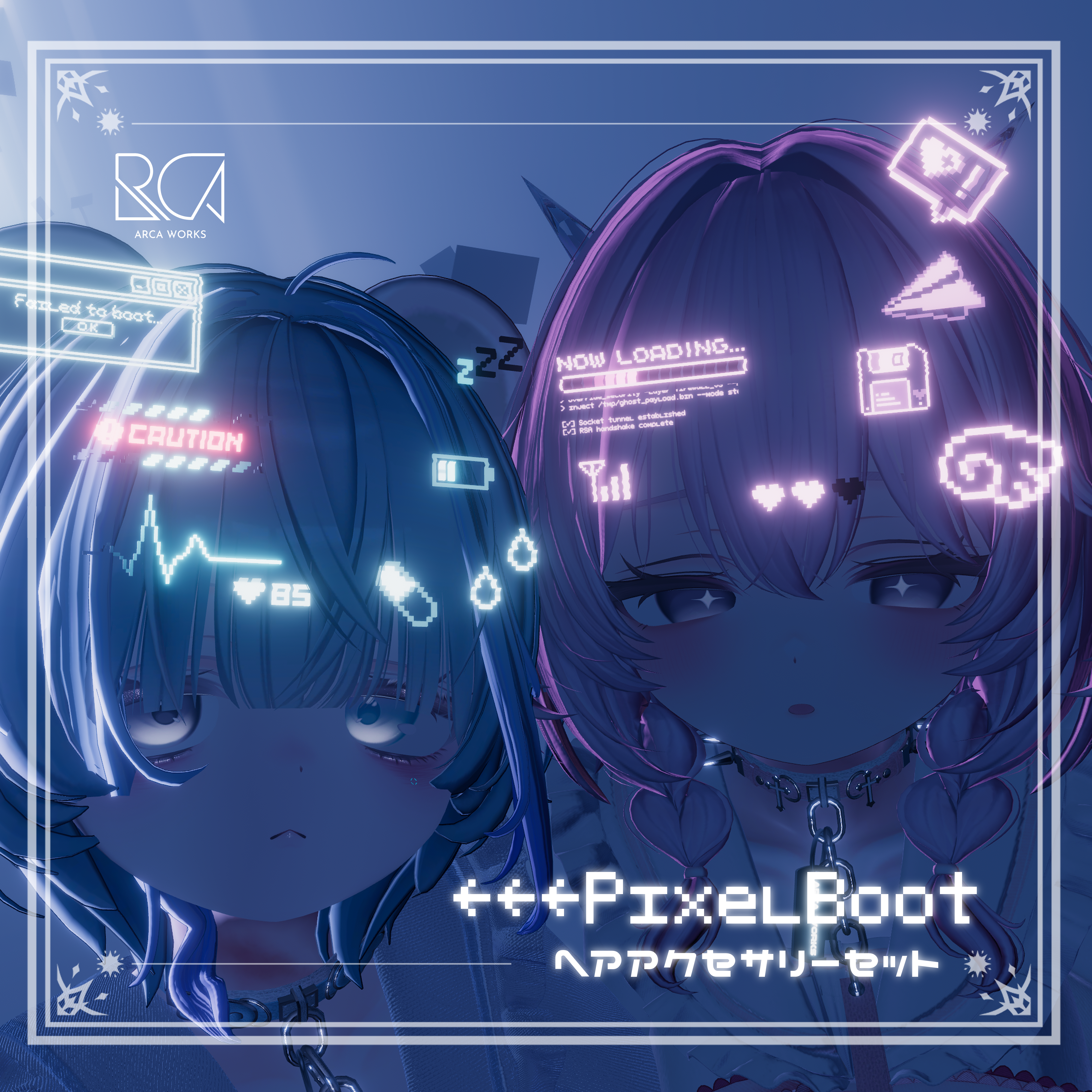
Product Description
✦✦ Product Details ✦✦
A cyber-themed hair accessory set inspired by early 2000s PCs.
Comes packed with animations, scrolling code, random blinking, and glitch noise effects for a rich on-screen look.
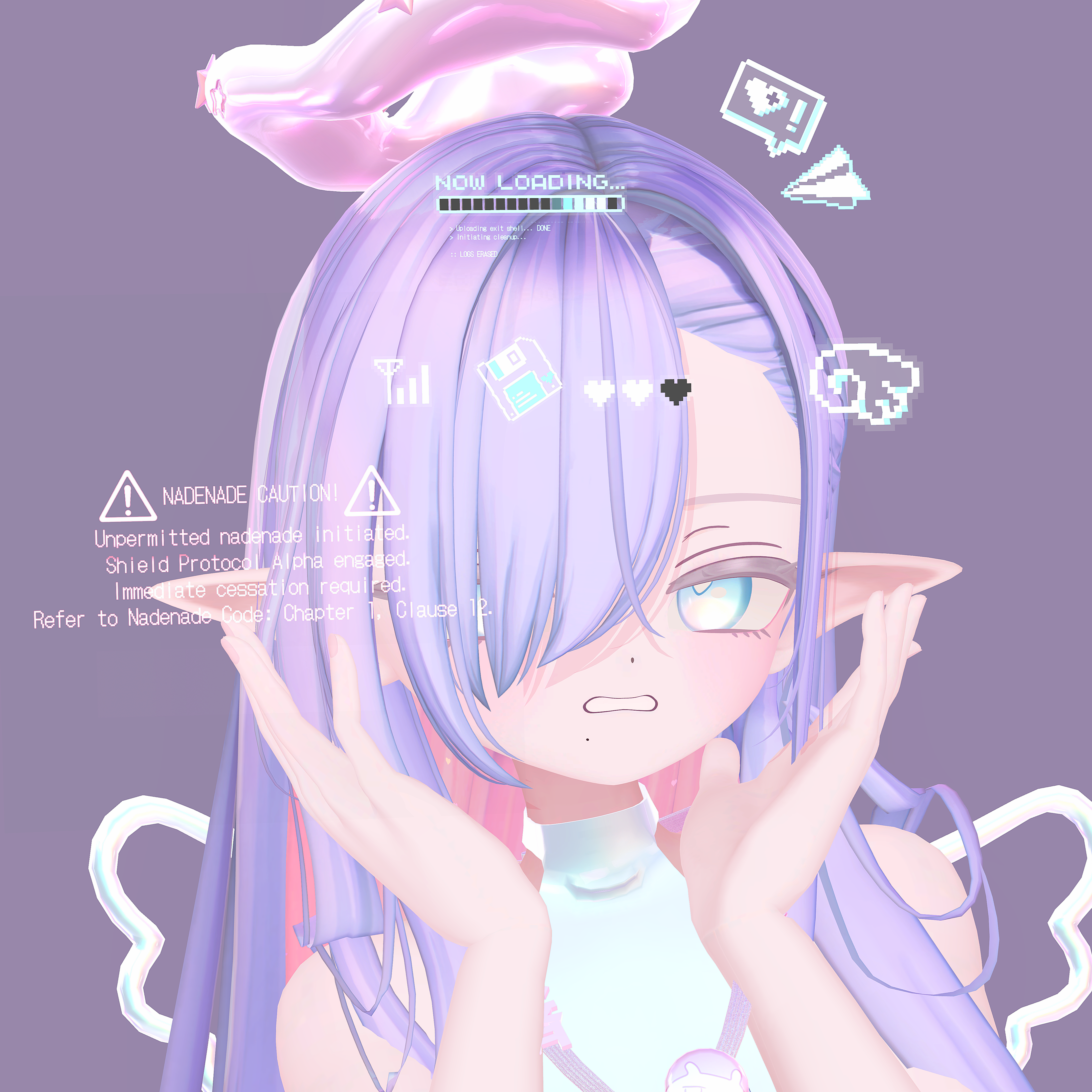
As a bonus, a “petting defense protocol” gimmick is included (Vol.1 only).
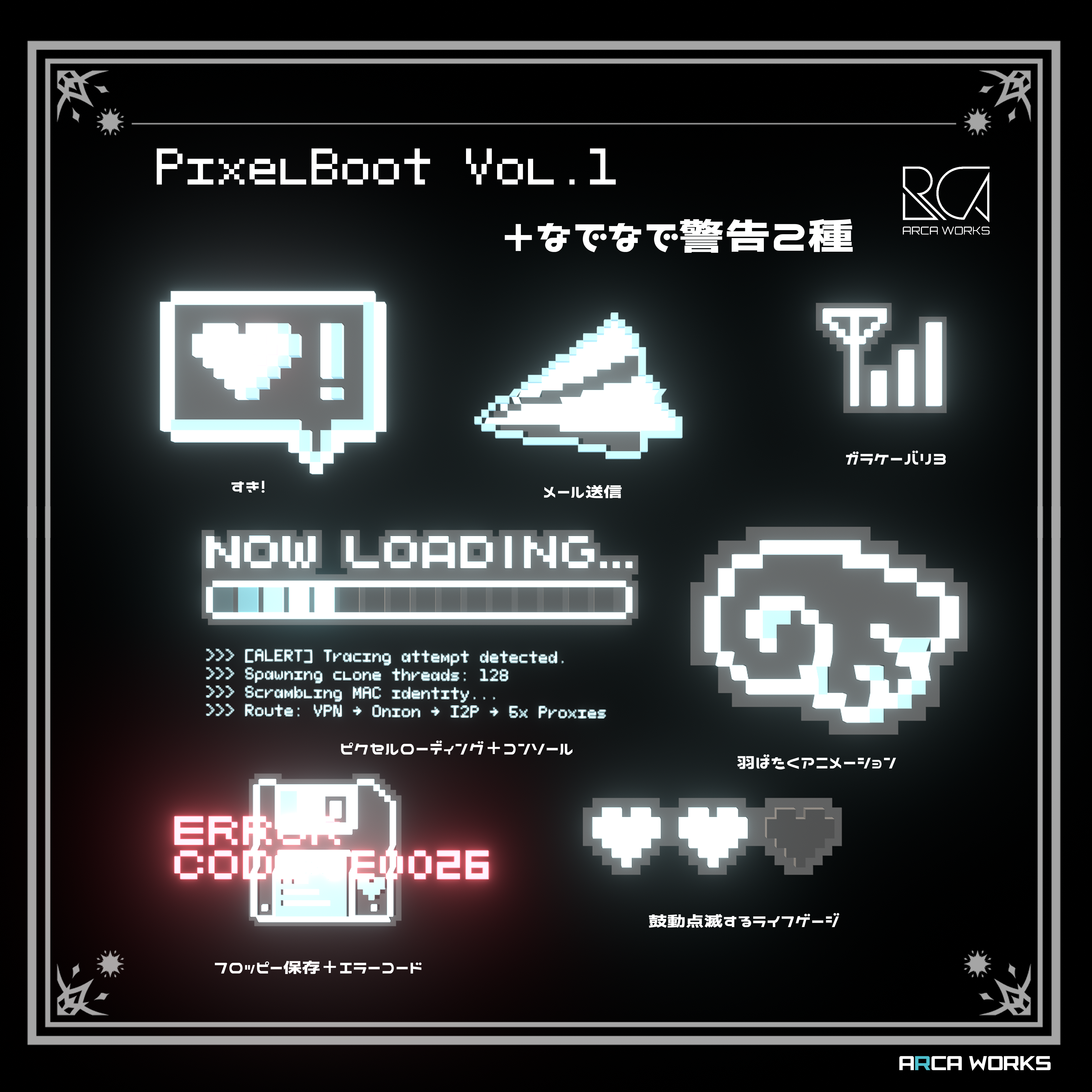
- Vol.1: PixelBoot
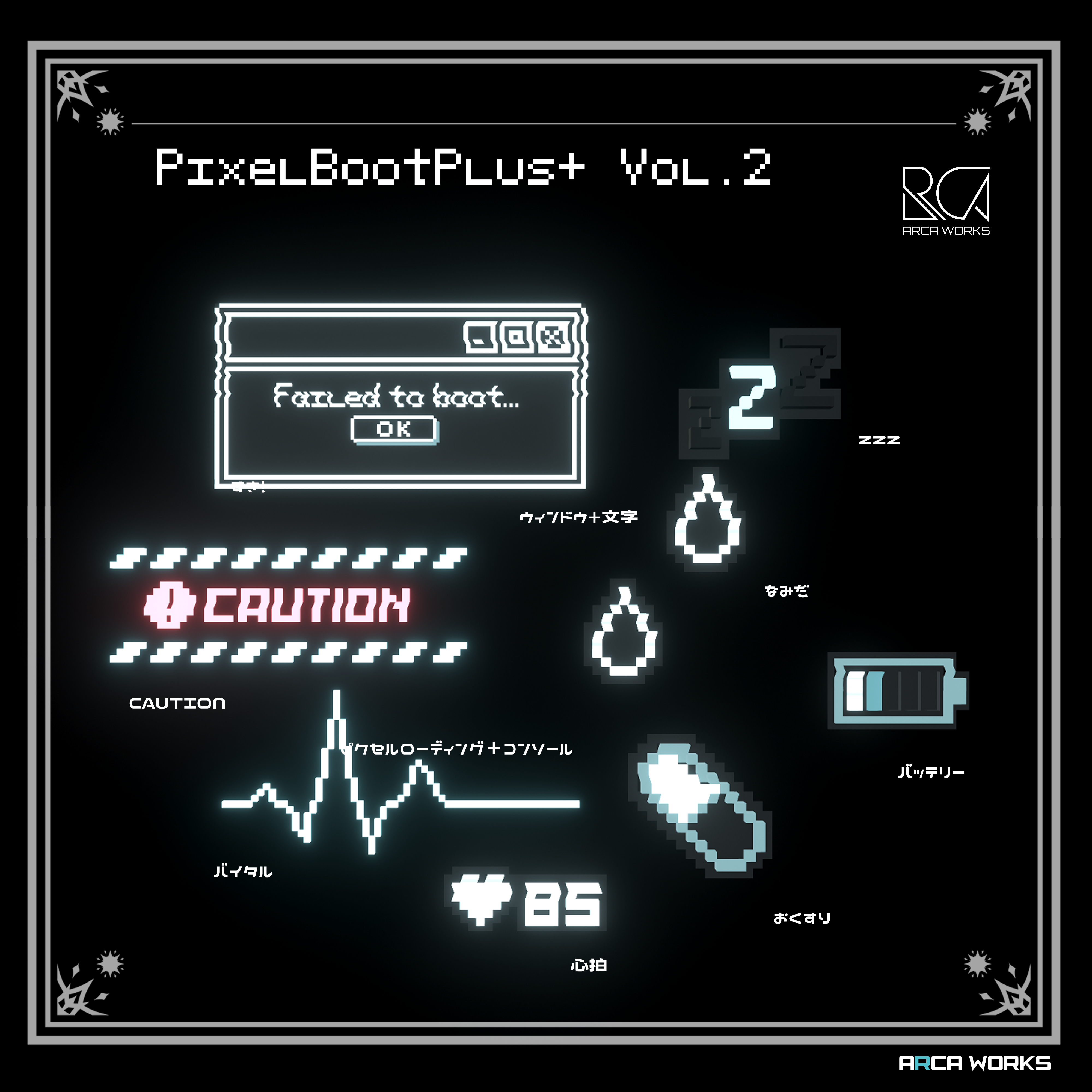
- Vol.2: PixelBootPlus+
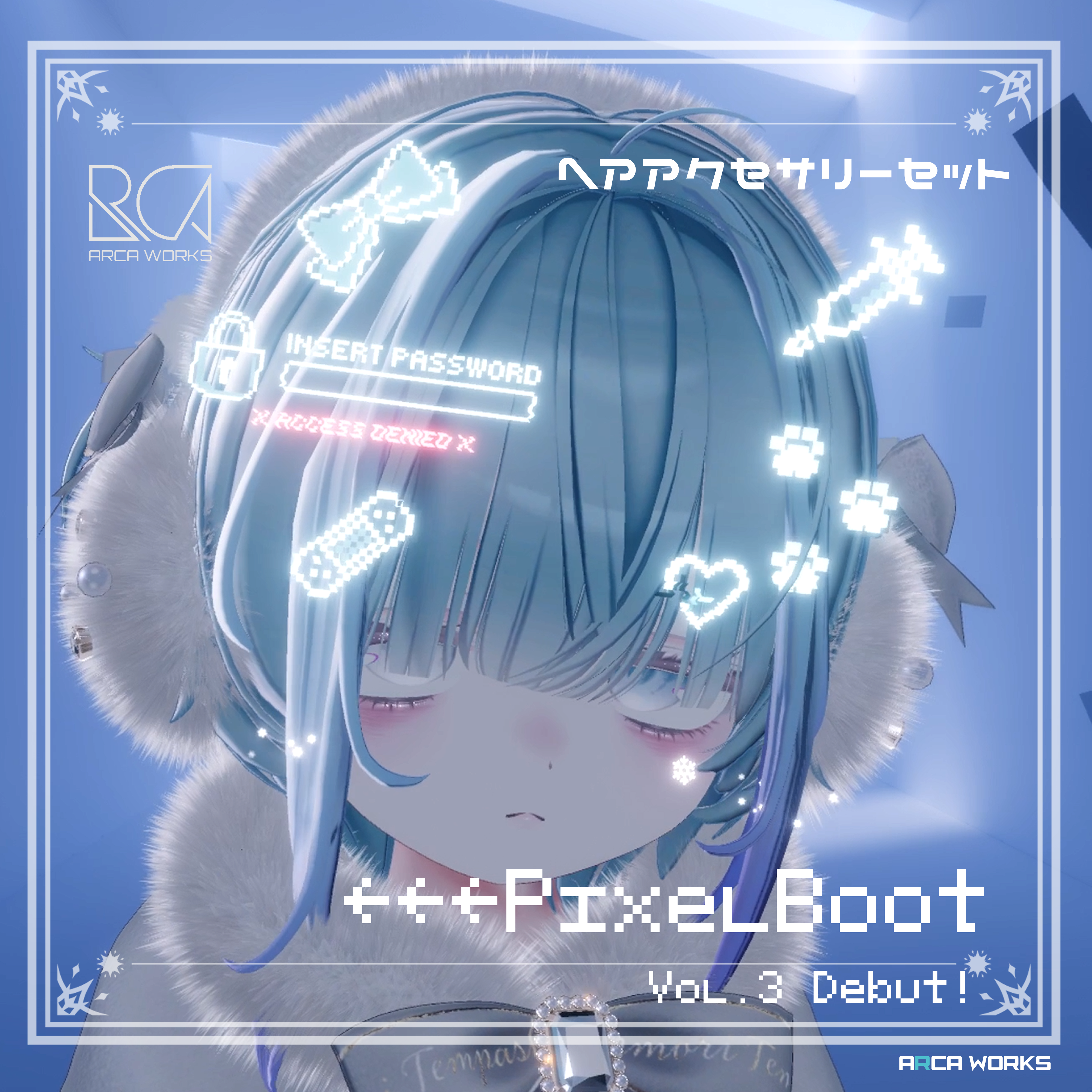
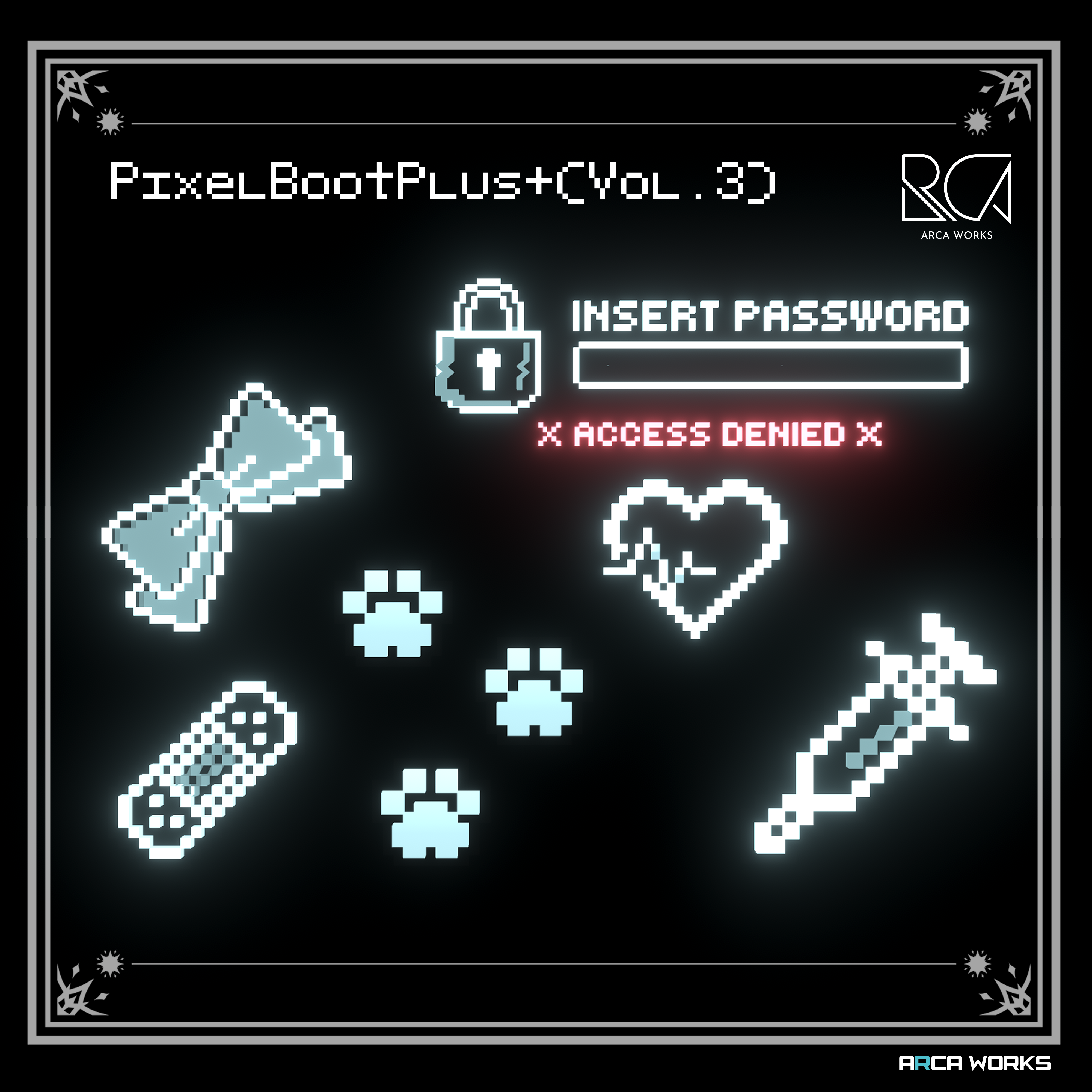
- Vol.3: PixelBootPlus++
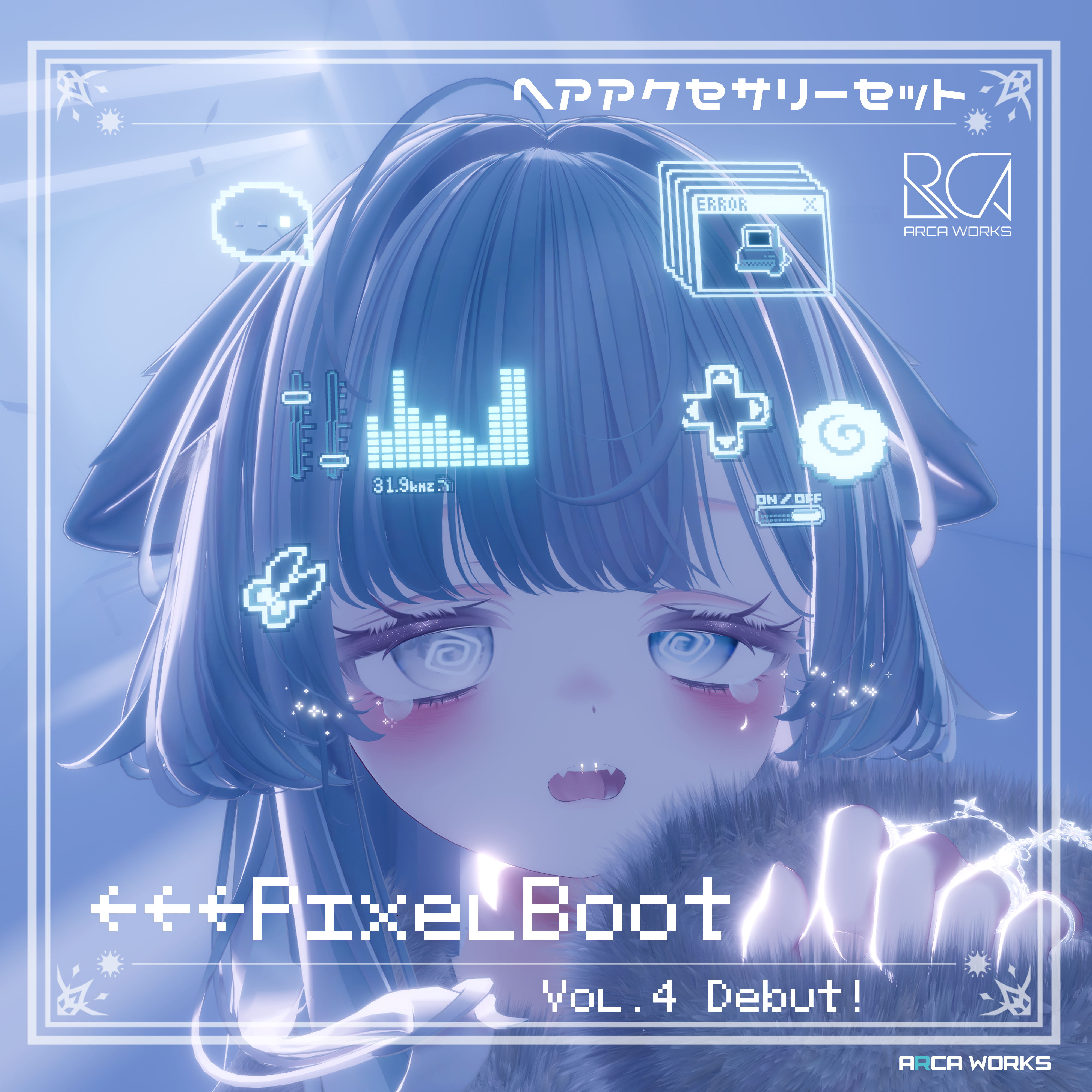
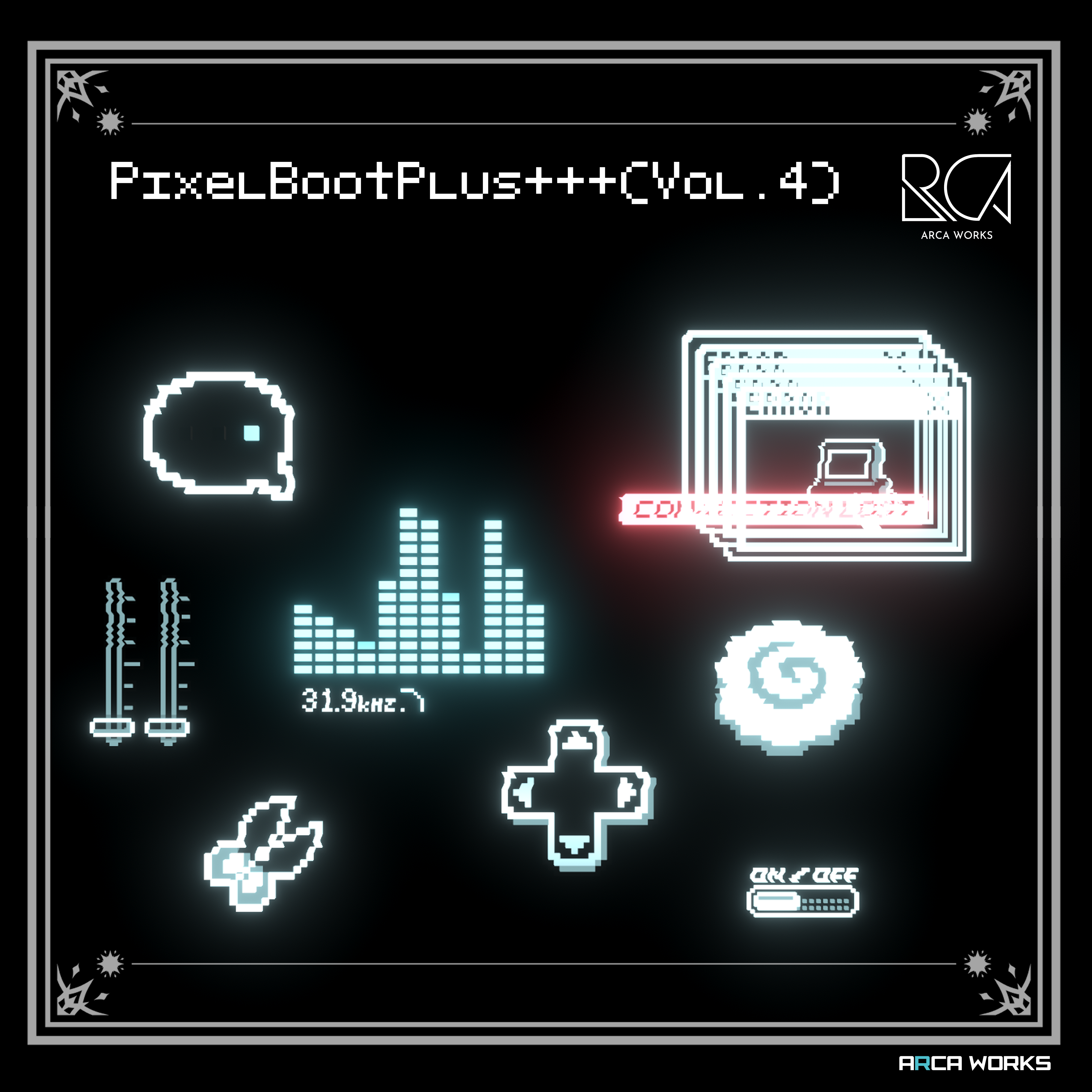
- Vol.4: PixelBootPlus+++
✦✦ Key Features ✦✦
- Nostalgic pixel art × futuristic cyber neon aesthetic
- Layered, depth-rich 3D pixel design
🌟 Cyber-style visuals created through random, asynchronous blinking
🌟 Noise effects powered by a custom shader - Color variations: light blue and pink
- Animated elements
- Freely place each part wherever you like
- Includes a “petting alert” gimmick alongside the hairpins (Vol.1)
(Can be toggled ON/OFF via menu) - Vol.4 includes a speech bubble effect that appears while talking
✦✦ Installation Guide ✦✦
① Install lilToon Shader v1.9.0 or later
② Install Modular Avatar
③ Import this product’s UnityPackage
④ In the imported folder (ARCA-WORKS > PixelBoot), place “(ALL)PixelBoot.prefab” directly under your avatar, then adjust the size and position of each hairpin
(Already set up for MA, so please do not press “Setup Outfit”)
⑤ Hide any unnecessary items (Edit Only)
(Vol.1 only)
⑥ To use the petting defense protocol, place “(Petting Alert Gimmick) Nadenade_Protocol.prefab” under your avatar and adjust its position according to the reference images
▶ If hair disappears behind the hairpins, increase the render queue value of the base material
▶ A dedicated custom shader is included and will be installed during import
✦✦ Customization Tips ✦✦
- Compatible with all avatars — easy drag-and-drop setup
- To attach to something other than the head, change the MA Bone Proxy from “head”
- All types are placed as samples by default — arrange them however you like
- To make parts flat, adjust thickness via scale
- To disable glitch effects, switch to a standard lilToon material
- The petting gimmick triggers only from users allowed to use contacts (e.g., friends)
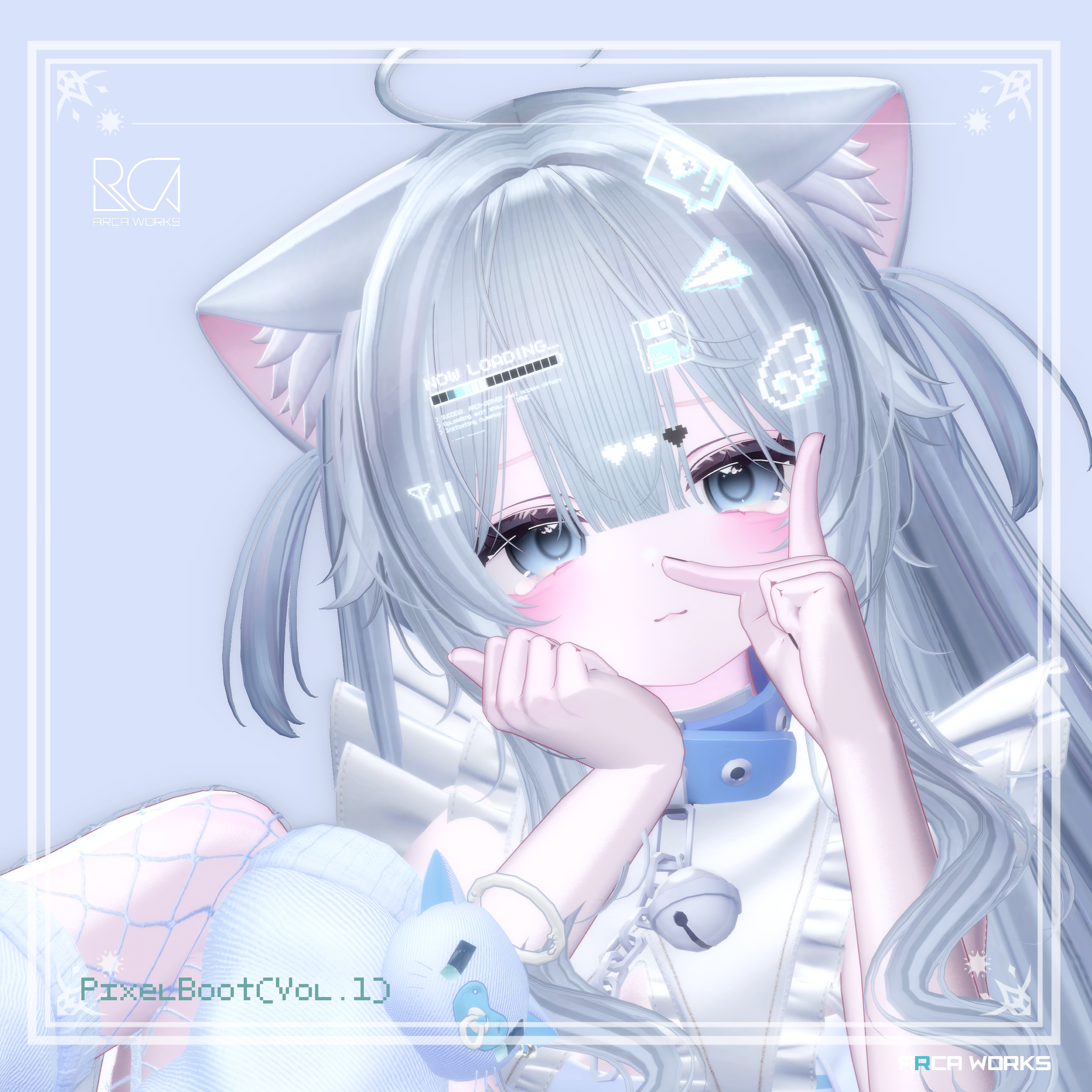
【Vol.1 PixelBoot】
DOT_A: “Like!” button
DOT_B: Email send icon
DOT_C: Loading progress bar
DOT_E: Old mobile signal icon
DOT_F: HP gauge about to lose 1 life
DOT_G: Floppy disk save icon
DOT_G2: Error code
DOT_I: Scrolling console screen
+Petting alert gimmick
【Vol.2 PixelBootPlus+】
DOT_K: Heart rate
DOT_L: Tears
DOT_M: Medicine
DOT_N: Sleepy…
DOT_O: Low battery
DOT_P: Window
DOT_Q: Failed to boot
DOT_R: CAUTION
DOT_S: Vitals
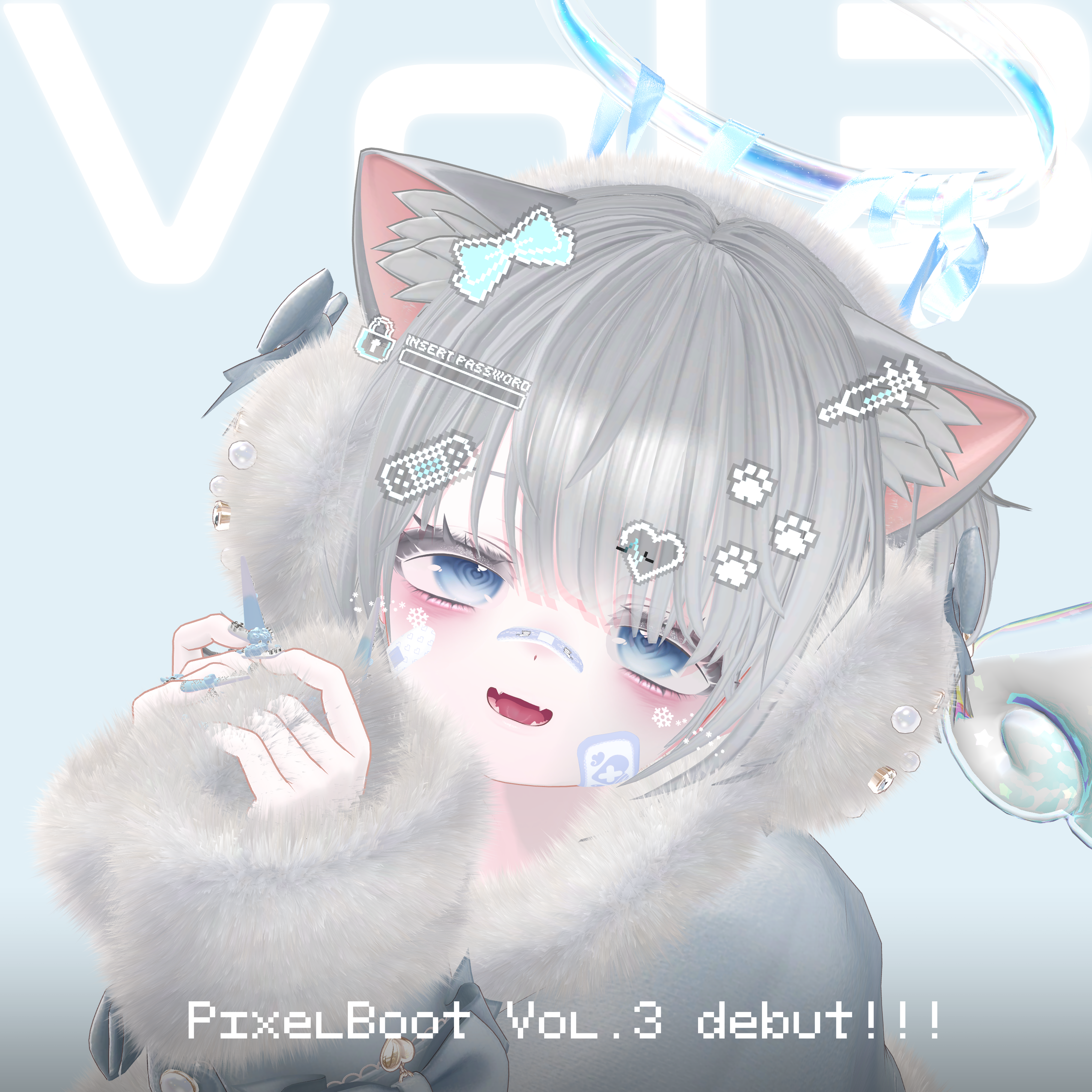
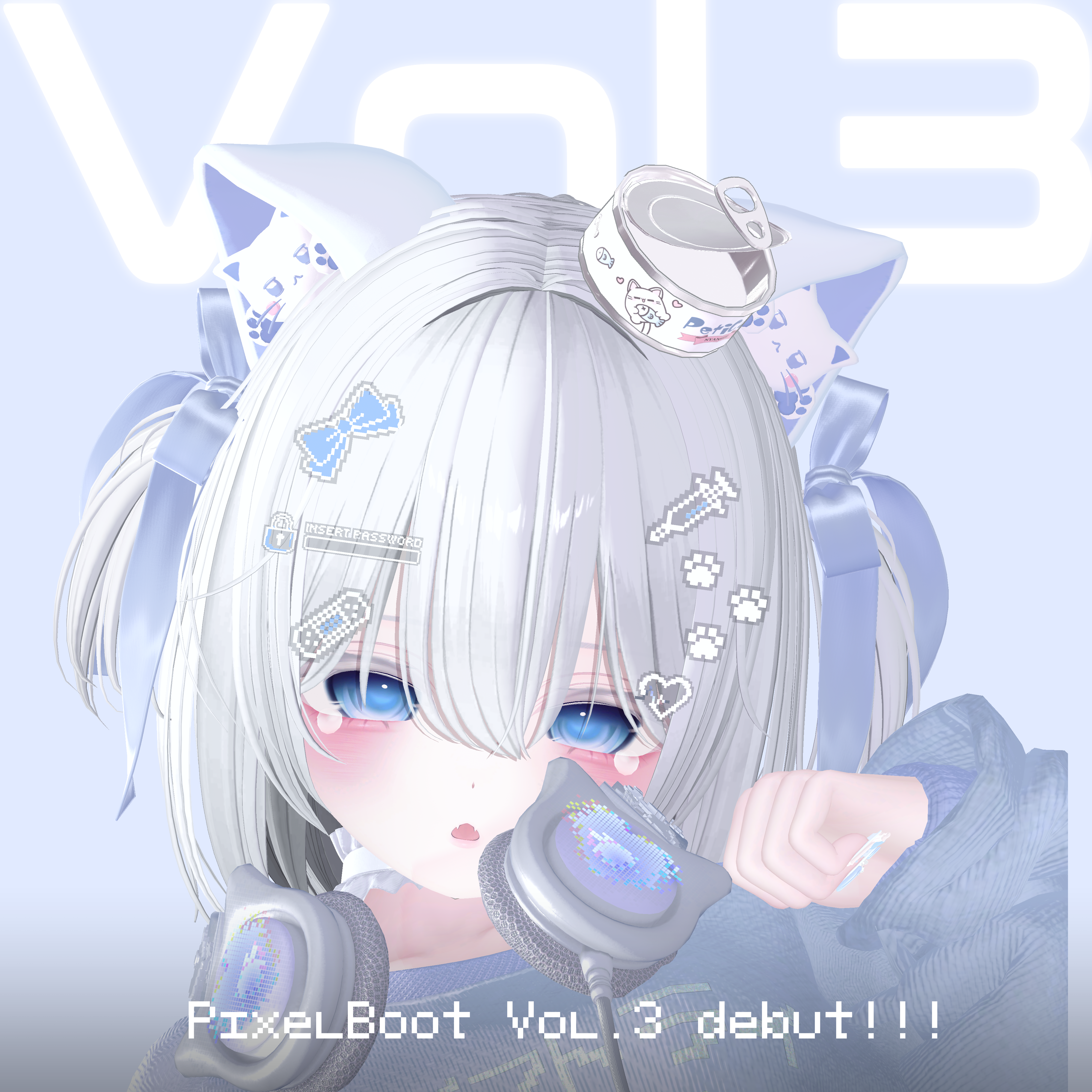
【Vol.3 PixelBootPlus++】
DOT_T: Password access denied
DOT_U: Ribbon
DOT_V: Bandage
DOT_W: Injection
DOT_X: Pulse
DOT_Y: Cat
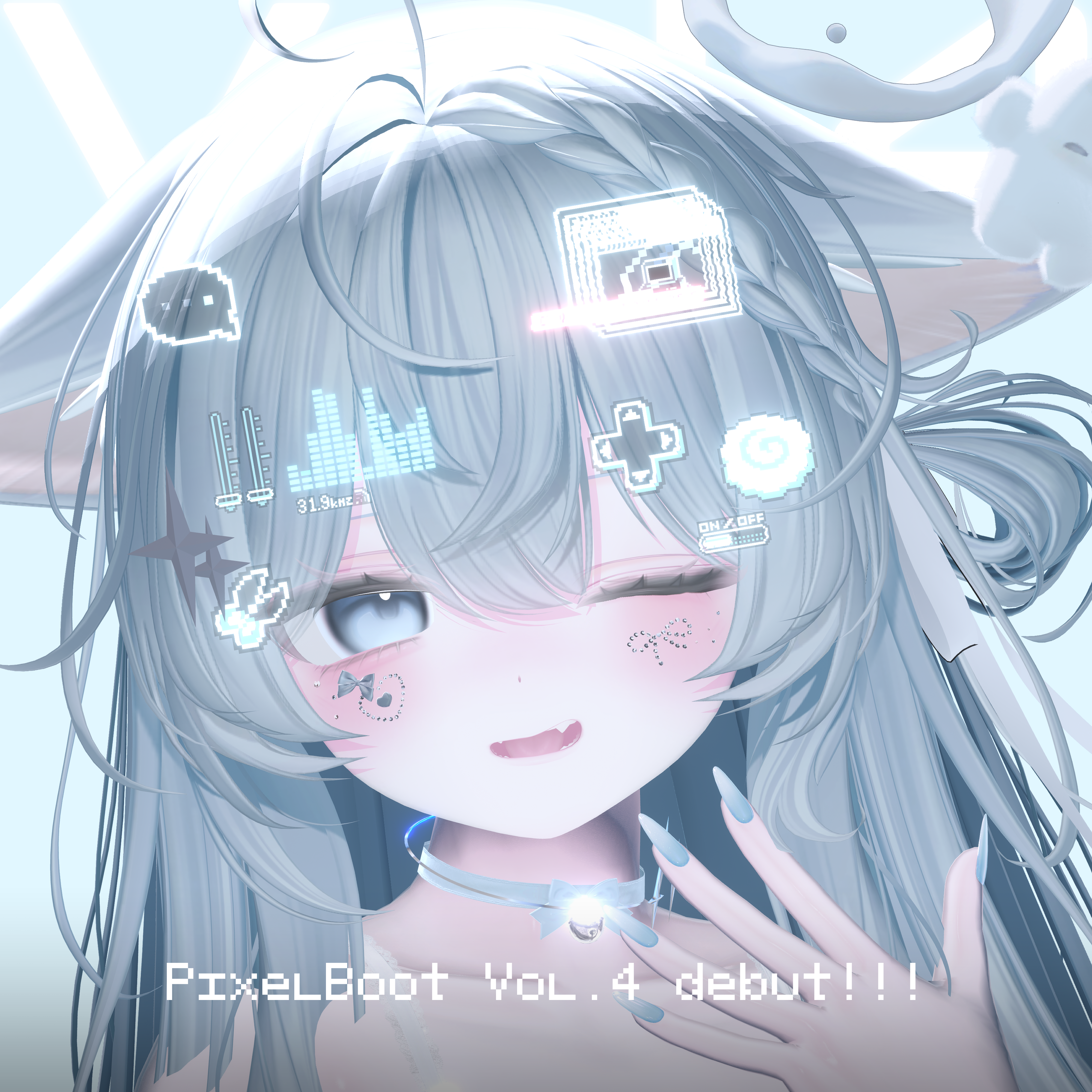
【Vol.4 PixelBootPlus+++】
DOT_AA: Speech bubble
Appears only while speaking (can be always on by disabling the animator)
DOT_AB: Volume
DOT_AC: Sound level
DOT_AD: Frequency
DOT_AE: Scissors
DOT_AF: Error window + PC
DOT_AG: Connection error
DOT_AH: D-pad
DOT_AI: Narutomaki
DOT_AJ: Switch
✦✦ Terms of Use ✦✦
Please see the link below for the latest Terms of Use:
▶ https://lit.link/arcaworks
For any cases not covered above, please contact me directly for a case-by-case decision.