
Strange Toolkit - World Optimization Tools
Collaborators
Product Description
The one and only FREE Comprehensive World Optimization System for VRChat. (Please read the bottom!!)
The StrangeToolkit is built to handle streamlined optimization, technical maintenance, and world stability.
Unity's "hidden checkboxes" that new users struggle to identify are served front and center, providing an accessible boost of quality to all new worlds made by new creators, hopefully improving the new user experience. Whether you are just starting your first world or managing a massive professional scene with hundreds of objects to keep track of, you will find your workflow increadibly streamlined with refined improvements to the overall Unity experience.
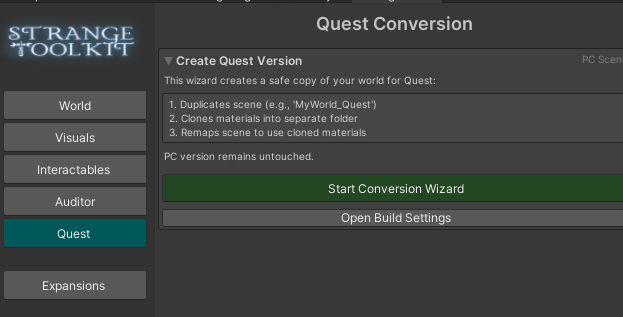
Once you are happy with your world, the StrangeToolkit will then help you create a non-destructive Quest scene that can re-sync any object placement changes made to your pc version in the future. When in the quest scene, The toolkit features quest optimization features as well. All features listed below will have adjusted thresholds that meet the needs for the Quest system.
Core Feature Set
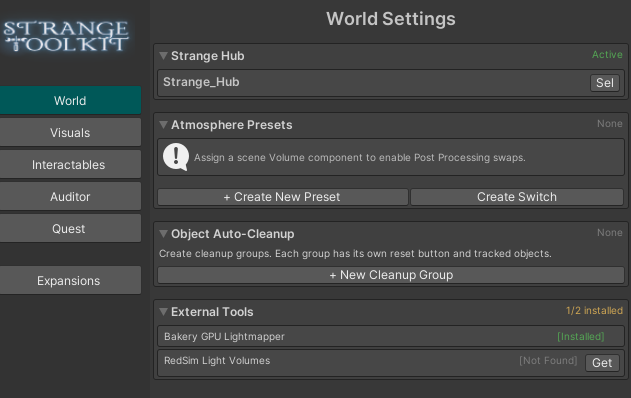
- The Hub: The central UdonSharp script that stores all world data, player persistence, and scene logic in one organized location.
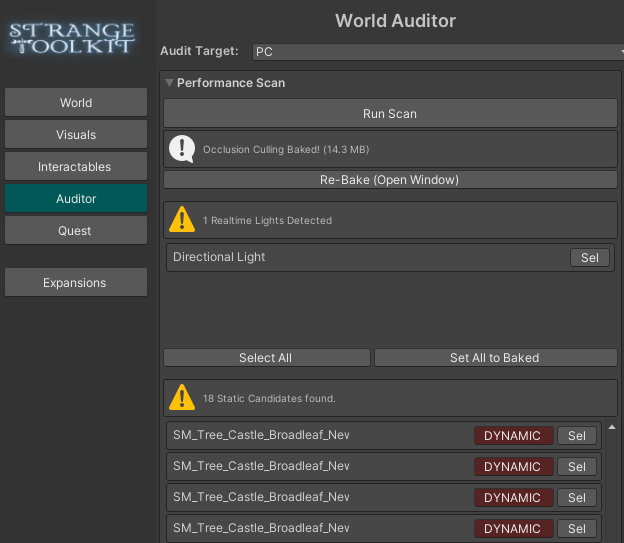
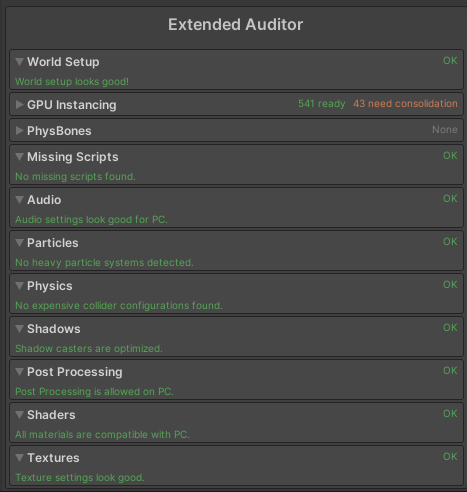
- Extended Auditor: A surgical performance scanner that identifies realtime lights, non-static meshes, and missing occlusion culling data. It checks for missing scripts, audio settings, heavy particles, and expensive collider configurations. The Auditor also identifies shadow caster optimization and post-processing compatibility. Every issue found includes a tooltip explaining the performance impact and a shortcut to highlight the asset in the hierarchy.
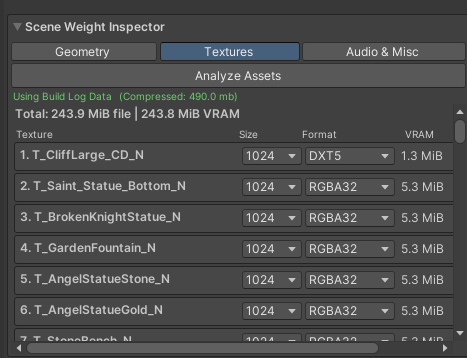
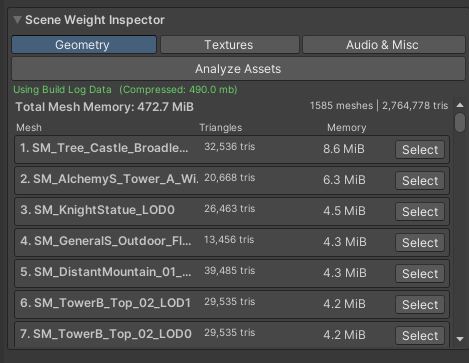
- Asset Analyzer & Weight Inspector: Provides a deep breakdown of scene geometry, textures, audio, and shader usage. It calculates VRAM and disk size impact for every asset to show exactly what is lagging the world, and it identifies broken scripts or missing scene descriptors.
- Optimization & GPU Instancing: Tracks objects ready for Static batching and/or GPU instancing, and identifies those needing consolidation. The tool uses smart filtering to automatically ignore Pickups, Animators, and Rigidbodies during bulk fixes, ensuring game logic remains intact while optimizing geometry.
- PhysBones: The Auditor includes a dedicated check for PhysBones within the scene to ensure they are optimized for performance.
- Atmosphere System: Swaps skyboxes, fog, and visual effects instantly using ScriptableObject presets, replacing old arrays with single asset files for better organization.
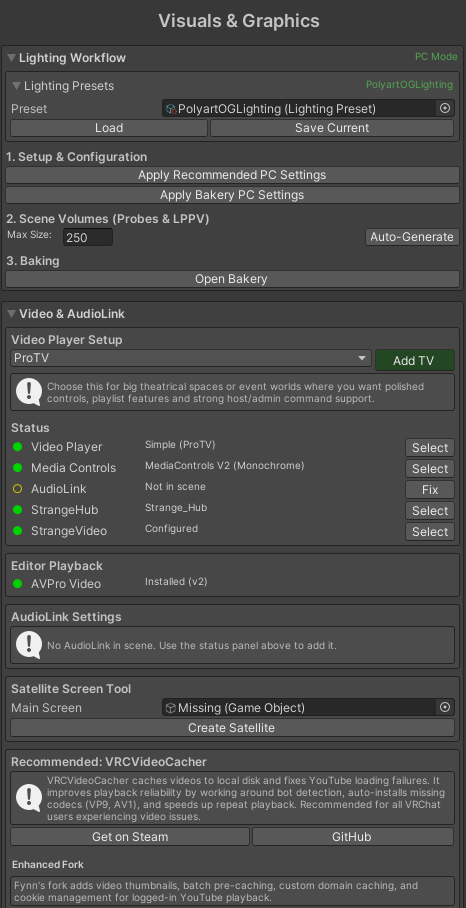
- Baking Workflow: Identifies real-time lights that should be baked and marks geometry as static to prepare for lightmappers. It integrates with Bakery for Light Probe Groups and LPPV setup. A "Capture Bake" feature to save specific lightmaps directly into atmosphere presets is in development.
- Material Manager: Handles mass material and shader swaps across the scene with a toggleable Whitelist/Blacklist mode for total control over modified items.
- Mom Logic (Auto-Cleanup): An auto-cleanup for props that respawns items back to their origin only after a player sets the object down to avoid interrupting active play.
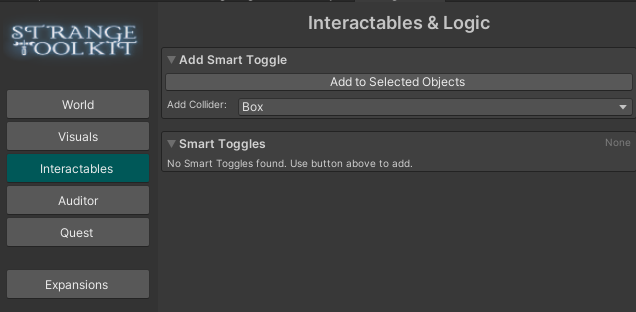
- Automated Toggles: Sets up toggles with integrated support for sounds, animations, and visuals to clearly show what each toggle controls.
More information:
- PC to Quest Sync: Includes a non-destructive pipeline that creates new materials for Quest-specific shaders in a separate scene. It automatically synchronizes object placements from the PC scene to the Quest scene.
- Video & Media Support: Provides integrated support for YamaPlayer, ProTV (ArchiTech), and TXL Video Player. The failsafe media suite also features native support for both AVPro and the Unity Video Player, which automatically triggers a fallback to the Unity player if a primary stream fails. There are tools to automatize audiolink setup, and satelite screens. More video player fuctions will be integrated soon.
- Performance Standards: For the Unity Video Player Fallback, the StrangeHub Uses "Lazy Sync" logic that only updates when there is a significant time drift (over 2 seconds) to keep network traffic low.
--------------------------------------------------
Please backup all projects before use!!
StrangeToolkit is in ACTIVE BETA and while relatively stable, it may have unwanted results or bugs.
I am looking for new users to try out my toolkit and give honest feedback!!
You can email me at [email protected]. THANK YOU!! <3
- Requirements: Built for VRChat SDK3 using UdonSharp.
Add me to your VRC Creator companion (please atleast favorite me on Jinxxy!! <3 ) : https://bellastrangevr.github.io/StrangeToolkit/
Check out the world Strange Kingdom: Made with amazing assets made by PolyArt studio, but optimized with my toolkit!
https://vrchat.com/home/launch?worldId=wrld_85f70990-fd64-4e6f-9528-626e1382c9a6
____________________________________________________________________
I AM UPDATED AS OF JULY 2nd 2026!
THANK YOU GUYS FOR THE FEEDBACK!!
Once again, if you have ANY issues, please email me at [email protected]
I am extremely open to any suggestions, and Fynn and I are trying our best to squish any bugs but we can't see everything between us 2! This means we are relying on YOU guys to tell us about any issues <3
WEEEEEE~