
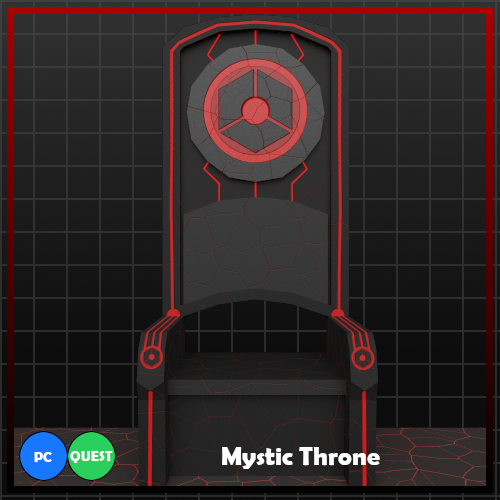
Mystic Throne
Product Description
Features
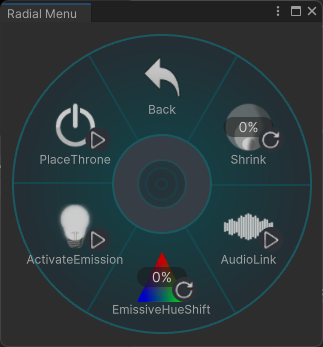
- Dissolve-In Toggle (PC Only) (Standard Toggle on Quest) (World Drop)
- Emission Toggle
- Hue Shift
- Audio Link (PC Only)
- Shrinking
Technical Information
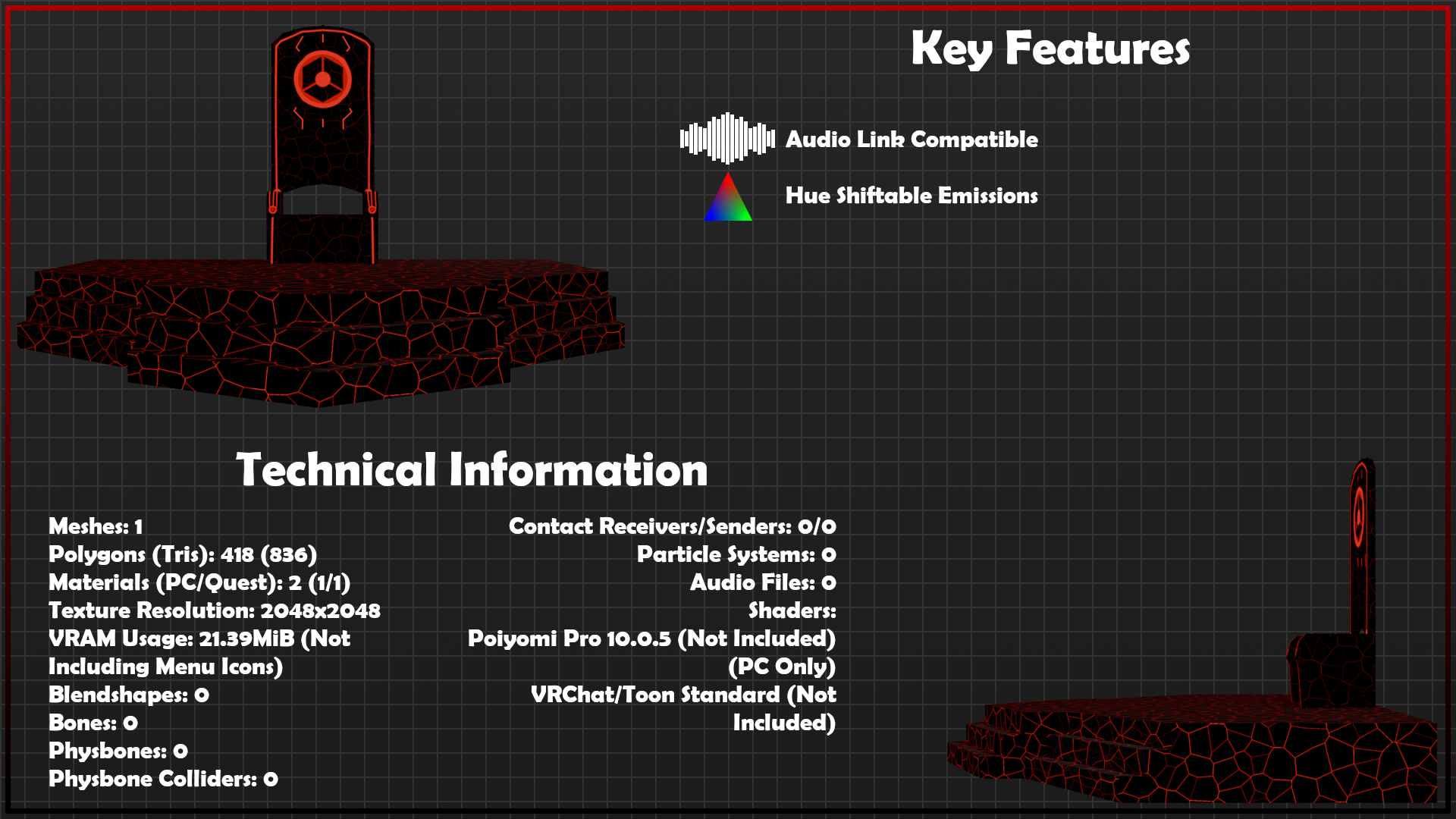
Meshes: 1
Polygons (Tris): 418 (836)
Materials (PC/Quest): 2 (1/1)
Texture Resolution: 2048x2048
VRAM Usage: 21.39MiB (Not Including Menu Icons)
Blendshapes: 0
Bones: 0
Physbones: 0
Physbone Colliders: 0
Contact Receivers/Senders: 0/0
Particle Systems: 0
Audio Files: 0
Shaders:
- Poiyomi Pro 10.0.5 (Not Included) (PC Only)
- VRChat/Toon Standard (Not Included)
Requirements
- VRChat Creator Companion
- *VRChat SDK Avatars 3.10.2
- *VRCFury 1.1286.0
- *Poiyomi Pro 10.0.5 (PC Only)
- Knowledge of Unity Fundamentals
* Whilst may work with other versions, only the versions listed have been tested. You assume all risk should you attempt to use a different version.
Avatar Disclaimer
The avatar shown in the video does NOT come with the asset. The avatar in question is a modified version of the Wickerbeast avatar made by Nicoreda & JediHaloKnight.
The avatar is available for download via Google Drive.
Installation Instructions
- Import VRCFury Package & Poiyomi Pro 10.0.5 Package into the project
- Import Mystic Throne Package into the project
- Navigate to IHAssets > 1. MysticThrone > Prefabs in the assets folder
- Drag & Drop the Mystic Throne (PC) or Mystic Throne (Quest) prefab onto your avatar
- (Optional) Reposition the throne relative to your avatar
- Set Mystic Throne (PC) or Mystic Throne (Quest) prefab to inactive (Uncheck next to name in inspector)
- Upload your avatar
Terms & Conditions
Definitions
The reader of this document and purchaser of products from InfernalHarmony shall be referred to as “Client” hereafter.
The Mystic Throne product acquired from InfernalHarmony via Jinxxy.com and the files the product contains shall be referred to as “Asset” (singular) and “Assets” (plural) hereafter.
Usage of Free and/or Purchased Assets
The Client is granted a Non-Exclusive License to use the Asset(s) for the following:
• Free distribution as part of public or private VRChat Avatar(s) with attribution to InfernalHarmony.
• Commercial distribution as part of public or private VRChat Avatar(s) with prior written consent from InfernalHarmony.
• Modification with the modified Asset(s) adhering to the terms of this document.
The Client is prohibited from utilize the Asset(s) for any of the following purposes:
• Discriminatory acts, statements or demonstrations.
• Training AI
• Usage in products or services that utilize AI generated content
• Renting or lending
• Free distribution as a standalone product, asset or service.
• Commercial distribution as a standalone product, asset or service.
• Free distribution alongside other products, assets or service.
• Commercial distribution alongside other products, assets or service.
• Free distribution as part of public or private VRChat Avatar(s) without clear attribution to InfernalHarmony.
• Commercial distribution as part of public or private VRChat Avatar(s) without prior written consent from InfernalHarmony.
• Modification without the modified Asset(s) adhering to the terms of this document.
• Misrepresentation as the Clients own creation.
The Client is not permitted to utilize Asset(s) for purposes outside of those disclosed in this document without prior written consent from InfernalHarmony.
The Client may have their ability to obtain or purchase Asset(s) from InfernalHarmony restricted or removed indefinitely should false information or a lack of requested information be provided upon purchase of Asset(s).
The Client may have their ability to obtain or purchase Asset(s) from InfernalHarmony restricted or removed indefinitely should any attempt be made to refund or chargeback any purchases from InfernalHarmony.