
Fix the Quest Fallback & 256-Bit Parameter Limit — Avatar Preflight (PC + Android Rank Check) [VRChat / Unity]
Product Description
This product contains AI-generated content.
PC says Medium, Quest shows a fallback. Why? And why does the upload say "too many synced parameters"?
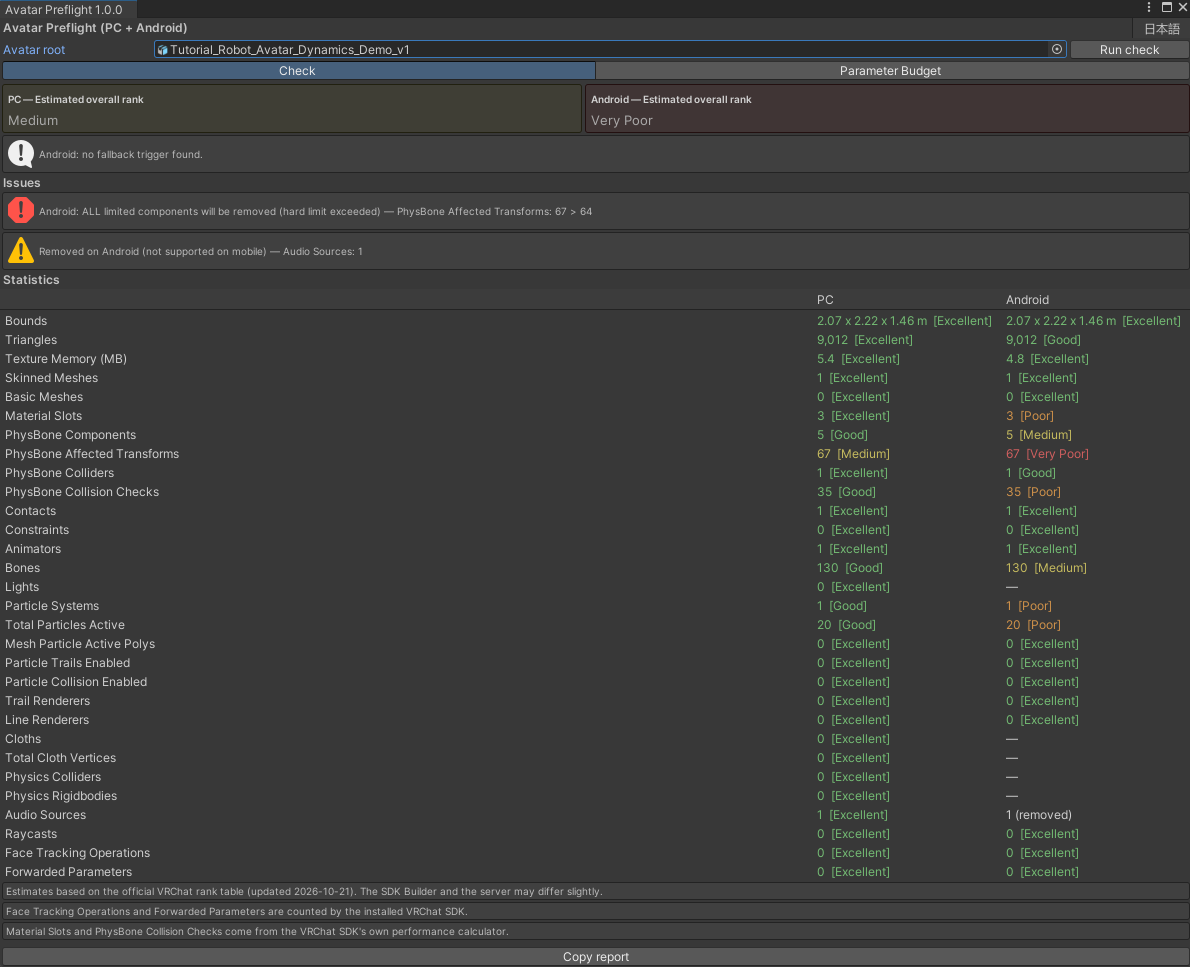
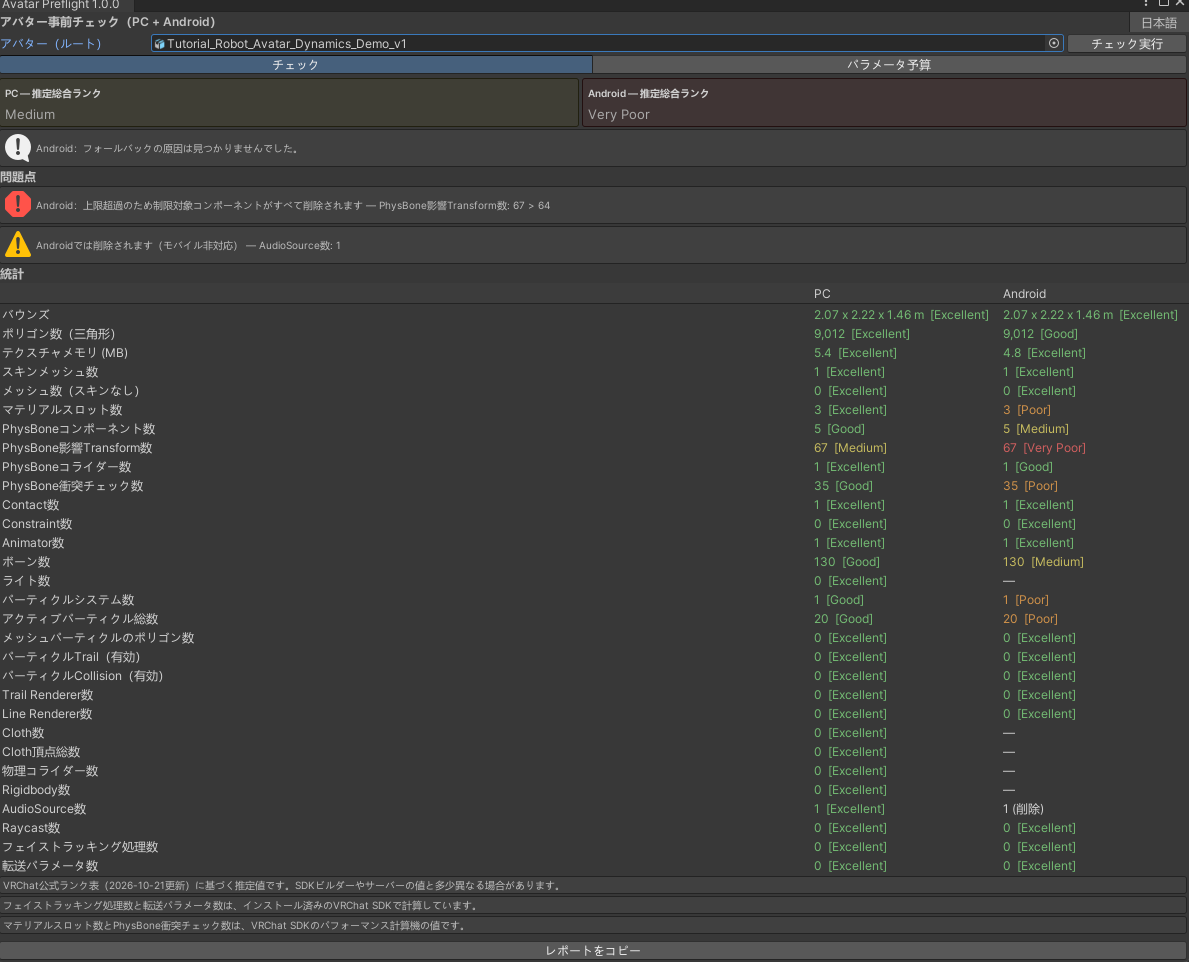
Avatar Preflight checks your avatar before upload:
• Every stat of the VRChat performance rank table for PC and Android side by side, colored by rank
• New in VRChat SDK 3.10.6: Face Tracking Operations, Forwarded Parameters and Raycasts, with the same numbers as the SDK
• The exact Android fallback trigger (triangles, texture memory, meshes, material slots or bones above Poor)
• Android hard limits that strip all PhysBones/contacts/constraints, and components removed on mobile
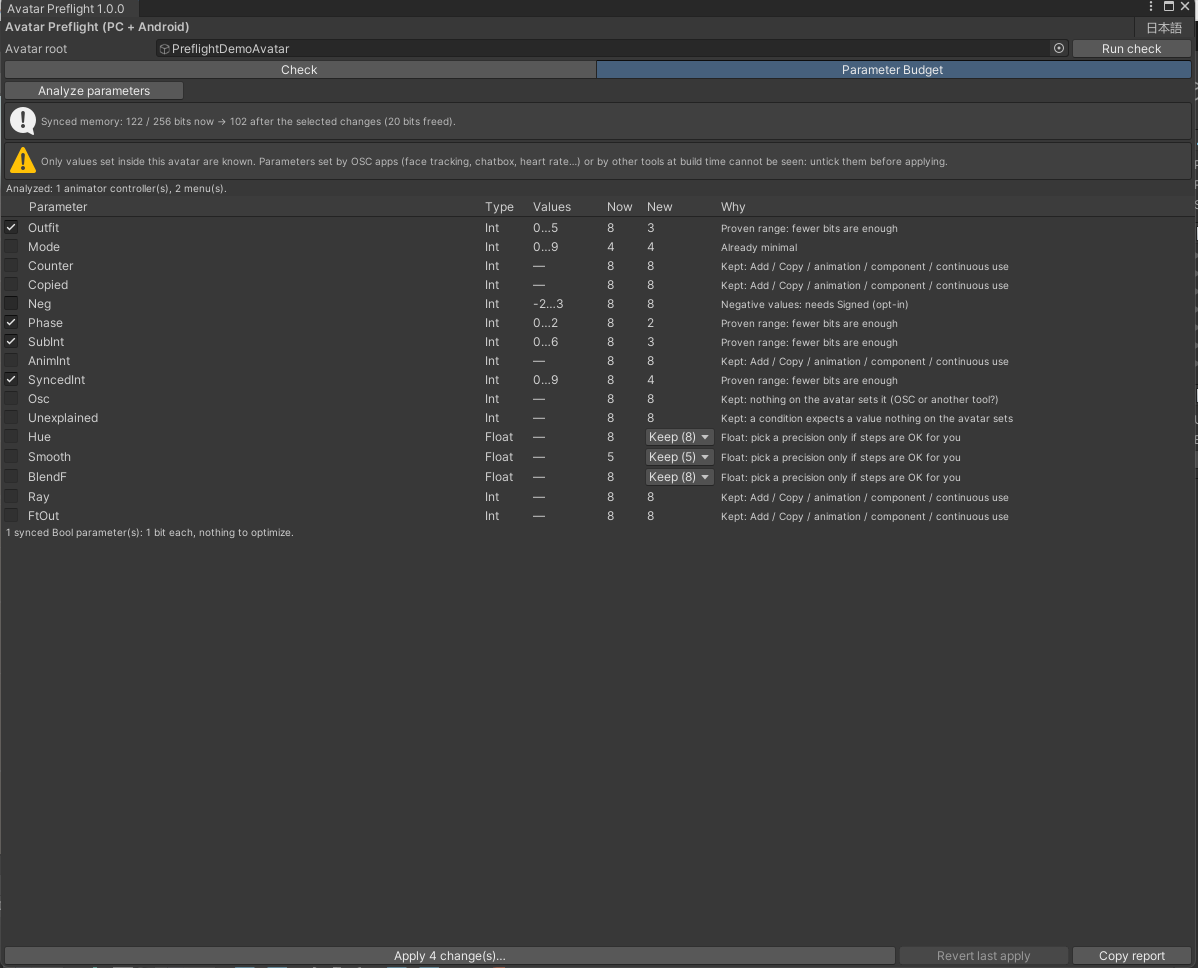
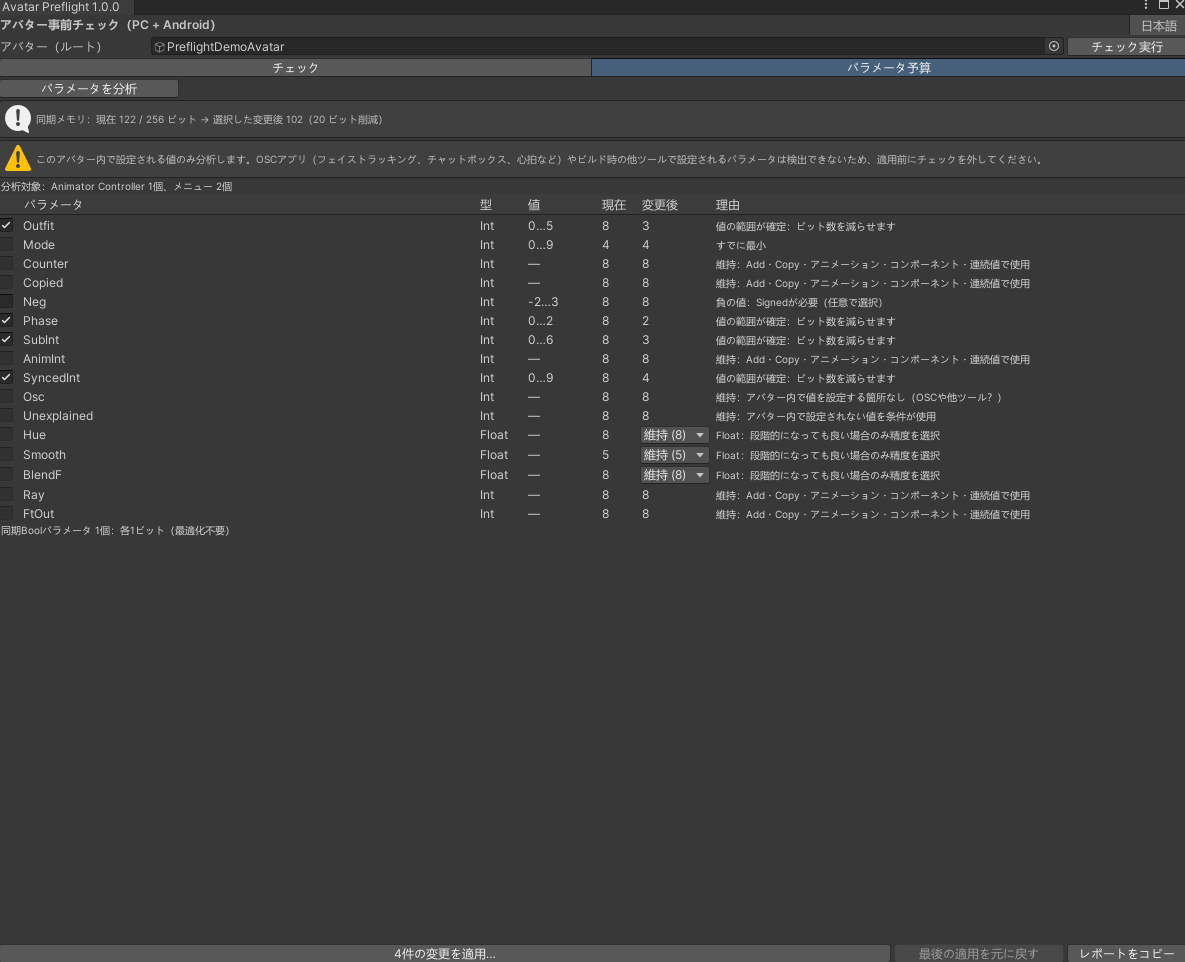
• Synced parameter memory with the new Bit Width (out of 256 bits)
Parameter Budget (Bit Width optimizer)
SDK 3.10.6 lets an Int use fewer than 8 bits. Avatar Preflight reads every condition, Parameter Driver and menu control that uses each Int and proposes the smallest width only when the value range is proven (for example an outfit switch 0–5: 8 → 3 bits). Add/Copy drivers, animated parameters and values set from outside the avatar (OSC) are left alone; floats change only if you choose a precision.
Apply asks first, backs up the asset, supports Undo, and "Revert last apply" restores the exact original file.
Texture memory uses the same model as Texture Budget, so both tools show the same Android value.
English + Japanese UI. Unity 2022.3, VRChat SDK Avatars 3.10.6+ recommended (compiles without the SDK).
Install: drop the com.kenotools.avatar-preflight folder into Packages/, then Tools > Keno Tools > Avatar Preflight.
Pairs with Texture Budget (jinxxy.com/KenoTools/texture-budget): Preflight finds the problem, Texture Budget fixes the texture part.