
Product Description
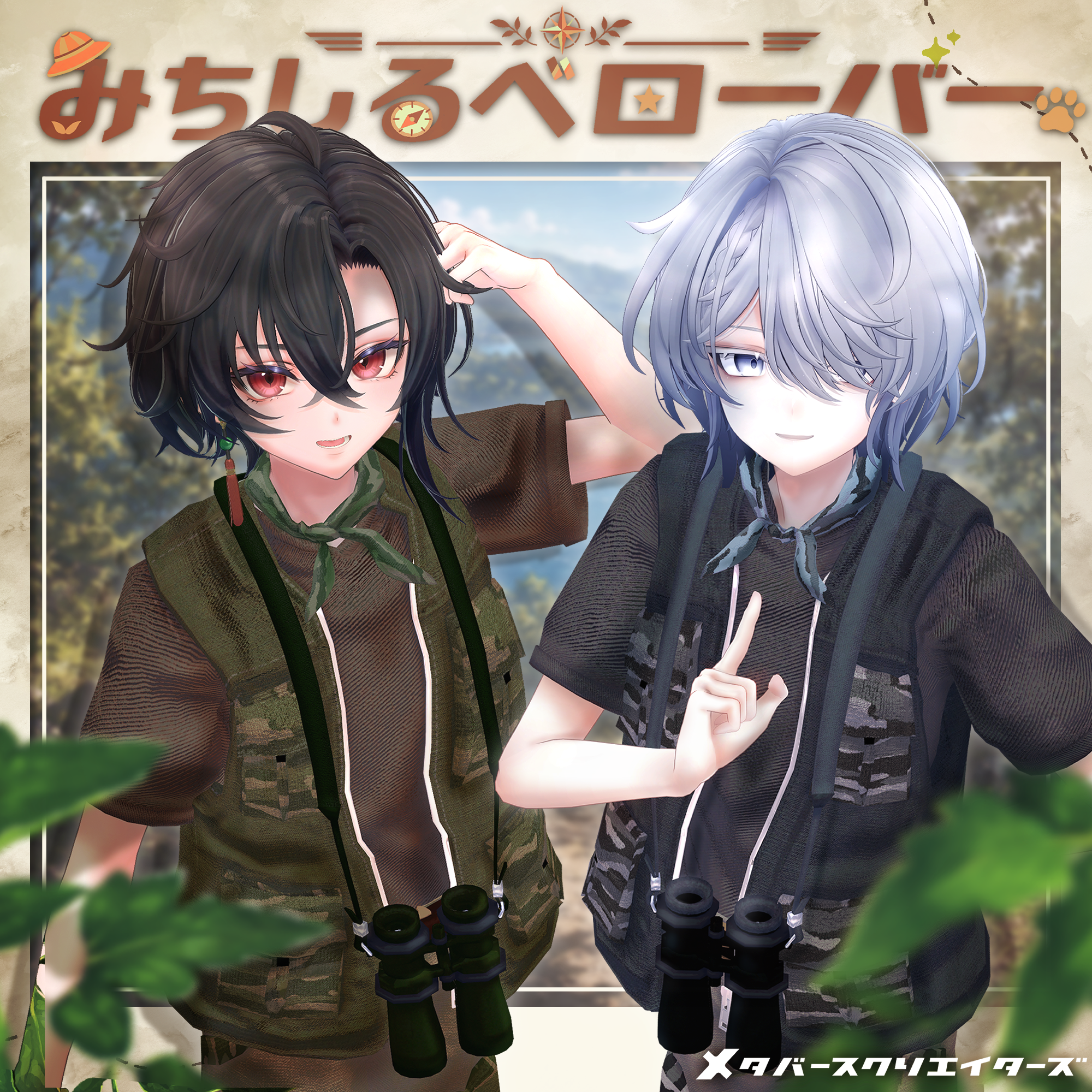
◆ Michishirube Rover ◆
Creator: meidi (Spices)
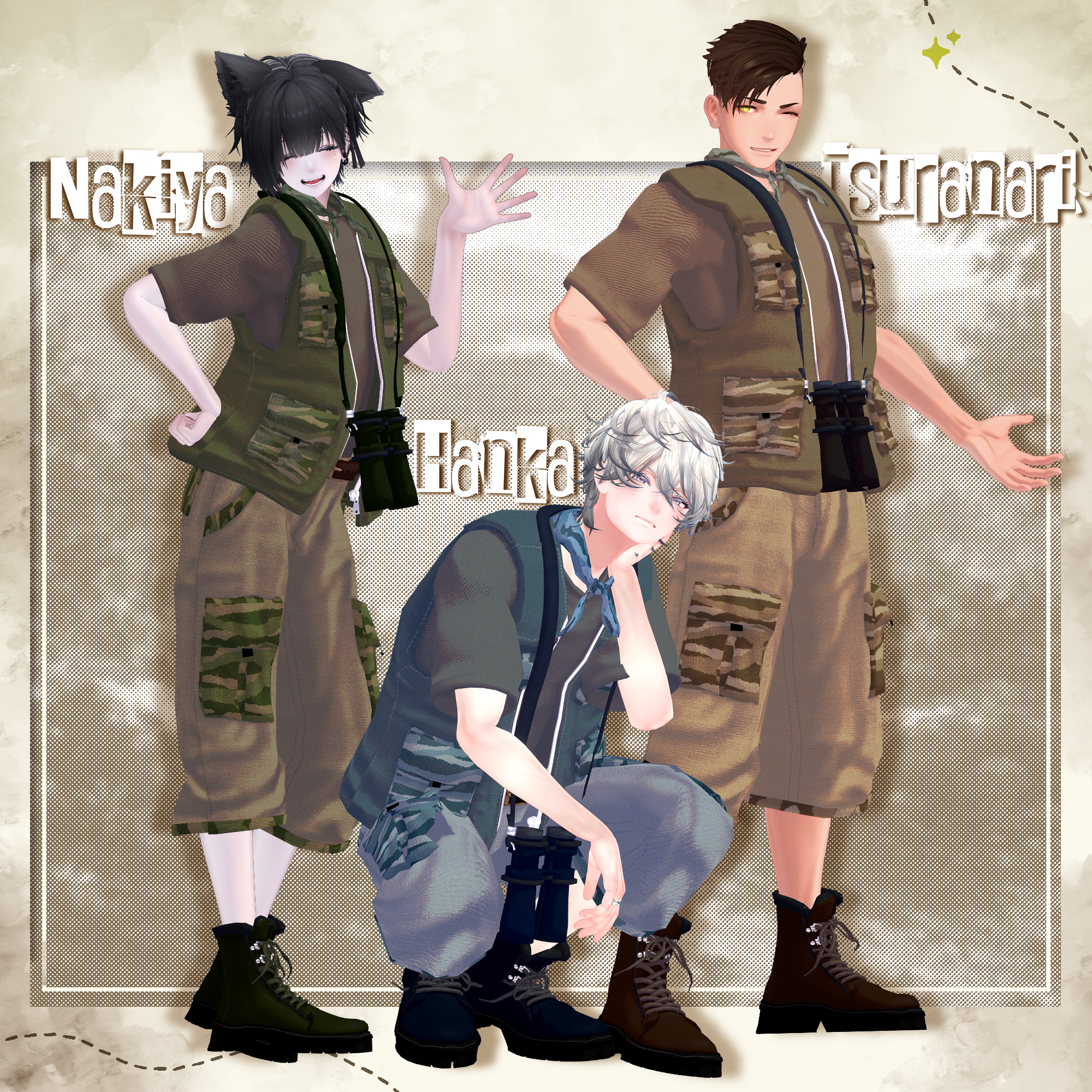
Aim for an as-yet-unseen new world. Look out over the world with your binoculars!
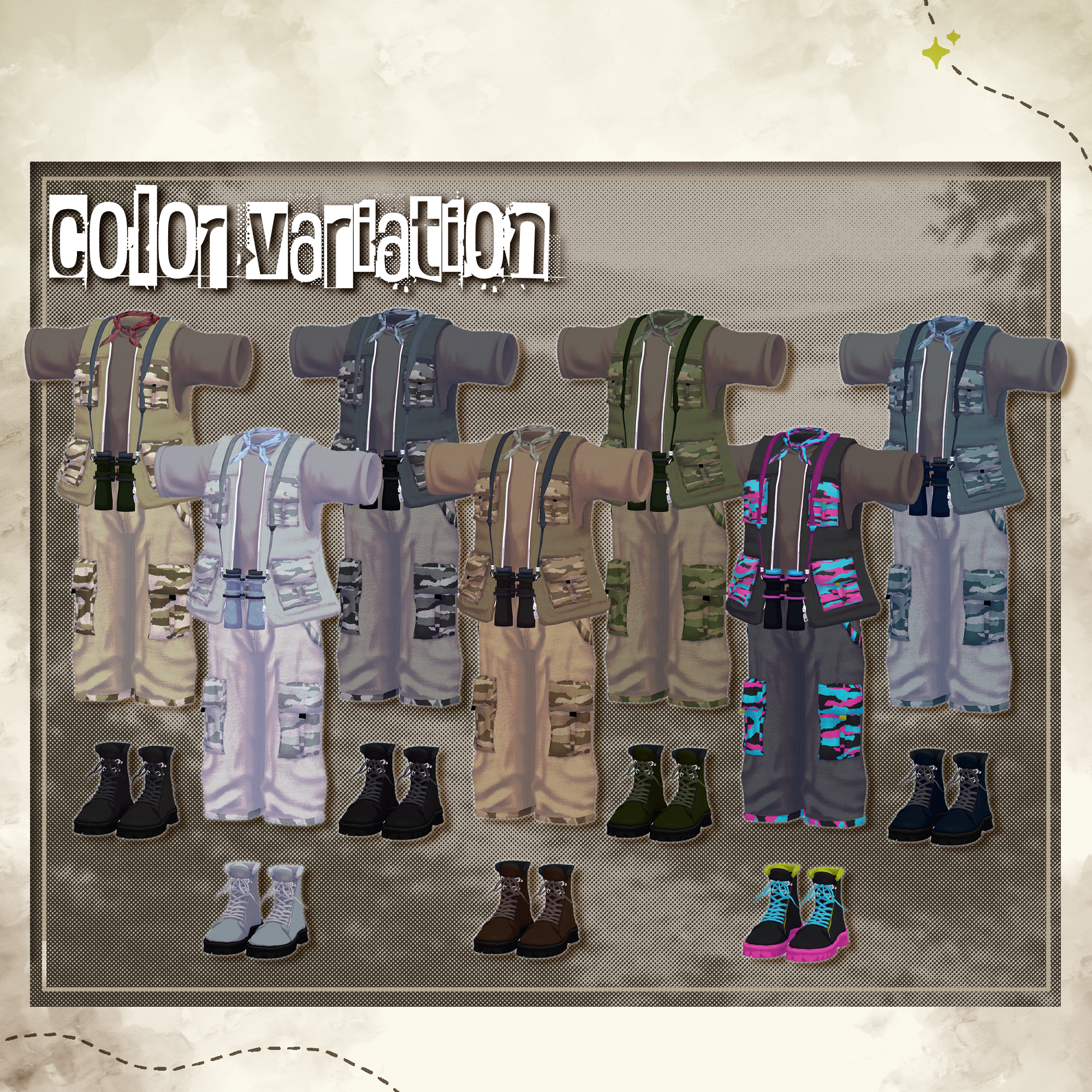
We’ve put together a lineup of colors that blend perfectly into the surrounding environment!
Equip yourself and head out to explore the infinitely expanding metaverse.
Note: This product is a clothing model designed for avatars. The avatar body data itself is not included.
Due to the nature of digital download products, returns and refunds are not possible. Please read, understand, and agree to the product description and terms of use before purchasing.
◆ Item Overview
● Contents
Michishiruberover.Unitypackage
ReadMe.txt (Main text)
Shaders Used:
liltoon: https://lilxyzw.booth.pm/items/3087170
Required Assets:
Modular Avatar: https://modular-avatar.nadena.dev/ja/docs/intro
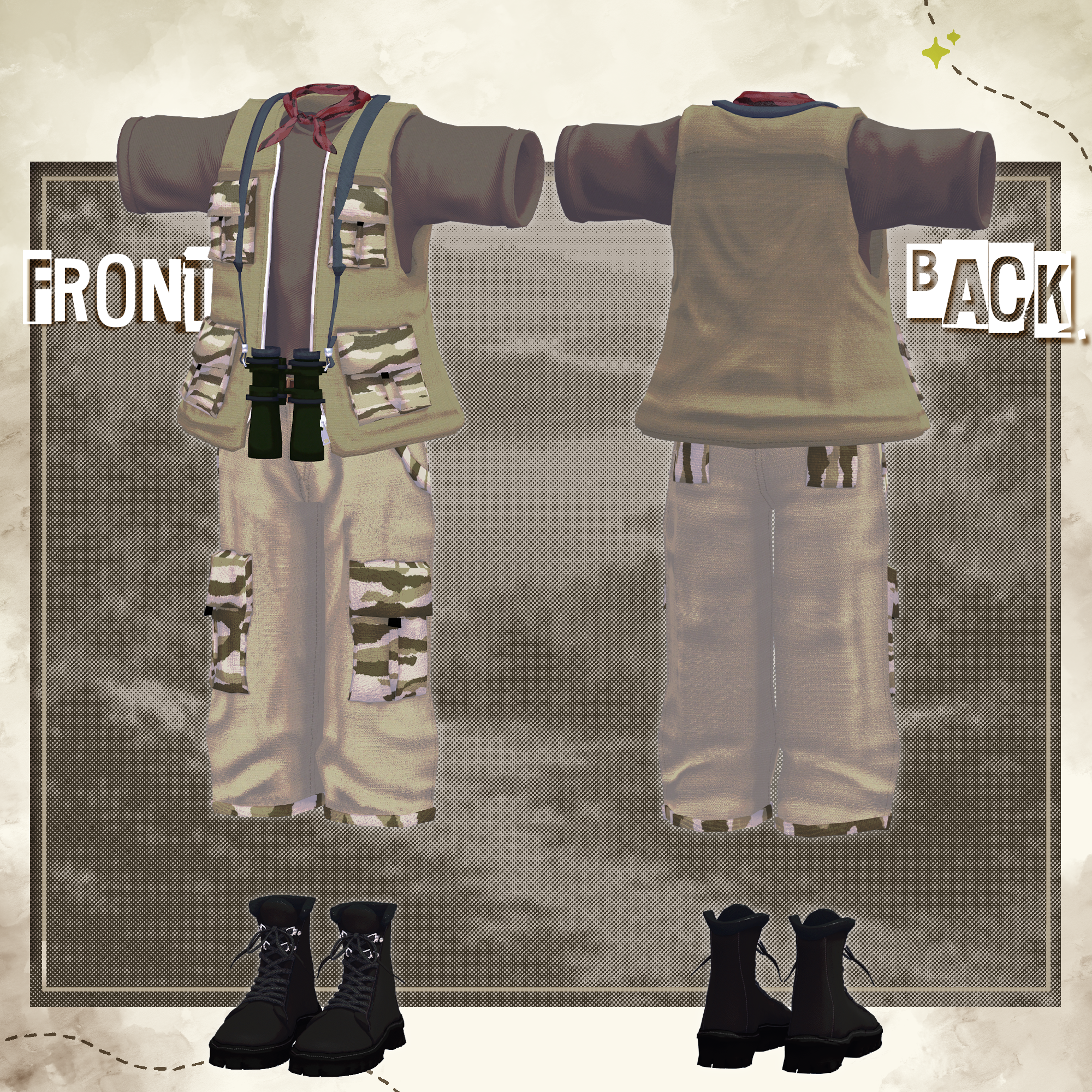
● Model Data
Total Polygon Count: 47,502 polygons
T-shirt: 1,954 polygons
Pants: 2,856 polygons
Scarf: 3,732 polygons
Vest: 4,120 polygons
Belt: 1,244 polygons
Binoculars: 3,300 polygons
Boots: 30,296 polygons
Mesh Count: 7
Material Count: 4
PhysBone Components: 5
Folder Path Upon Import:
Assets > MetaverseCreators_CP > Spices > Michishiruberover
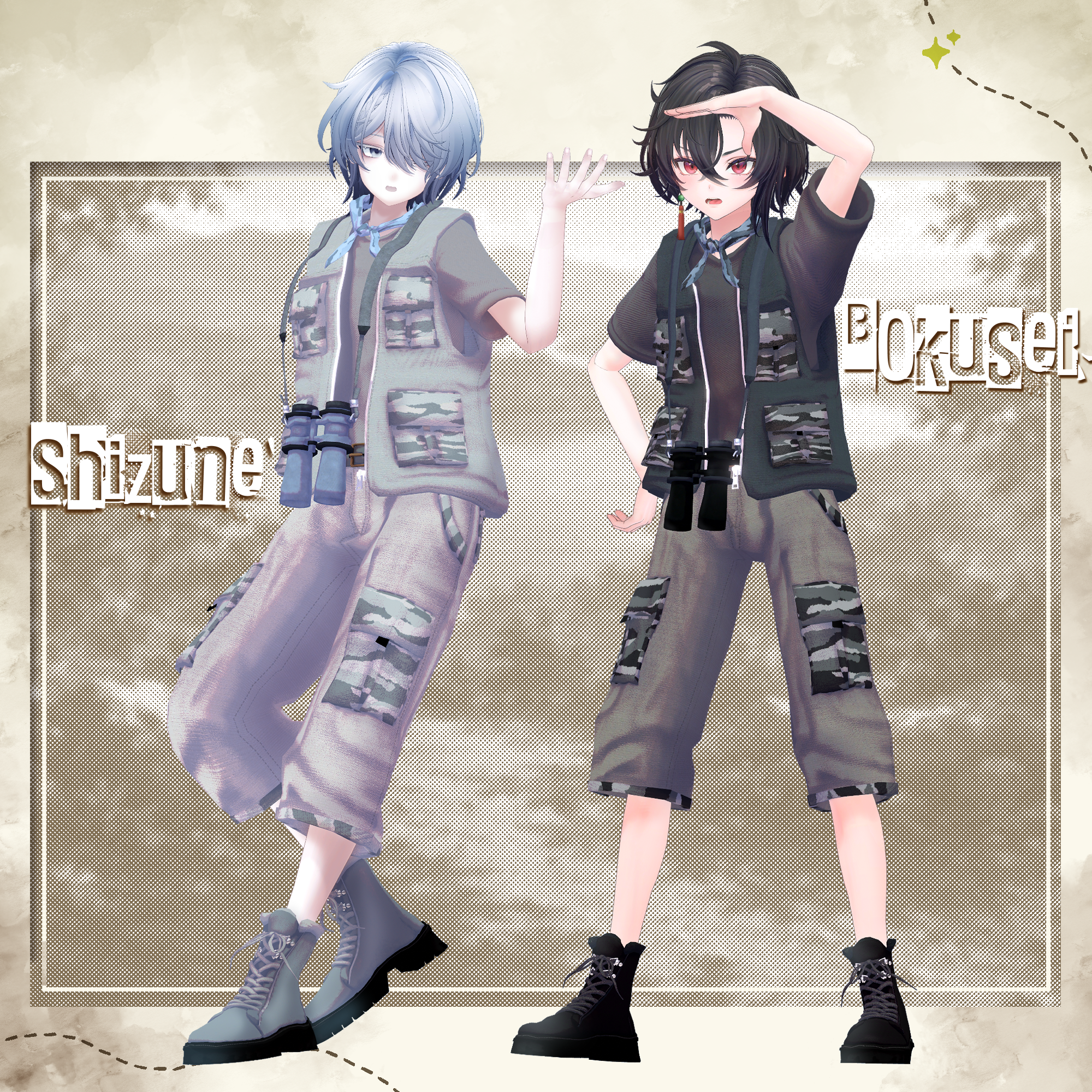
◆ Supported Avatars
[Original 3D Model] 斑霞 -Hanka-: https://booth.pm/ja/items/6970249
Original 3D Model "雫峰 -Shizune-" #雫峰3D #Shizune3D / AC3: https://booth.pm/ja/items/7684873
Original 3D Model "Shachiku no Turanari-san" (Tinmeshitei Body): https://booth.pm/ja/items/5498540
[Original 3D Model] 墨惺 -Sumisato- (PlusHead Body): https://booth.pm/ja/items/5727810
[Original 3D Model] Nakiya <泣夜>: https://booth.pm/ja/items/7924603
When equipping the outfit, you will use shape keys that hide parts of the avatar's base body (making the body thin like a stick).
● Included Shape Keys Overview
There are shape keys to hide the excess tail of the belt and shape keys to tuck in the T-shirt hem. Please utilize these when combining this outfit with other clothing items.
Hanka: belt_shrink, shirts_in
Shizune: belt_shrink, shirts_in
Tinmeshitei Body: belt_shrink, shirts_in
PlusHead: belt_shrink, shirts_in
Nakiya: belt_shrink, shirts_in
◆ Installation Guide
Set up the latest version of the VRC SDK using the Creator Companion (VCC).
Install the required assets (liltoon, Modular Avatar) via VCC.
Import the latest package version of your respective avatar body.
Import this product's package data.
Drag and drop your avatar (or its dedicated dress-up/modification prefab, if available) into the Scene's Hierarchy.
If necessary, hide any unwanted default clothing or underwear meshes on the avatar, or set them to Editor Only.
Drag and drop the prefab named SuzukazeKhurta_[AvatarName].Prefab directly into your avatar's root hierarchy.
Upload the avatar via the VRC SDK.
⚠️ Note on Modular Avatar Features:
The clothing comes pre-configured with Modular Avatar's "MA Shape Changer" feature. When you drag and drop the clothing directly onto the avatar, the base body's shape keys will automatically trigger, shrinking the body or hiding the mesh where it overlaps. This prevents the outfit from clipping with the body. If you do not need the pre-configured "MA Shape Changer" on the clothing mesh, feel free to delete it and adjust to your liking.
⚠️ Note on MAShapeChanger for +Head:
Depending on the avatar, the body mesh name might differ (this data is pre-configured assuming the mesh name is "PlusHead"), which may cause the component to fail to run correctly. If this happens, please manually adjust it on your end by renaming your base body mesh or manually adjusting the shape keys.
⚠️ If you notice that parts of the base body are unintentionally thinned out after completing the dress-up process, please return the corresponding body shape key value back to 0 and verify that the base body displays properly.
● Changing Colors
Please swap out the materials located in the Common > Material folder with the respective color variation materials provided.
◆ Terms of Use
https://drive.google.com/drive/folders/1qRMXoIxM1ZgacBPfwOigQRtXP1vCbNMn?usp=sharing
Please use this product in compliance with the terms of use of your base avatar.
◆ Creation Environment
Modeling: Blender Ver 4.5.10
Textures: Substance 3D Painter 2022
Setup:
Unity Ver 2022.3.22f1
VRChat SDK - Avatars Ver 3.10.1 (VCC)
liltoon 2.3.2
ModularAvatar 1.16.2
◆ Credits
Creator: meidi
X (Twitter): https://x.com/MeidiPega7748
Personal Store (BOOTH): https://meidi.booth.pm/
Inquiries & Support:
https://discord.gg/bmw3PWE37M