
Neat Center-Part Hair & Styling Set - VRChat Hair / CP3
Tags
Product Description
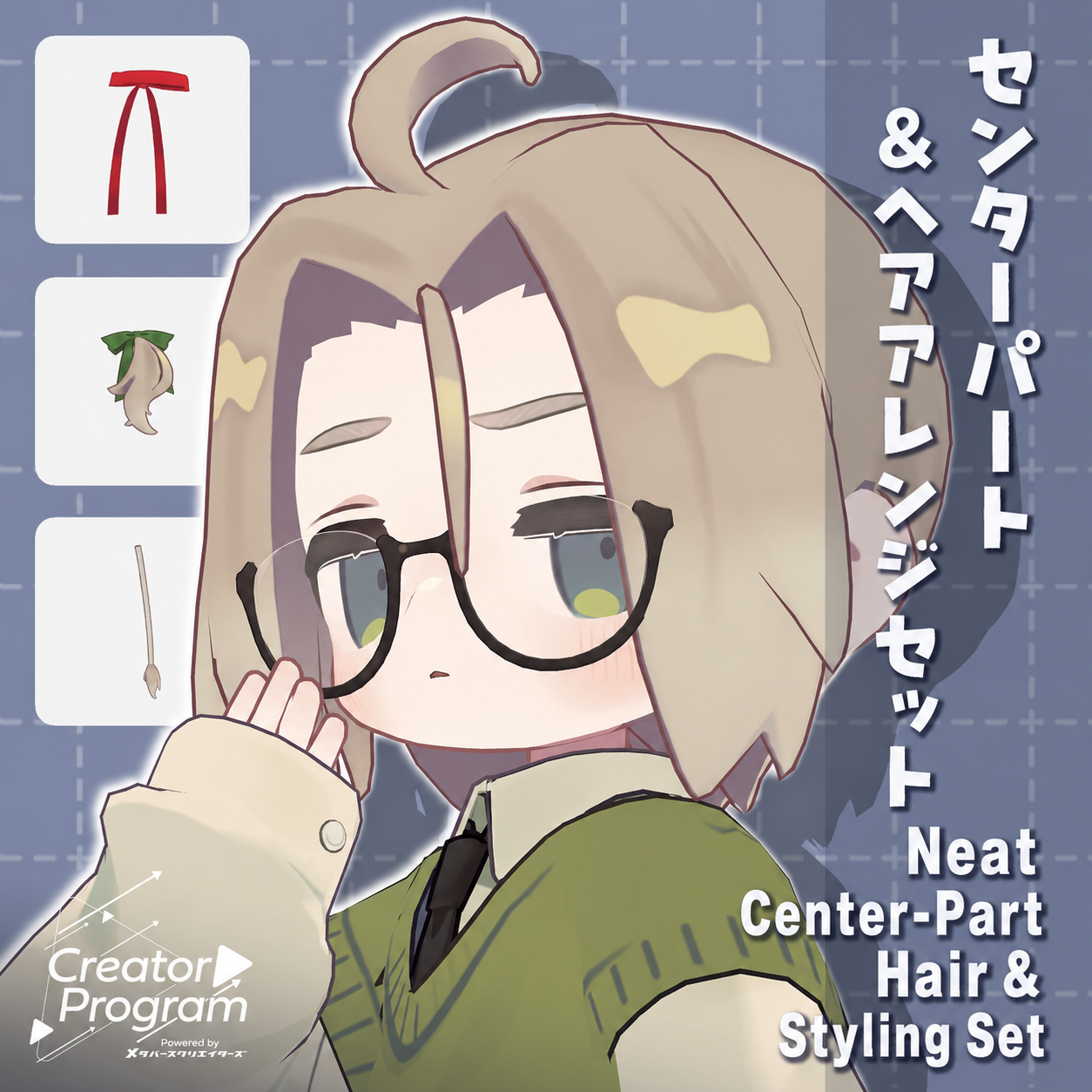
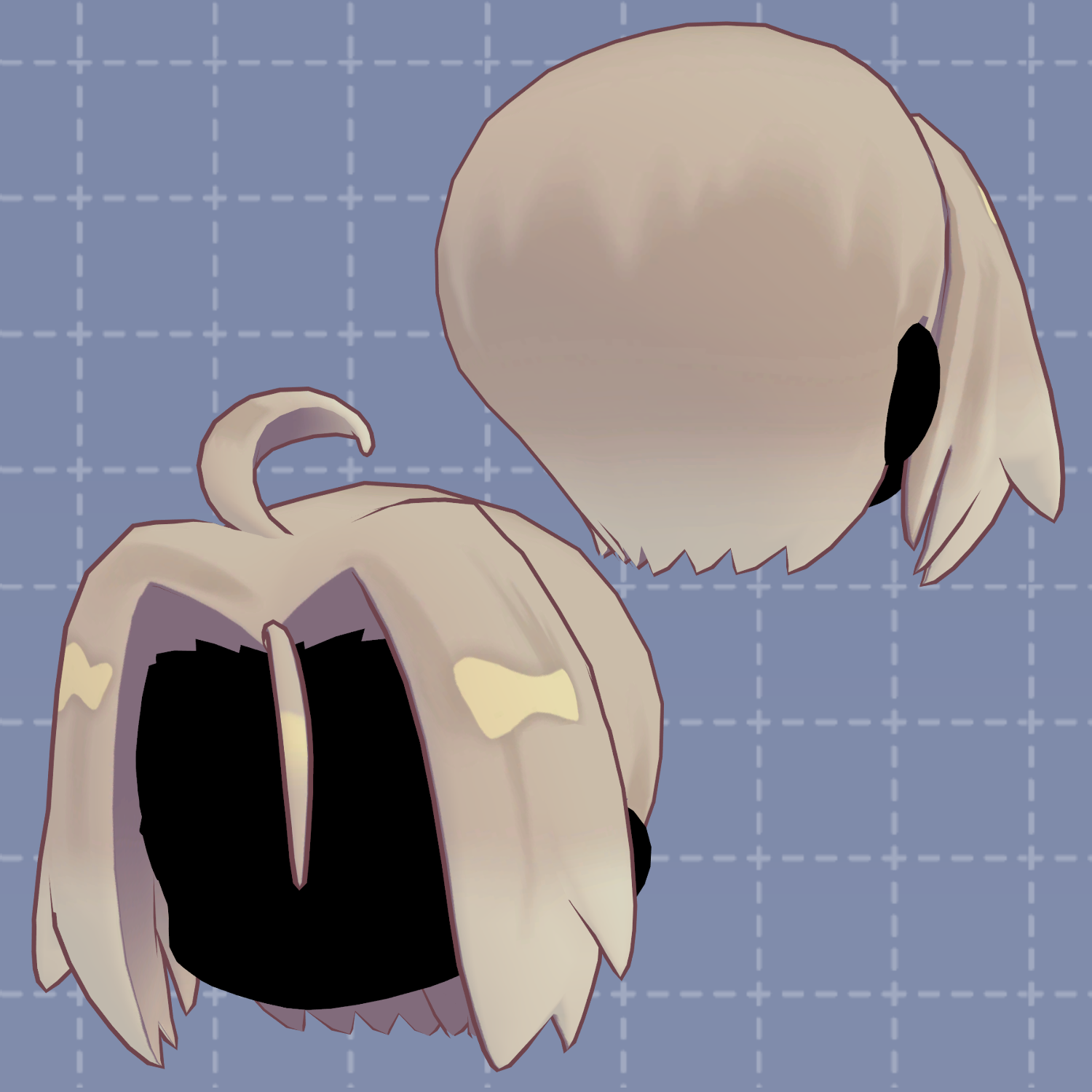
This is a long center-part hairstyle with extended bangs designed to enhance your “serious and composed” look.
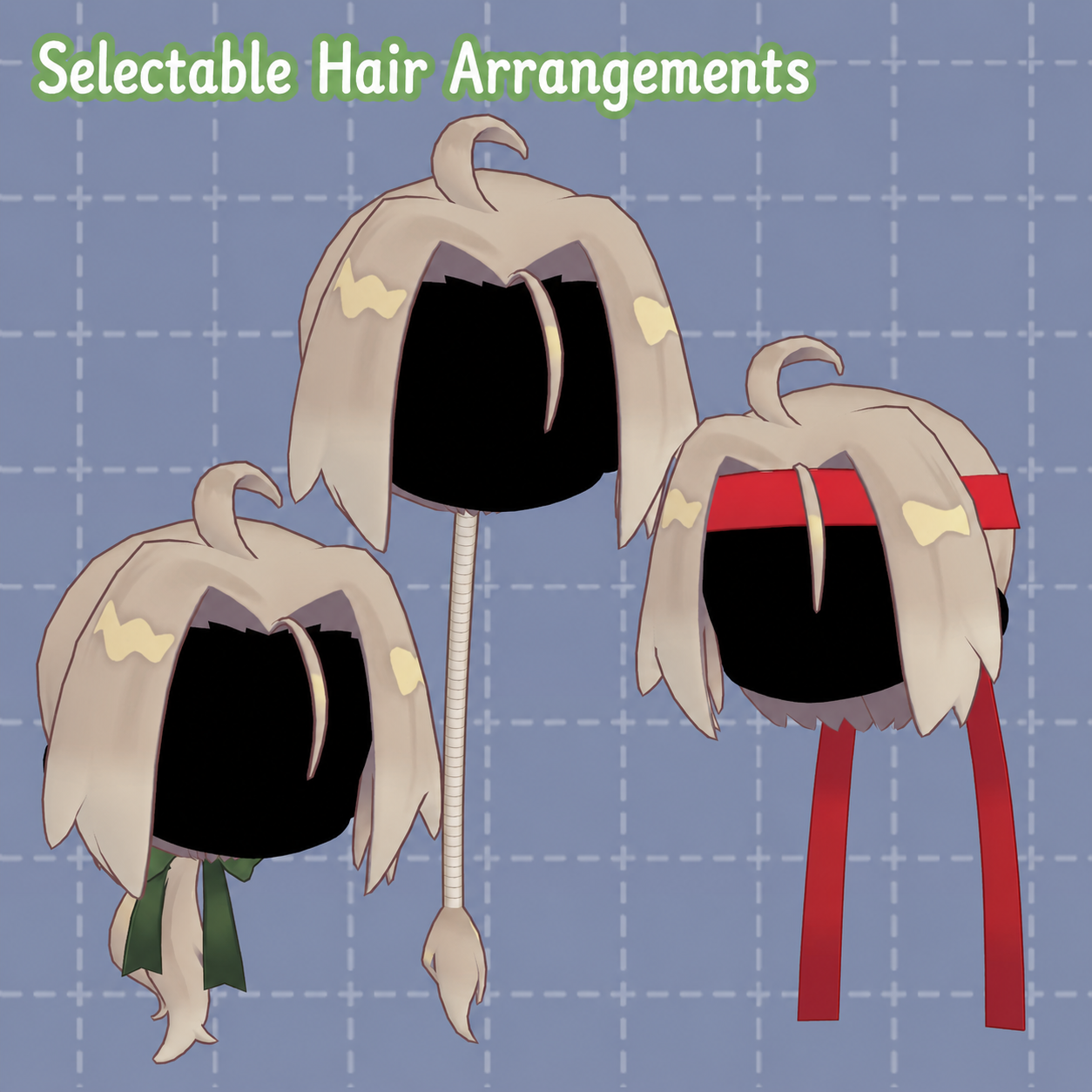
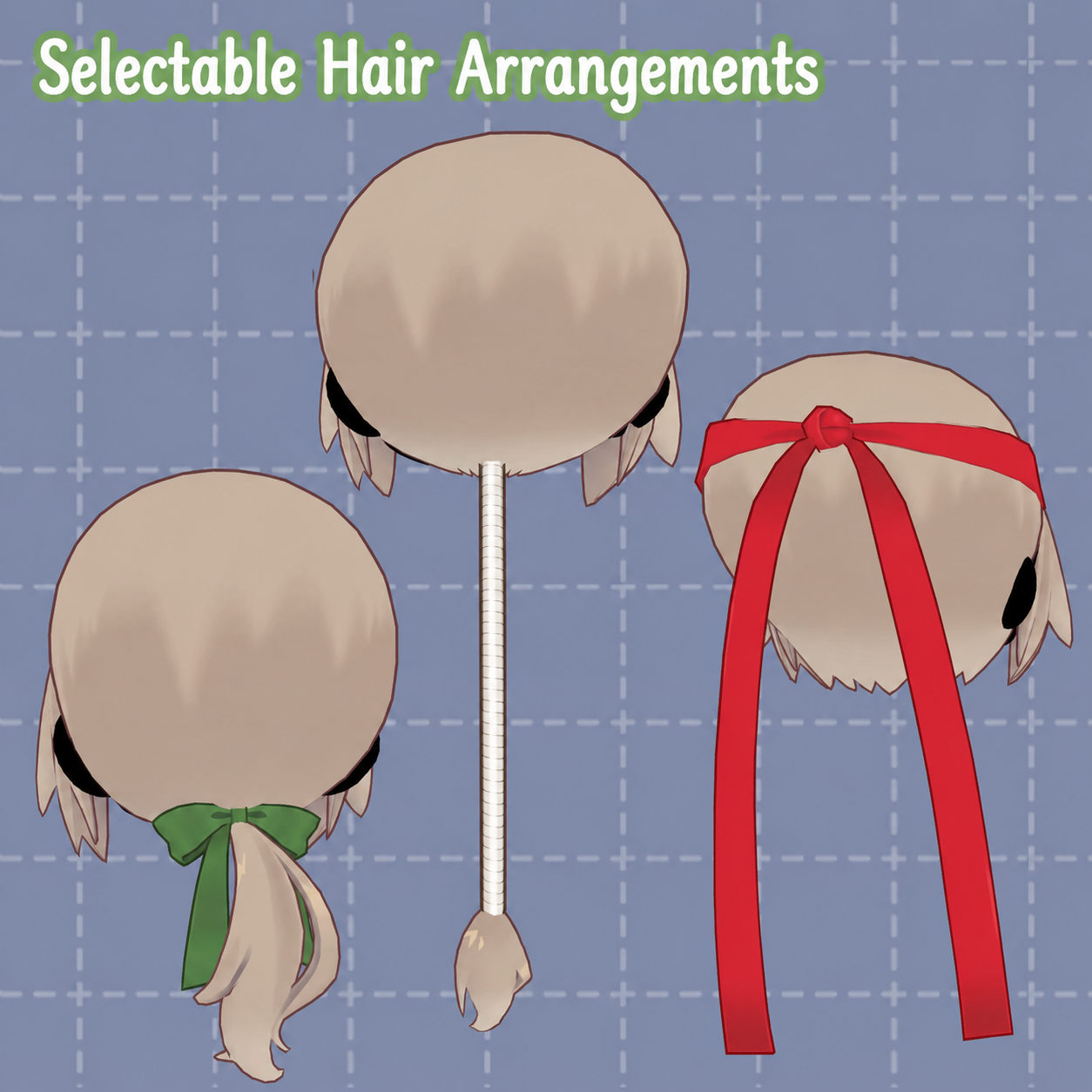
It comes with three styling options:
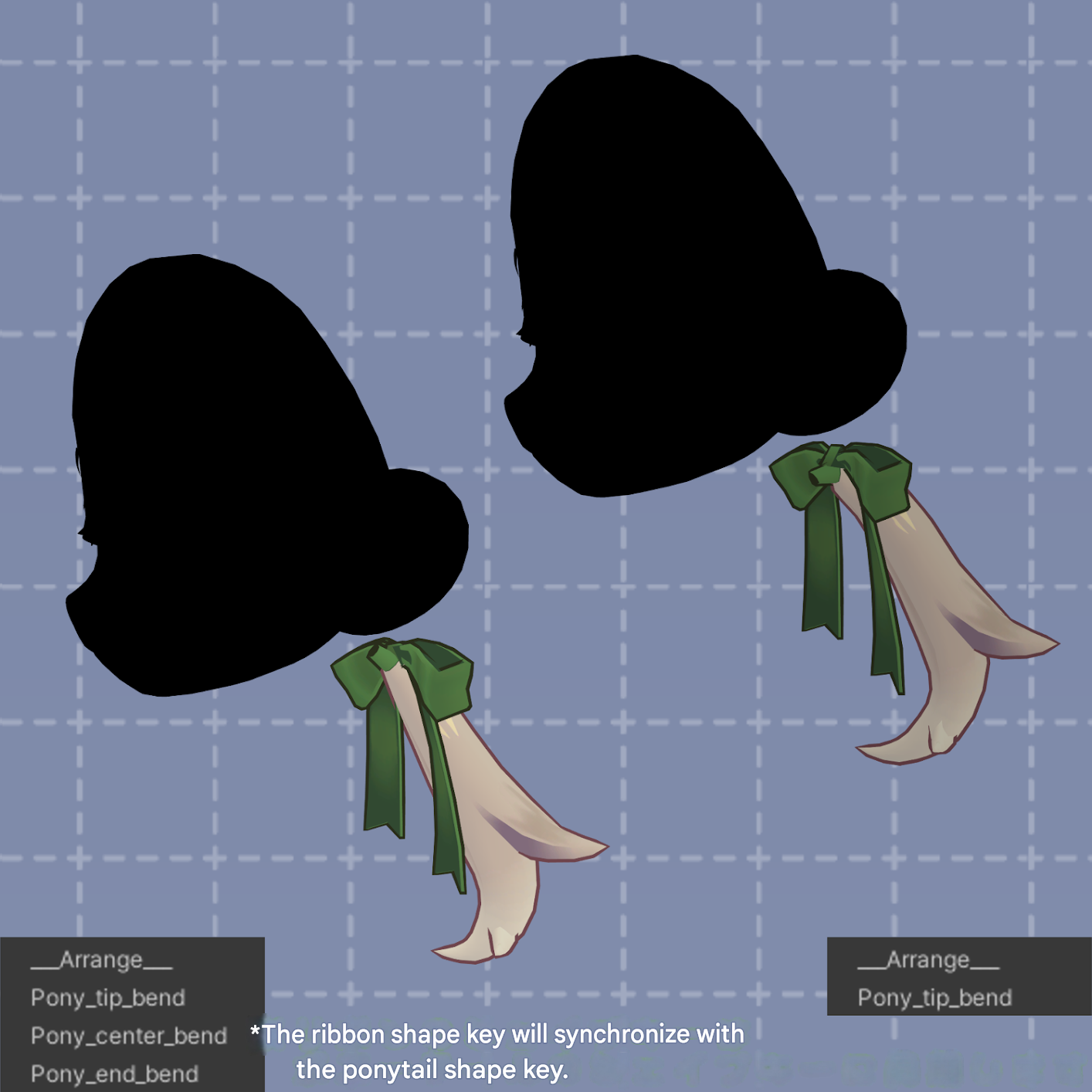
a graceful low ponytail, a spirited headband style, and a stylish vertical curl arrangement!
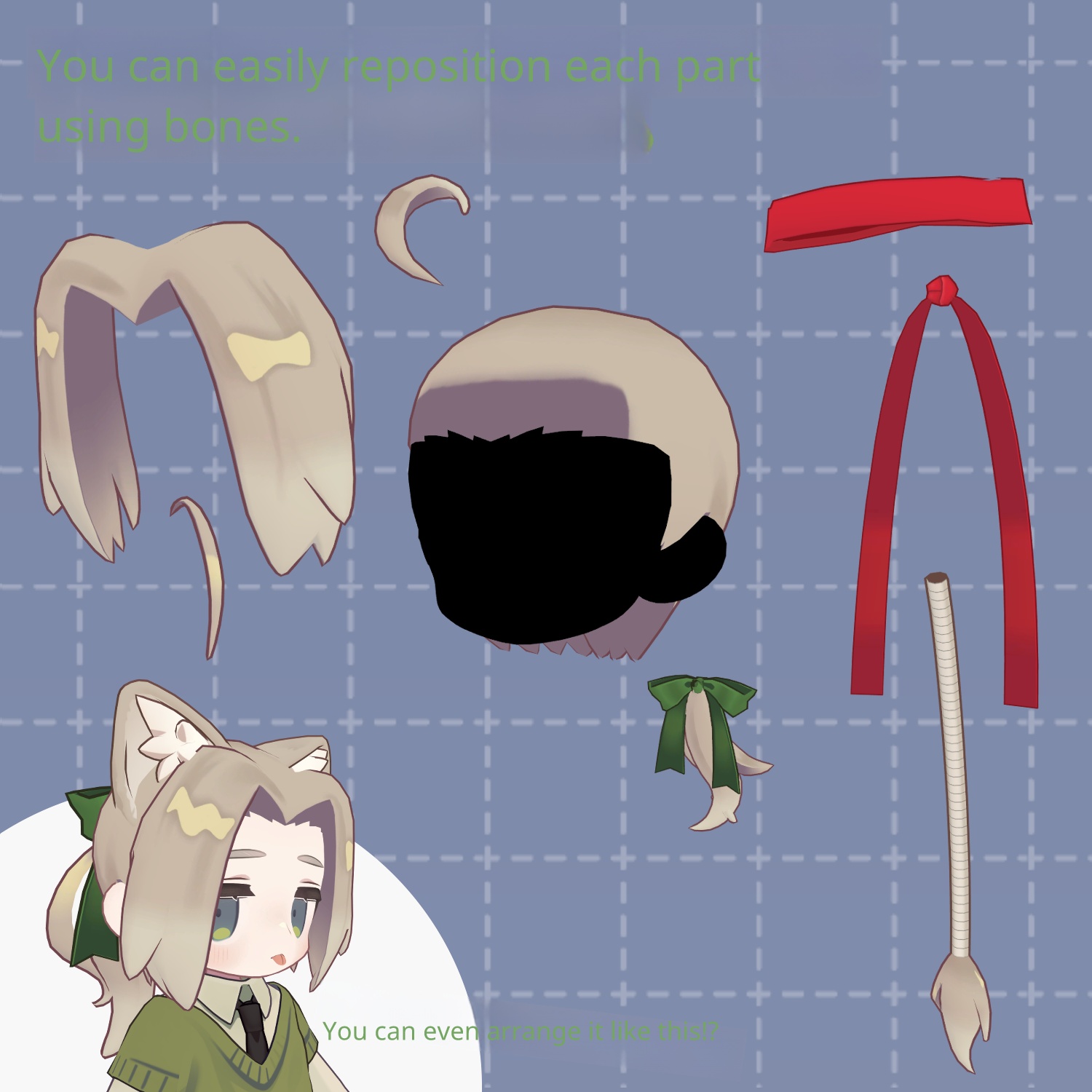
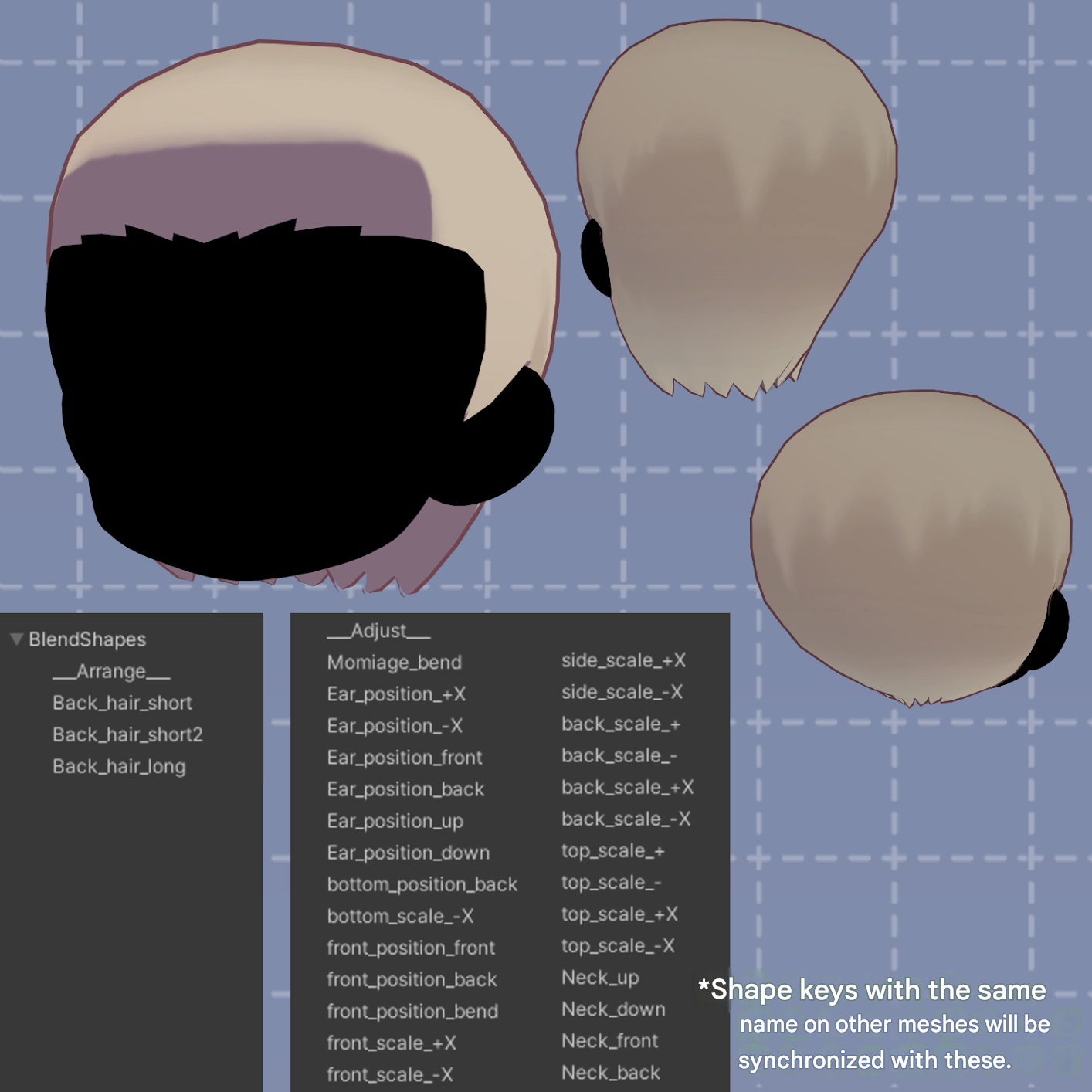
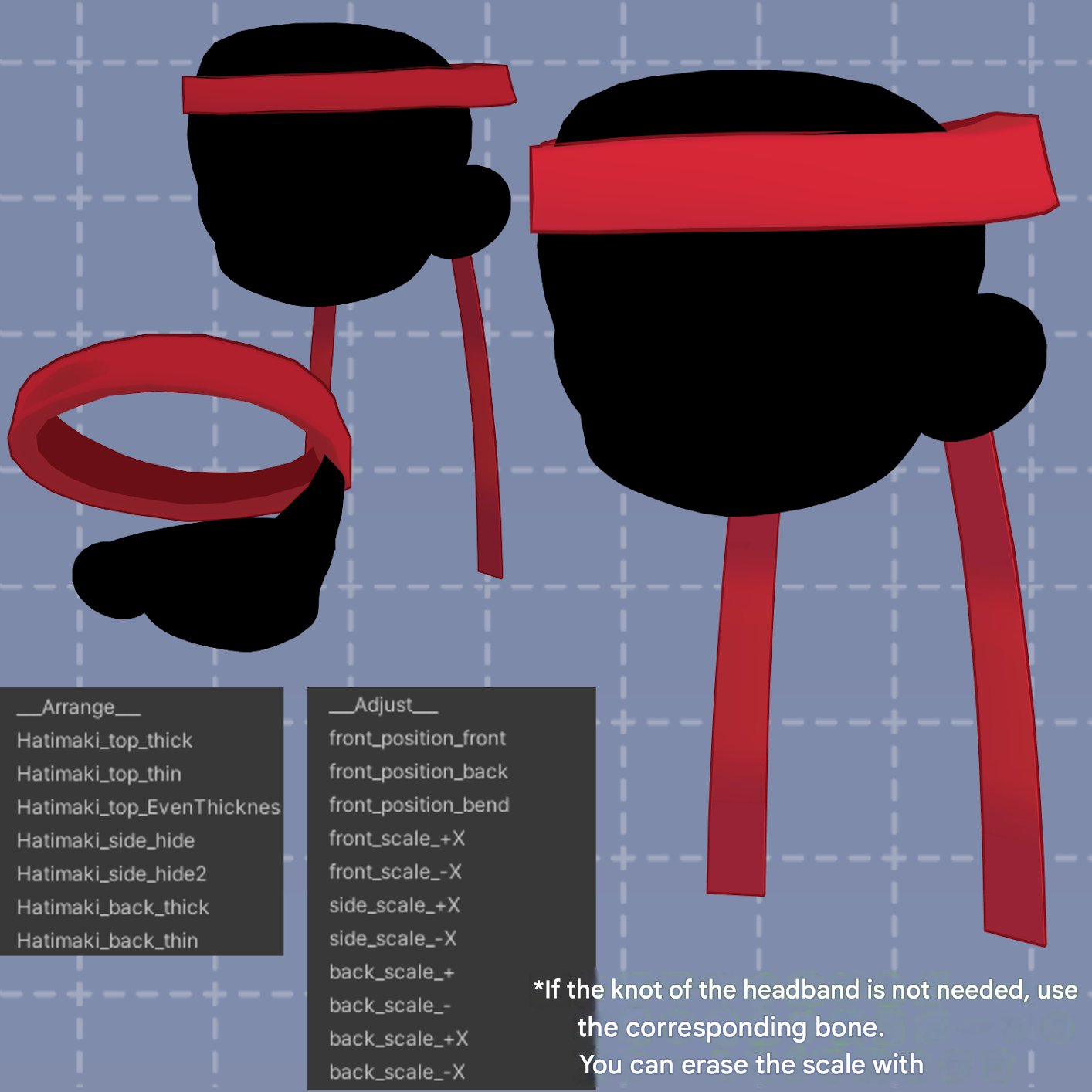
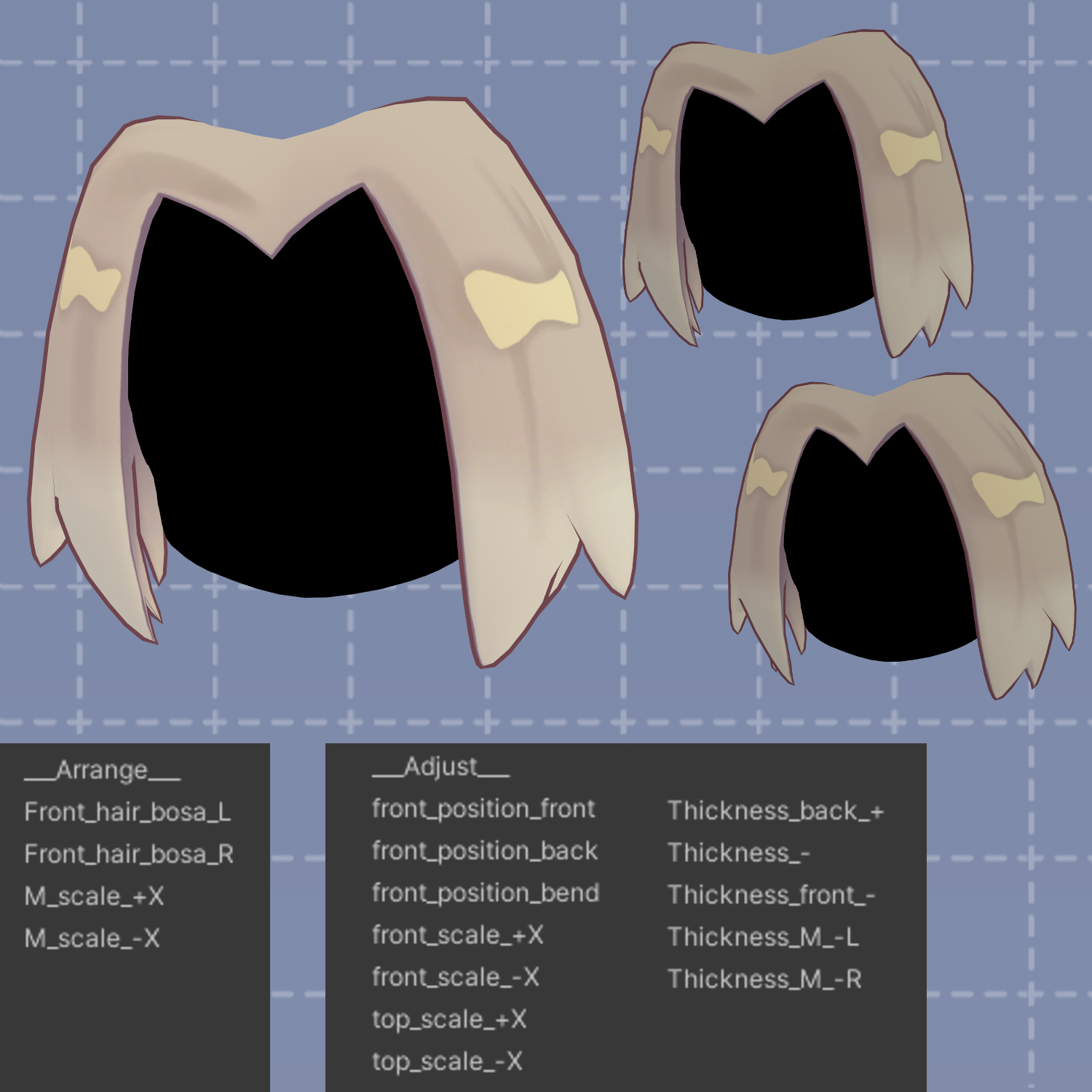
It also includes many shape keys! Combined with bone-based adjustments, a wide variety of hair arrangements are possible!! Please check the product images!!!
Suitable for girls, and also recommended as a hairstyle for boys.
※ This product is a hairstyle model for avatars. The avatar base data is not included.
※ Due to the nature of digital downloadable products, returns and refunds are not possible. Please review and agree to the product description and terms of use before purchasing.
◆ Item Overview
● Contents
kimazime_CP.Unitypackage
FBX
Textures
PSD file for customization
ReadMe.txt (text)
Shader used:
lilToon
https://lilxyzw.booth.pm/items/3087170
Required assets:
Modular Avatar
https://modular-avatar.nadena.dev/ja/docs/intro
● Model Data (Total)
Polygon count: 3,794 polygons
Mesh count: 8
Material count: 1*
PhysBone components: 7
PhysBone colliders: 2
*Due to how meshes are separated, Unity may count materials per mesh.
Merging meshes using tools like AAO can help reduce performance cost.
Import folder:
Assets > MetaverseCreators_CP > 663_chanSHOP > kimazime_CP
◆ Supported Avatars
Kipfel (Original 3D Model)
https://mukumi.booth.pm/items/5813187
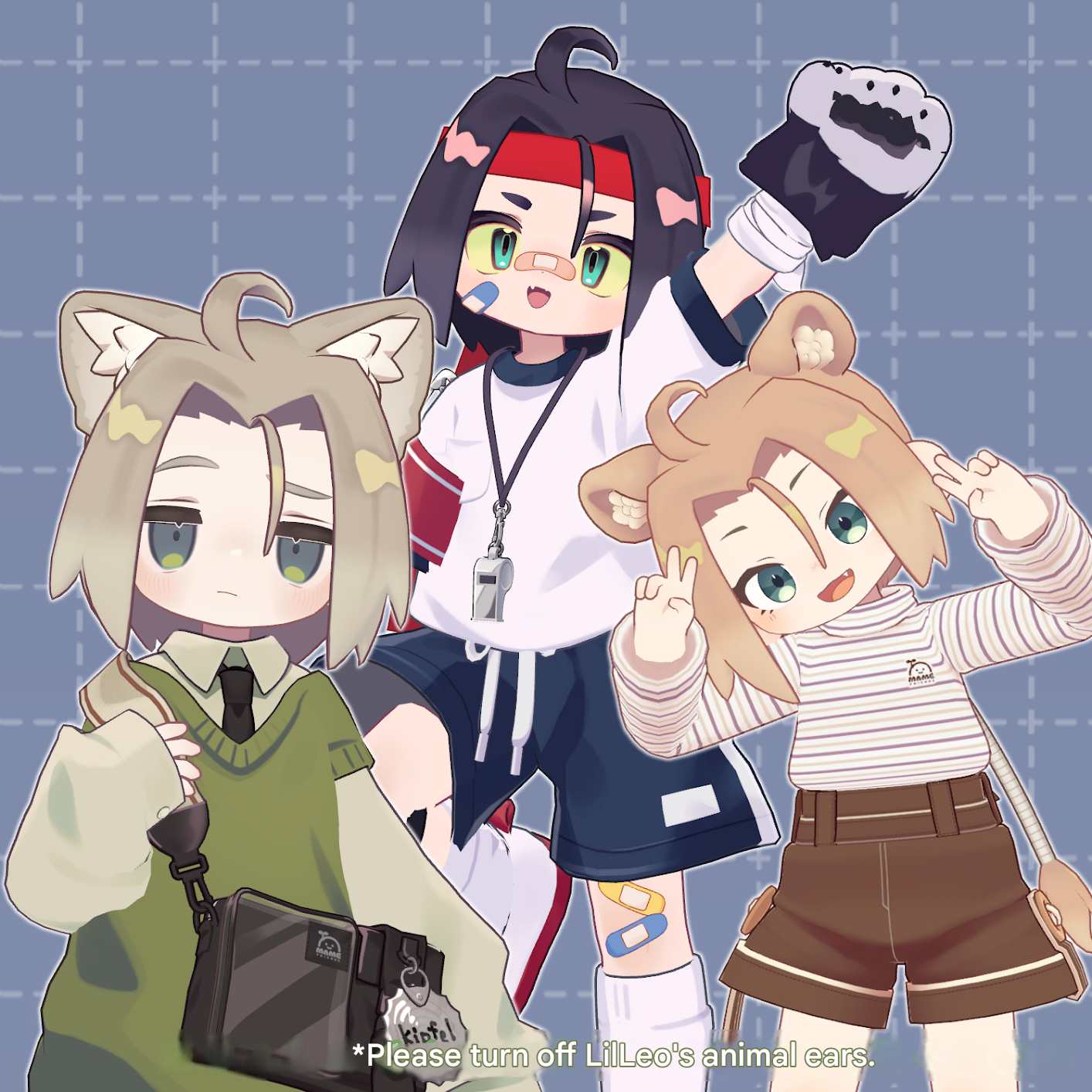
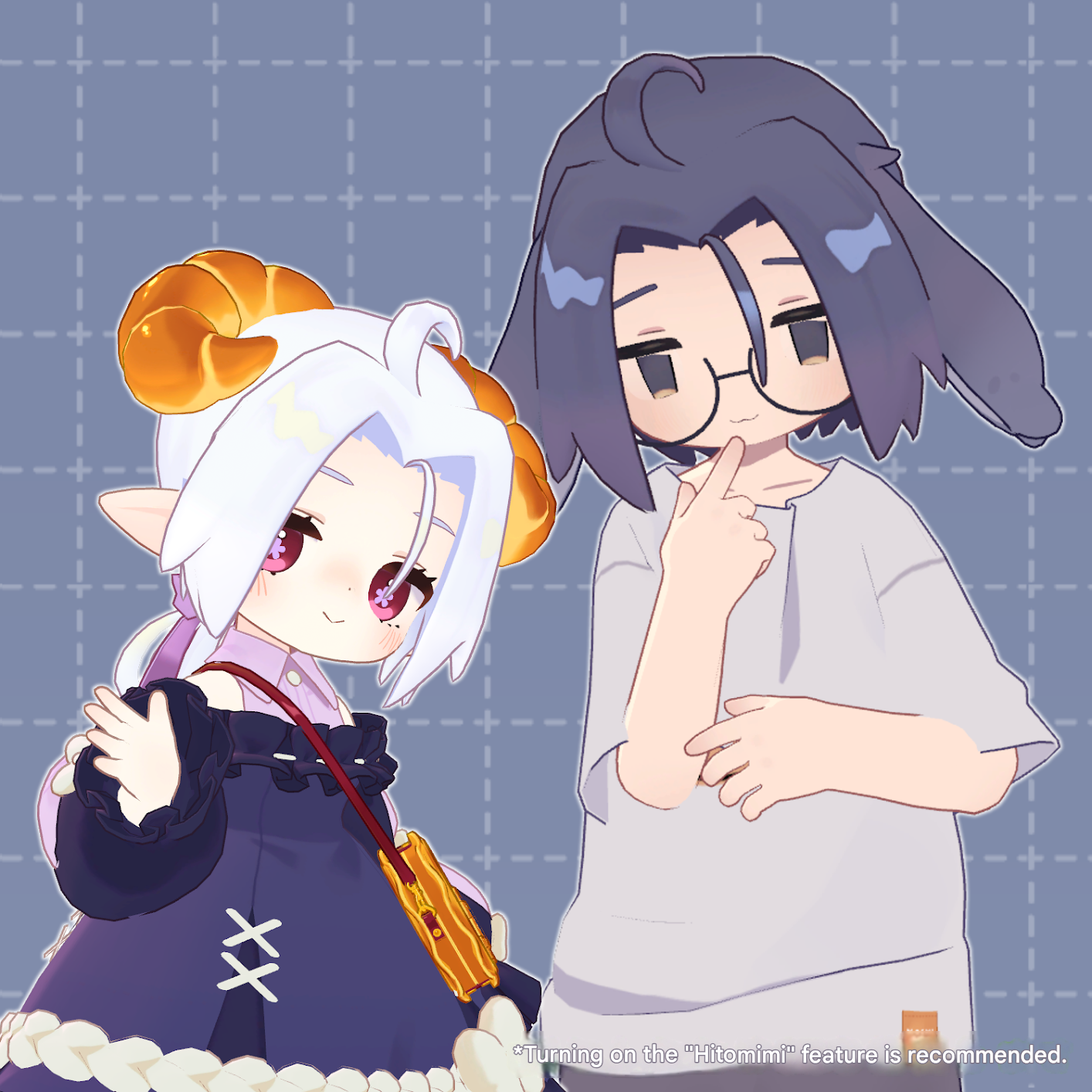
Other avatars are supported in a “semi-compatible” form, adjusted from the base model in Unity:
NoraFirika
https://noranabeya.booth.pm/items/6358495
LilLeo
https://tonodashop.booth.pm/items/7374627
Usasaki
https://mukumi.booth.pm/items/3550881
Korone
https://emolab.booth.pm/items/5776079
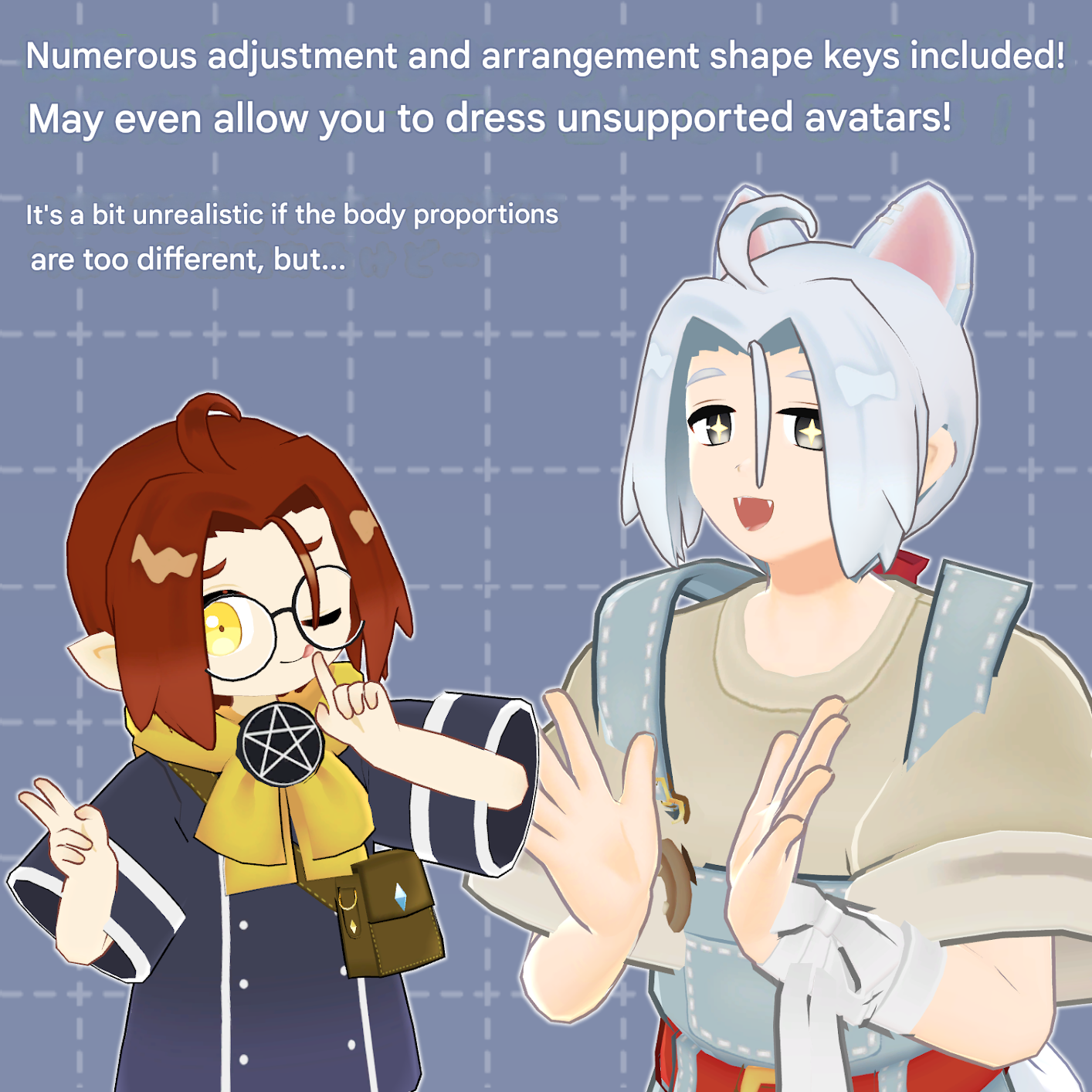
This product includes many shape keys for adjusting overall size and positioning. It may also work with avatars not listed above, so feel free to try.
Each part is separated by bone, so you can easily reposition them by moving bones.
● Shape Key Overview
Please refer to product images.
◆ Installation Instructions
Set up the latest VRChat SDK in VCC
Install required assets in VCC (lilToon, Modular Avatar)
Import the latest version of each avatar
Import this product’s package
Drag and drop the avatar (or clothing/hair prefab) into the Scene Hierarchy
Hide or set unnecessary avatar parts (hair, ears, etc.) to Editor Only
Drag and drop the hairstyle prefab under the avatar
Adjust scale, position, and shape key values as needed to fit the avatar
Upload using VRChat SDK
※ The hairstyle prefab includes four variants per avatar folder:
“Default”, “Lowpony”, “Hatimaki”, and “Tatemaki”, as well as a fully enabled version “kimazime_CP” and “(avatar name)_Base” inside the “AllBase” folder (except Kipfel).
For unsupported avatars or advanced customization (e.g., using ponytail and headband together), edit from the Base prefab by removing unnecessary parts.
kimazime_CP.prefab is based on Kipfel and serves as the parent of all prefabs.
※ When adjusting shape keys, use the “Hair_back” mesh as a reference. Other meshes with the same blendshape will synchronize automatically.
For parts like stray hairs or headband knots, adjust using bone position/scale instead of shape keys. (All XYZ scale values must be identical to avoid distortion, or use MA Scale Adjuster.)
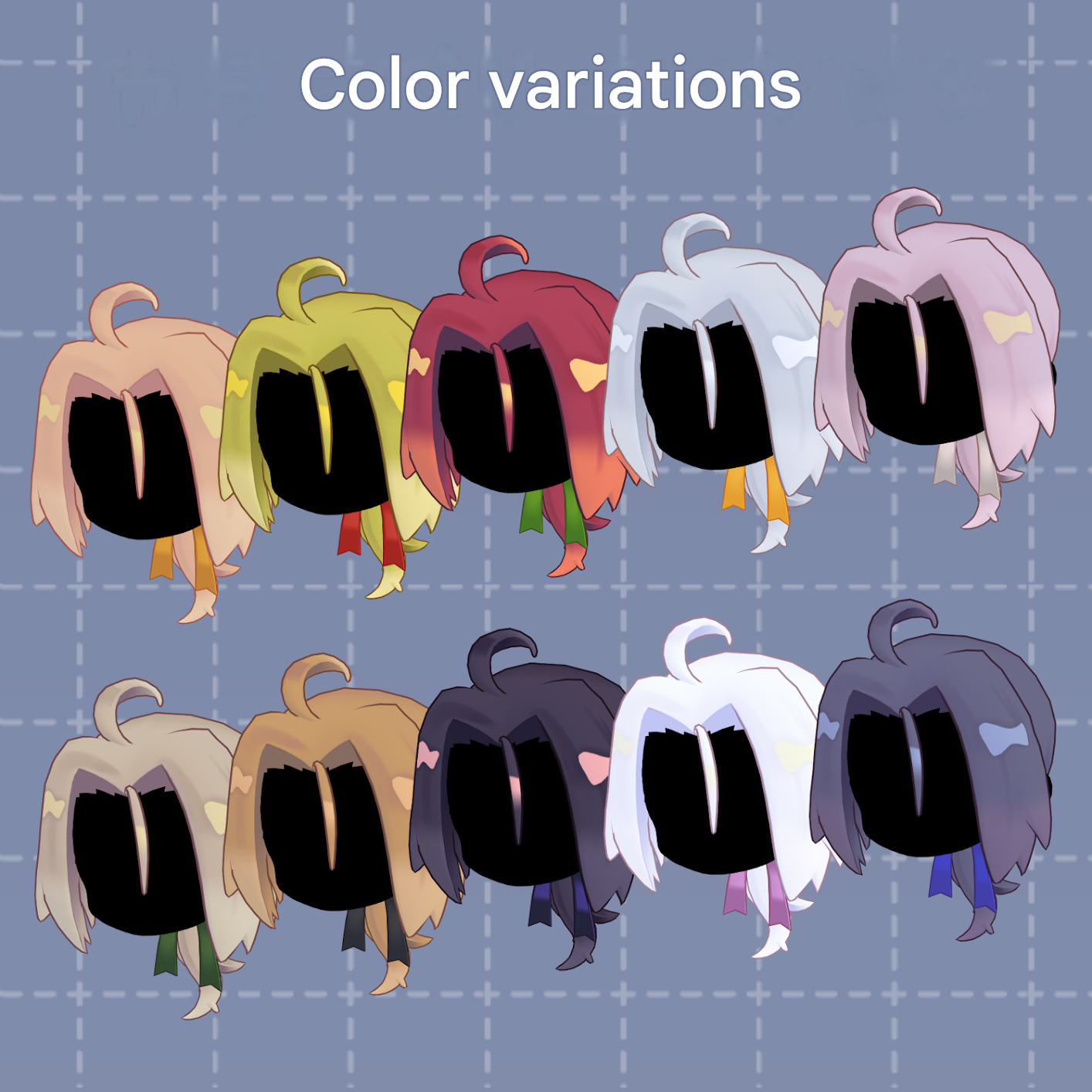
◆ Color Customization
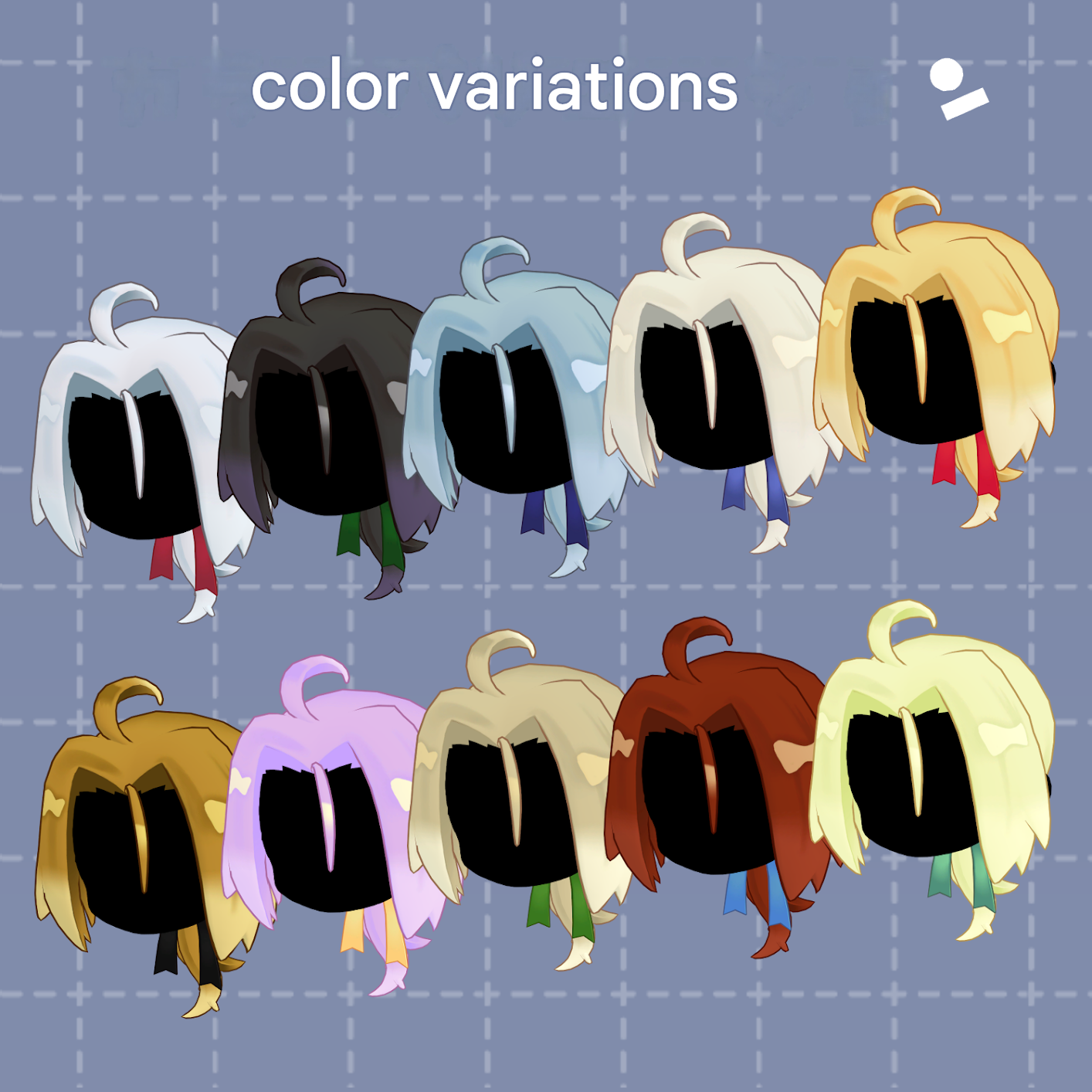
Replace materials in the “Common > Material” folder.
You can also modify colors using the included PSD file.
★ About the PSD
The textures are intentionally simple.
They are not separated into complex layer structures per part, so please be aware.
The base layer contains flat colors without shadows.
Each area is clearly separated, so you can easily select regions using tools like the auto-select tool and fill with the bucket tool.
Shadow layers are provided as clipping masks, allowing easy recoloring.
Some software may not open the file perfectly, but it uses no particularly complex layer features.
◆ Terms of Use
https://drive.google.com/drive/folders/1qRMXoIxM1ZgacBPfwOigQRtXP1vCbNMn?usp=sharing
※ Please comply with the original avatar’s terms of use.
◆ Production Environment
Modeling: Blender Ver. 4.5
Texturing: CLIP STUDIO PAINT
Setup: Unity 2022.3.22f1
VRChat SDK - Avatars Ver. 3.10.2 (VCC)
lilToon 2.3.2
Modular Avatar 1.16.2
◆ Credits
Creator: Virtual Garou Roromi
X: https://twitter.com/vgaro663
BOOTH: https://663-chanshop.booth.pm/
Support / Contact:
https://discord.gg/bmw3PWE37M