
Product Description
🎉 Remote Posters
Dynamic URL Poster System for Unity / VRChat Worlds
Remote Posters is a flexible system that lets you display images from remote URLs directly on materials in your Unity scene. It is perfect for posters, banners, sponsor walls, signs, screens, gallery panels, movie posters, and other dynamic image displays.
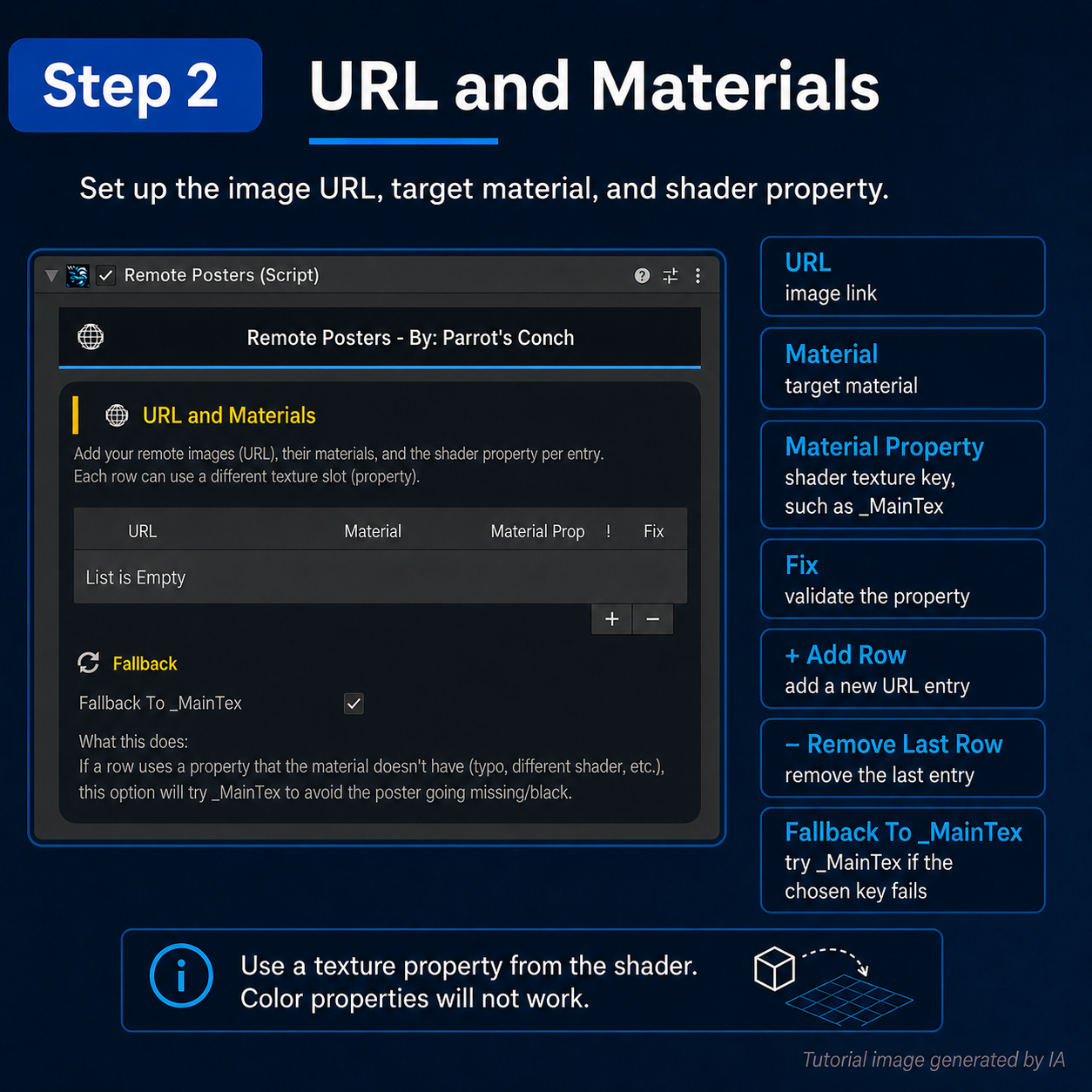
Each entry lets you assign:
- a remote image URL
- a target material
- a specific texture property such as
_MainTex,_BaseMap,_EmissionMap, etc.
This means every poster can use its own material and its own shader texture slot.
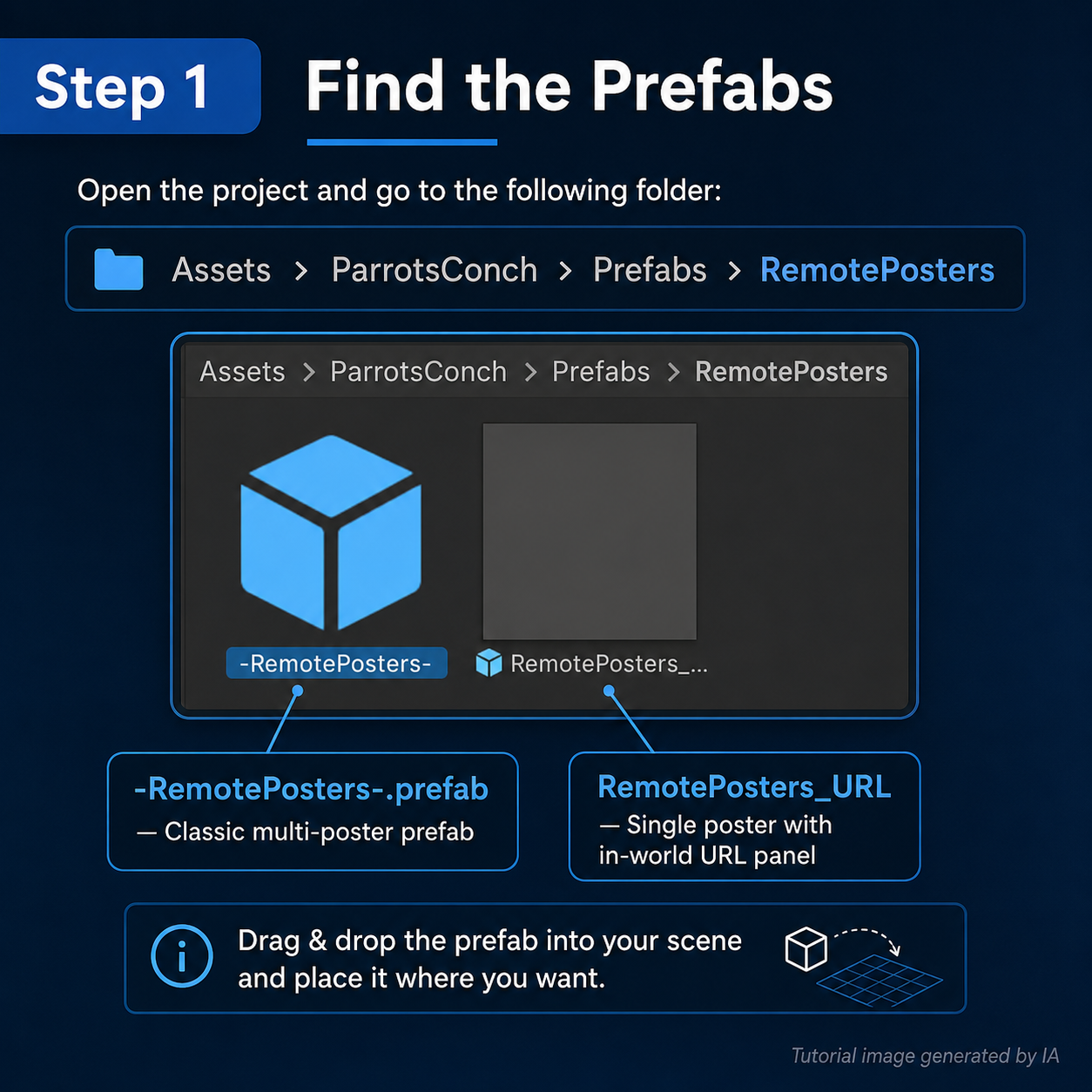
To start quickly, drag the prefab into your scene and begin setup:
Assets/ParrotsConch/Prefabs/-RemotePosters-.prefab
🛠️ Tutorial / How to Use
1) Add the prefab
Drag -RemotePosters-.prefab into your scene.
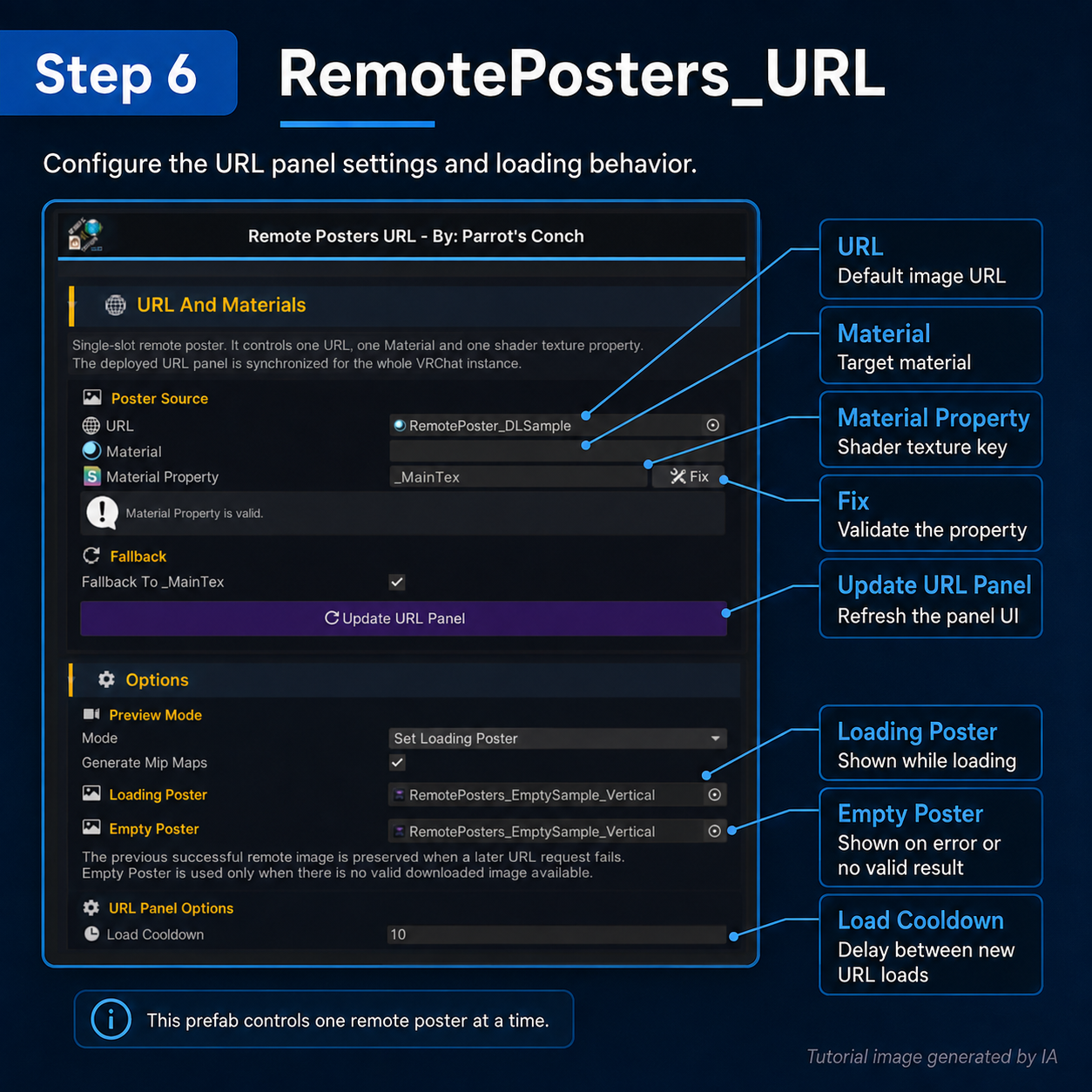
2) Create poster entries
In the inspector, add one row for each poster.
Each row links:
URL → Material → Texture Property
Example:
- URL = remote image link
- Material = target material
- Texture Property = shader slot where the image will be assigned
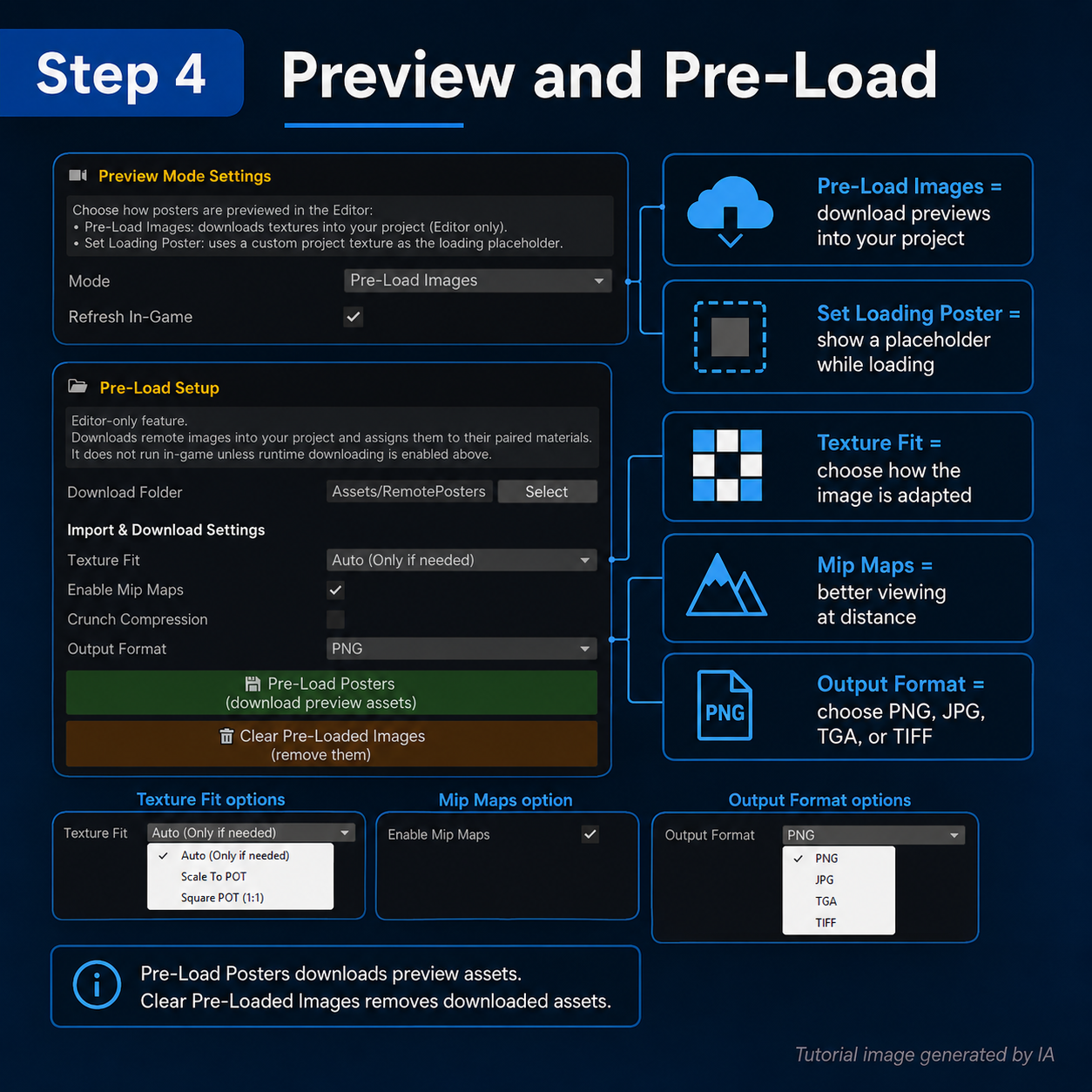
3) Choose how posters are shown before download
You have 2 preview options:
Pre-Load Images
This lets you pre-download posters in the Editor so when the world starts, you can instantly see the image before runtime downloading. It works like a cached preview / preloaded version.
Set Loading Poster
Instead of preloading the real image, you can assign your own custom loading texture, for example:
“Loading Image...”
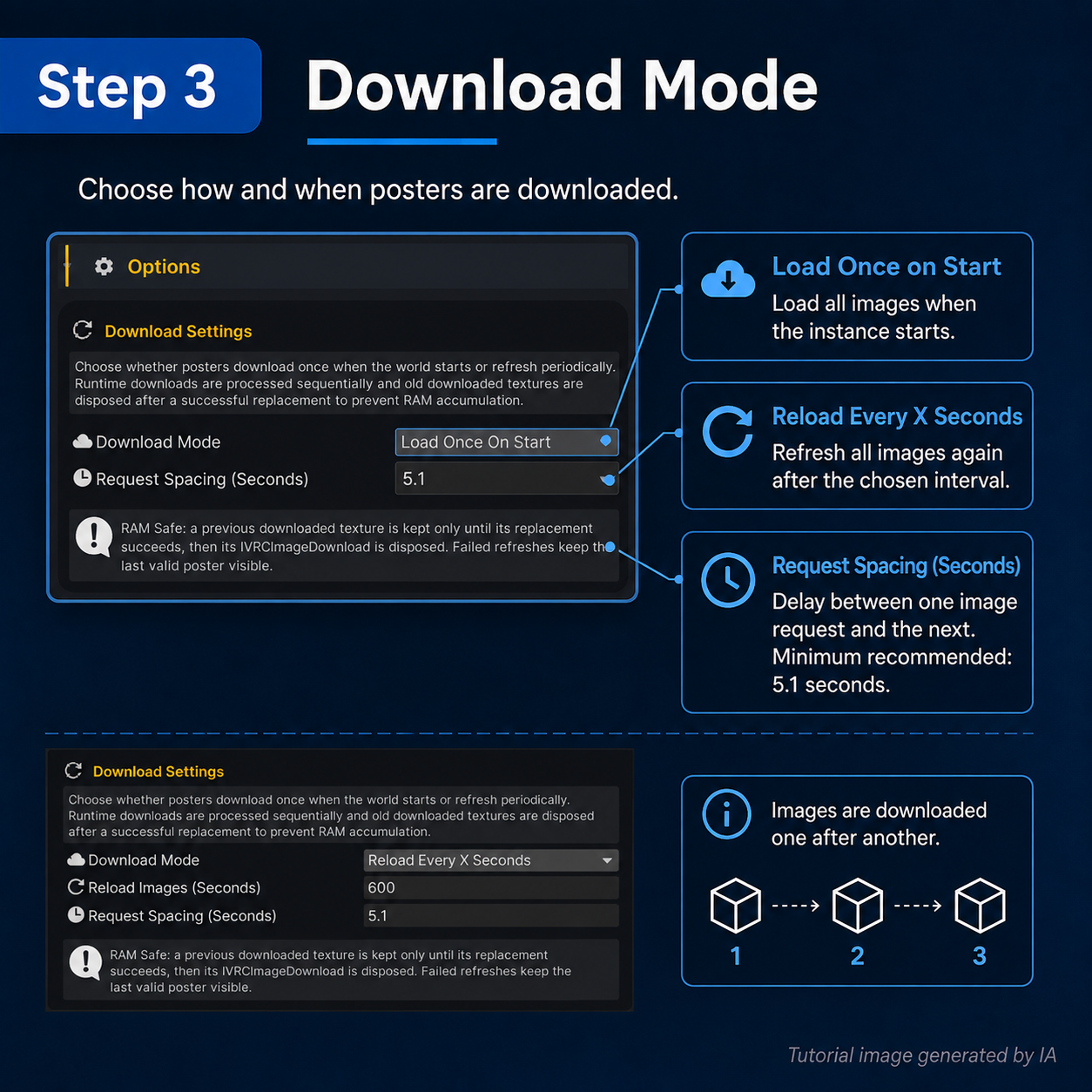
4) Use Reload if you want live updates
The system includes a Reload option.
This forces the images to download again every X seconds, so the posters stay updated from their source.
5) Configure Pre-Load Images
In Pre-Load Images, you can download the image from the source and save it into your project in the format you prefer.
Available workflow options include:
- output format selection
- Texture Fit
- Mip Maps
- Crunch Compression
Texture Fit is useful because if a texture is not POT (Power of Two), Unity may not compress it correctly. This is important if you want to use Crunch compression properly.
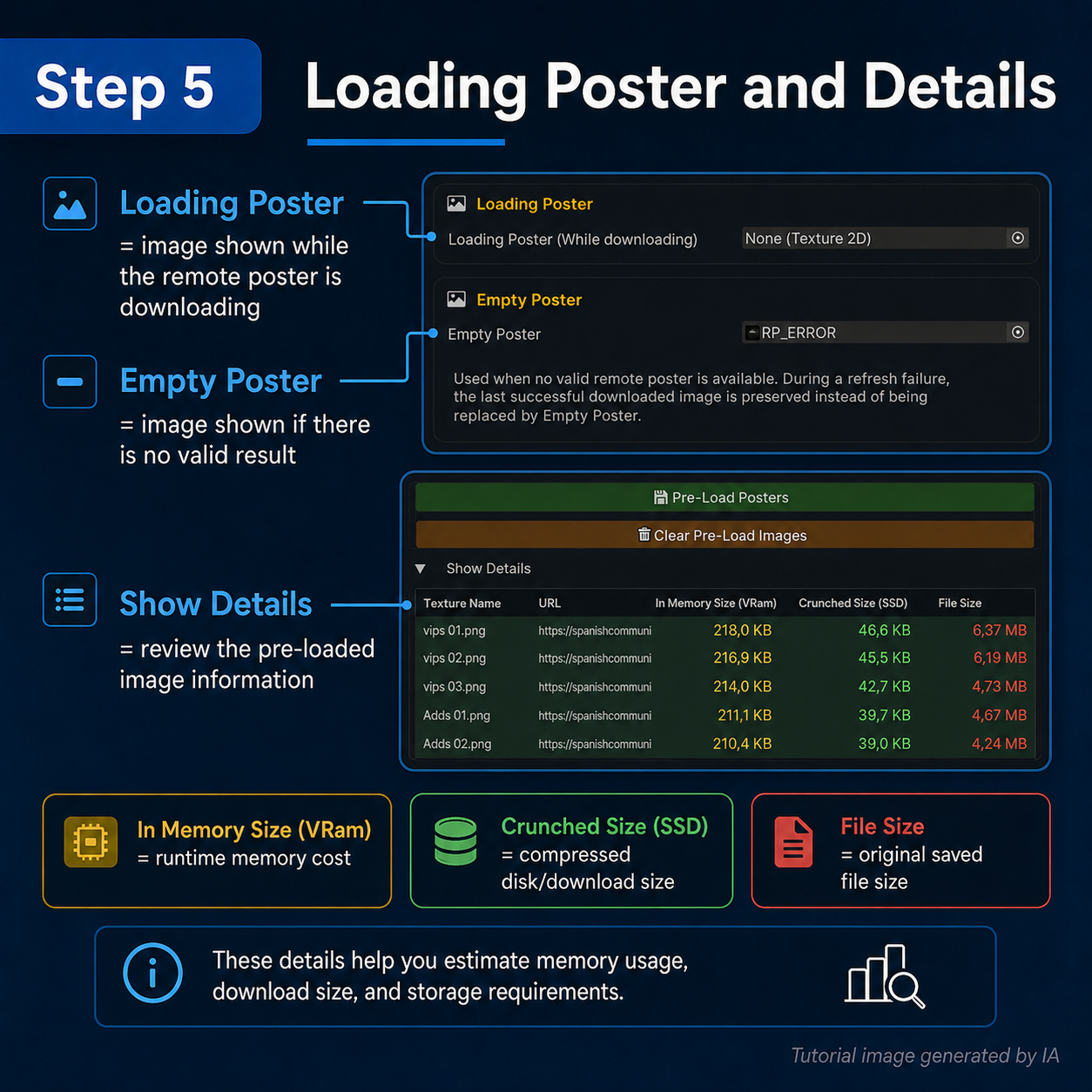
You can also inspect a details table that shows useful information about each downloaded texture, including its size.
6) Empty Poster / Failed Download
The system also supports an Empty Poster image.
This is shown when:
- the download fails
- the URL cannot be accessed
- or any other loading problem happens
This helps prevent materials from looking broken or empty.
✅ Conclusion
Remote Posters is a practical tool for creators who want easy-to-manage dynamic posters inside Unity and VRChat worlds. It gives you a clean workflow for remote image loading, preloaded previews, reload updates, loading placeholders, failed-download fallback images, texture import control, and per-material texture slot assignment.
If you want a simple way to manage posters, banners, screens, and image panels without replacing textures manually every time, this system is made for you ✨
🤖 AI-Assisted Content Disclaimer
This product was fully conceptualized and designed by Parrot’s Conch.
The original product idea, feature planning, permission structure, pseudocode, and core code matrix were created by the human developer behind Parrot’s Conch. This product was developed in part with AI assistance. AI tools were used to assist with portions of coding, artwork, logos, promotional text, tutorials, documentation, and other development-related assets. Testing, review, functionality checks, editing decisions, final configuration, product preparation, and packaging were completed by the human developer behind Parrot’s Conch. Final files were reviewed, edited, configured, tested, and packaged by Parrot’s Conch.