
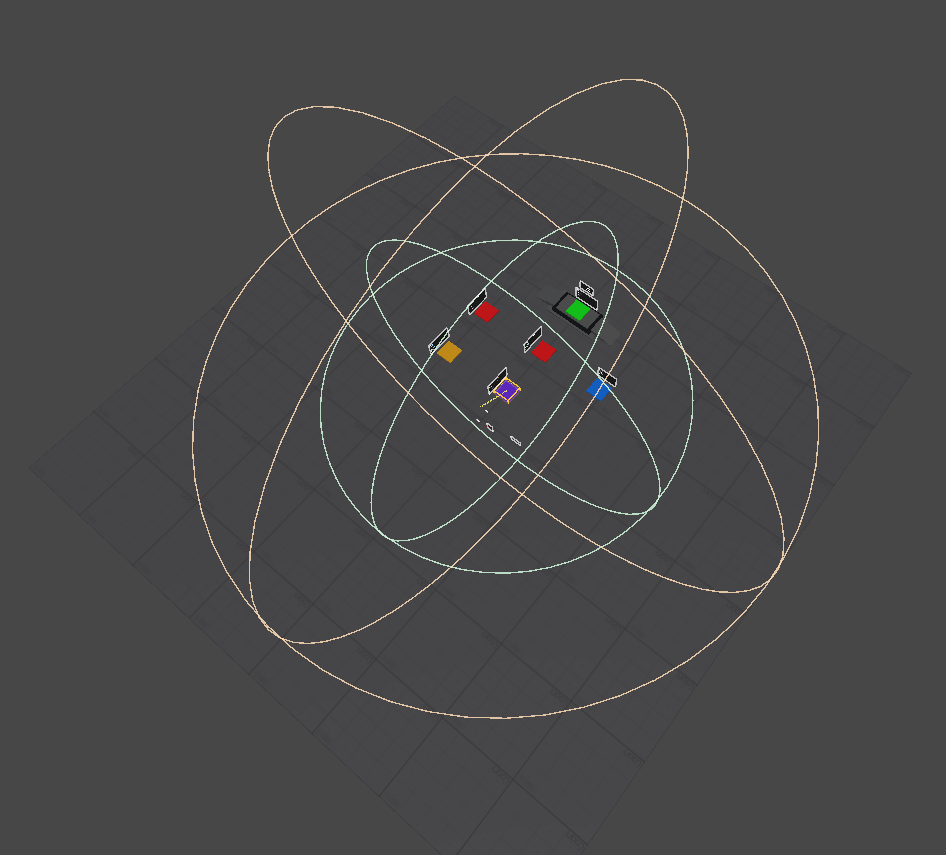
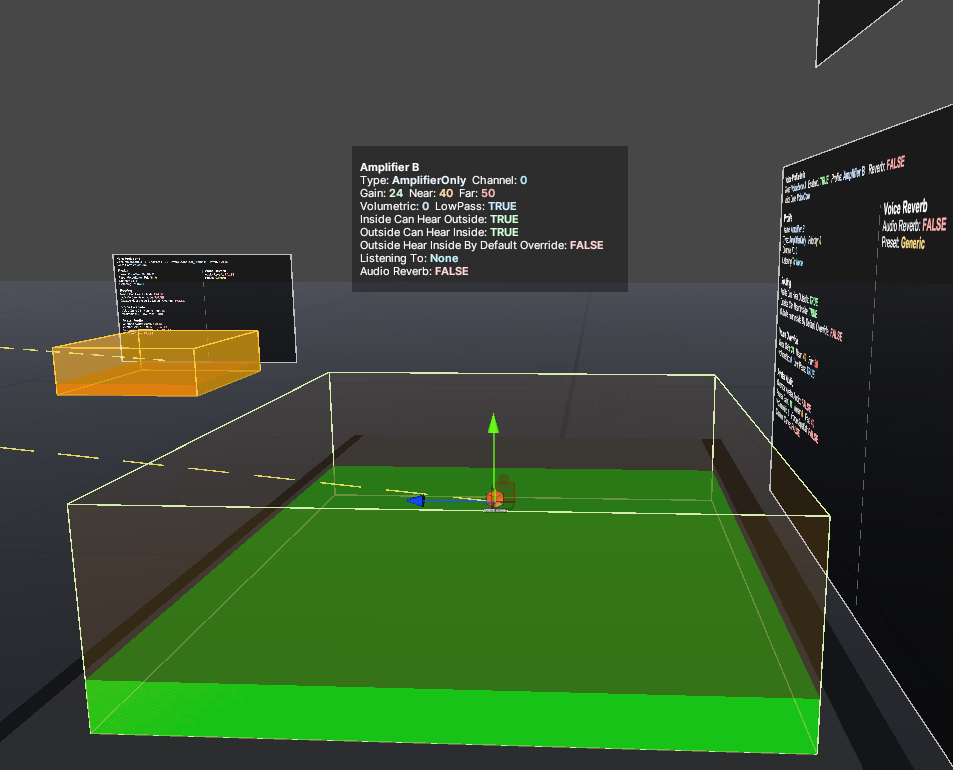
Voice Zones
Product Description
This product contains AI-generated content.
VoiceCore
Plug & Play Voice Routing System for VRChat Worlds
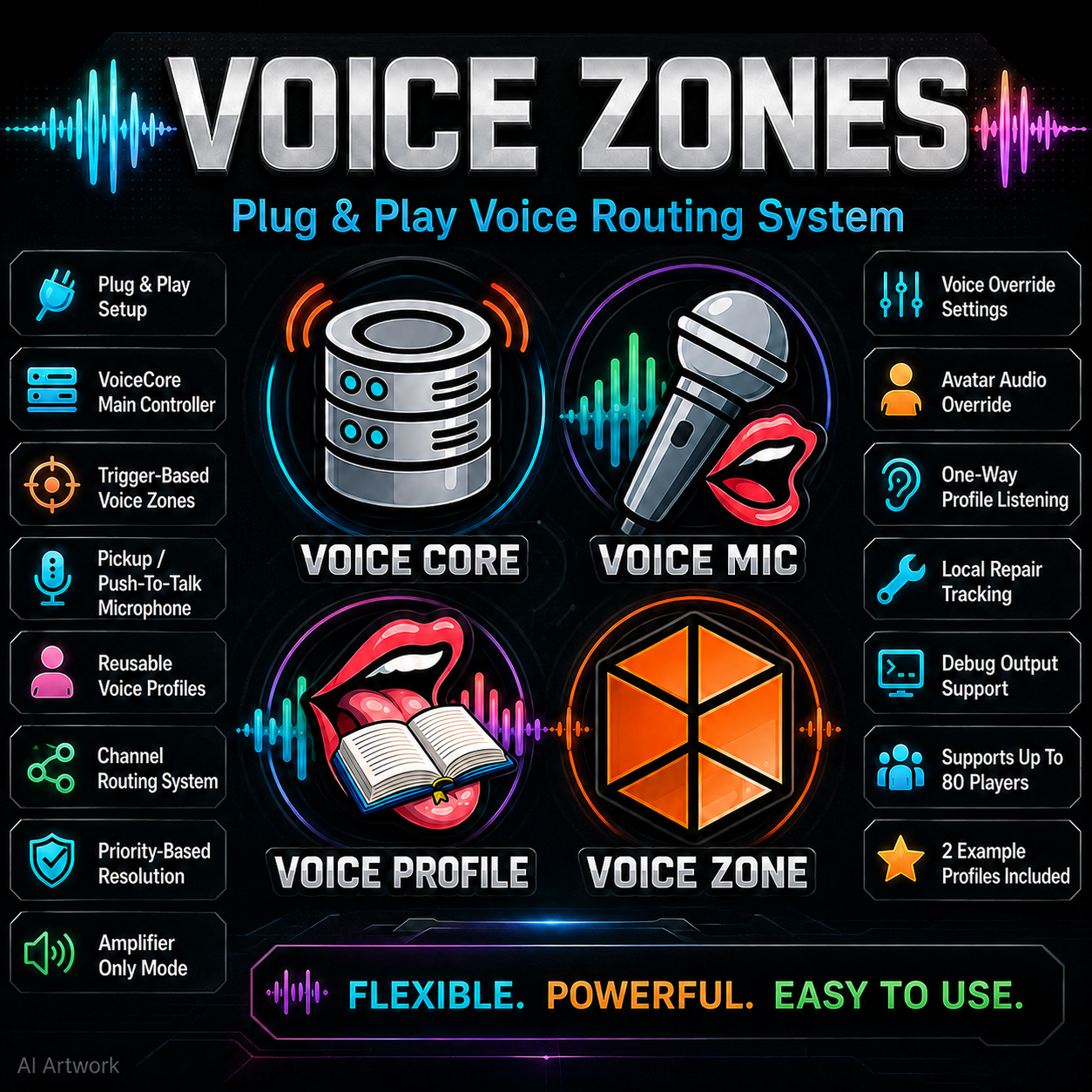
Parrot’s Conch VoiceCore is a modular voice routing system made for VRChat world creators who need private voice areas, amplified microphones, isolated rooms, stage setups, staff communication zones, roleplay channels, and custom voice behavior without building everything from scratch.
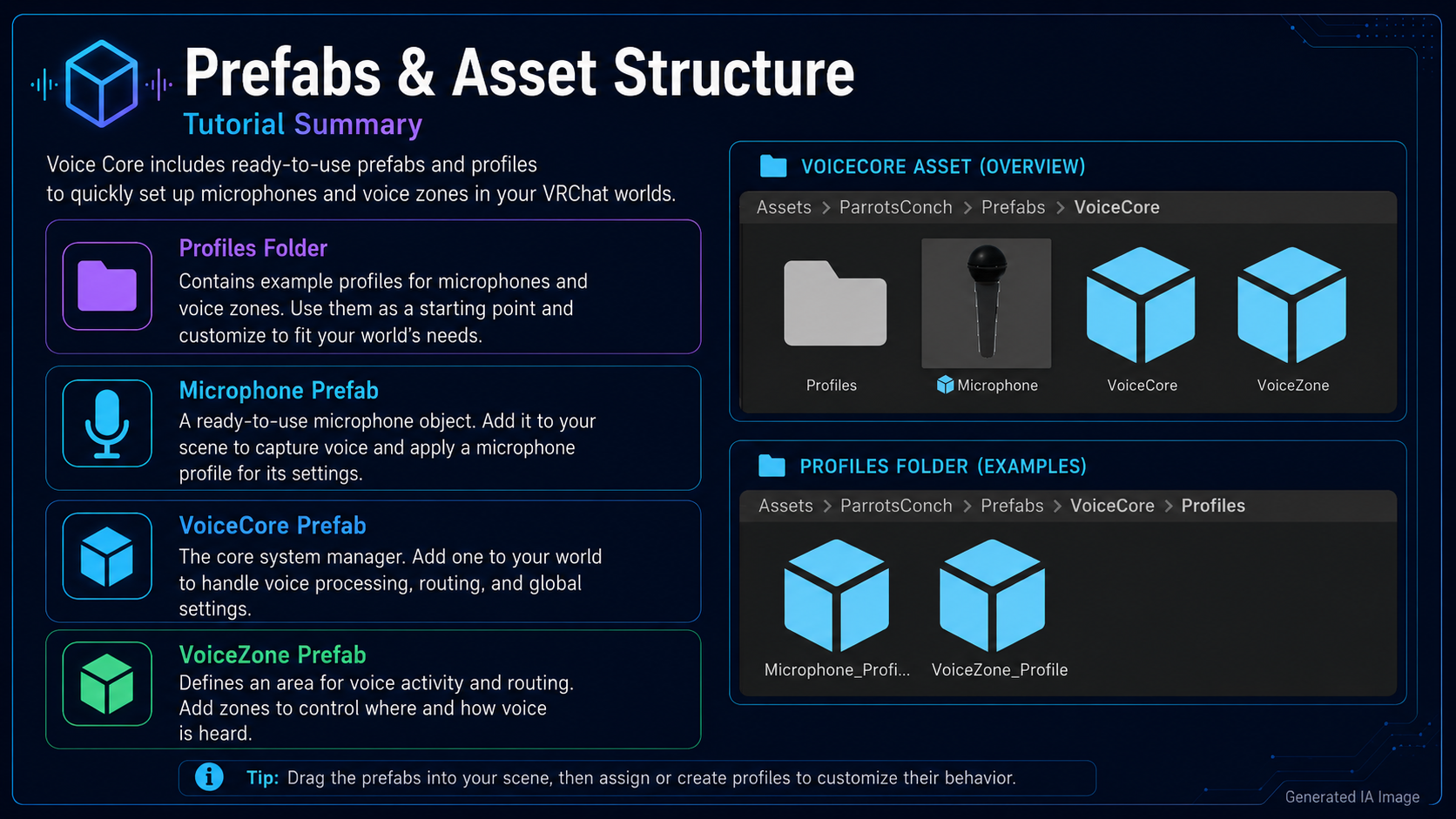
This system is designed to be plug and play. After importing the package, simply go to:
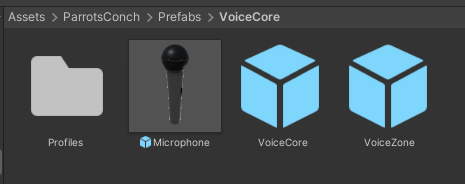
Assets/ParrotsConch/Prefabs/VoiceCore
Inside that folder you will find all the required prefabs ready to use in your scene. Drag the prefabs you need into your world, configure the profiles, and you are ready to go. 🎙️
📦 Included Prefabs
Inside the VoiceCore prefab folder you will find:
🧠 VoiceCore
The main controller of the system.
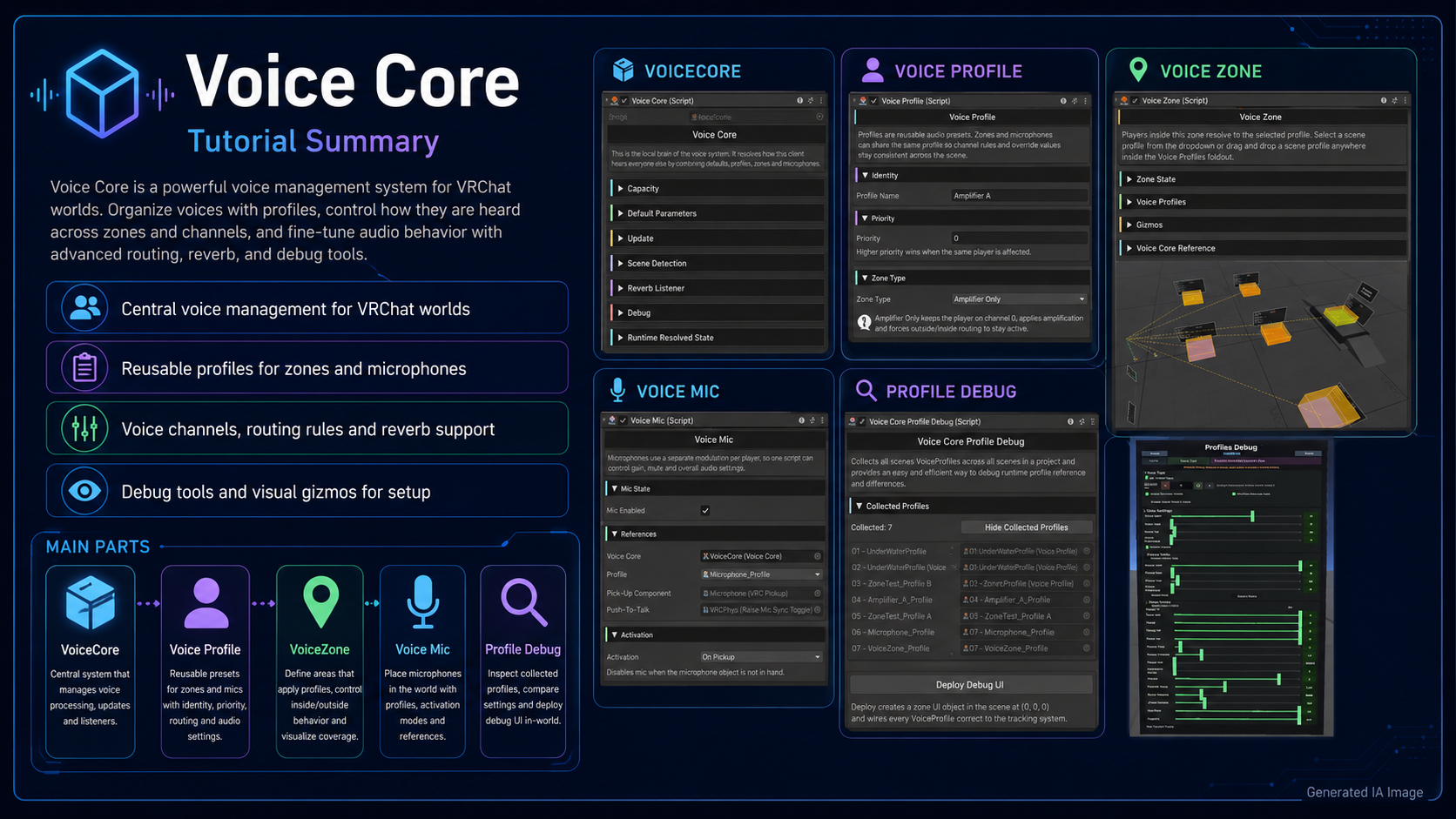
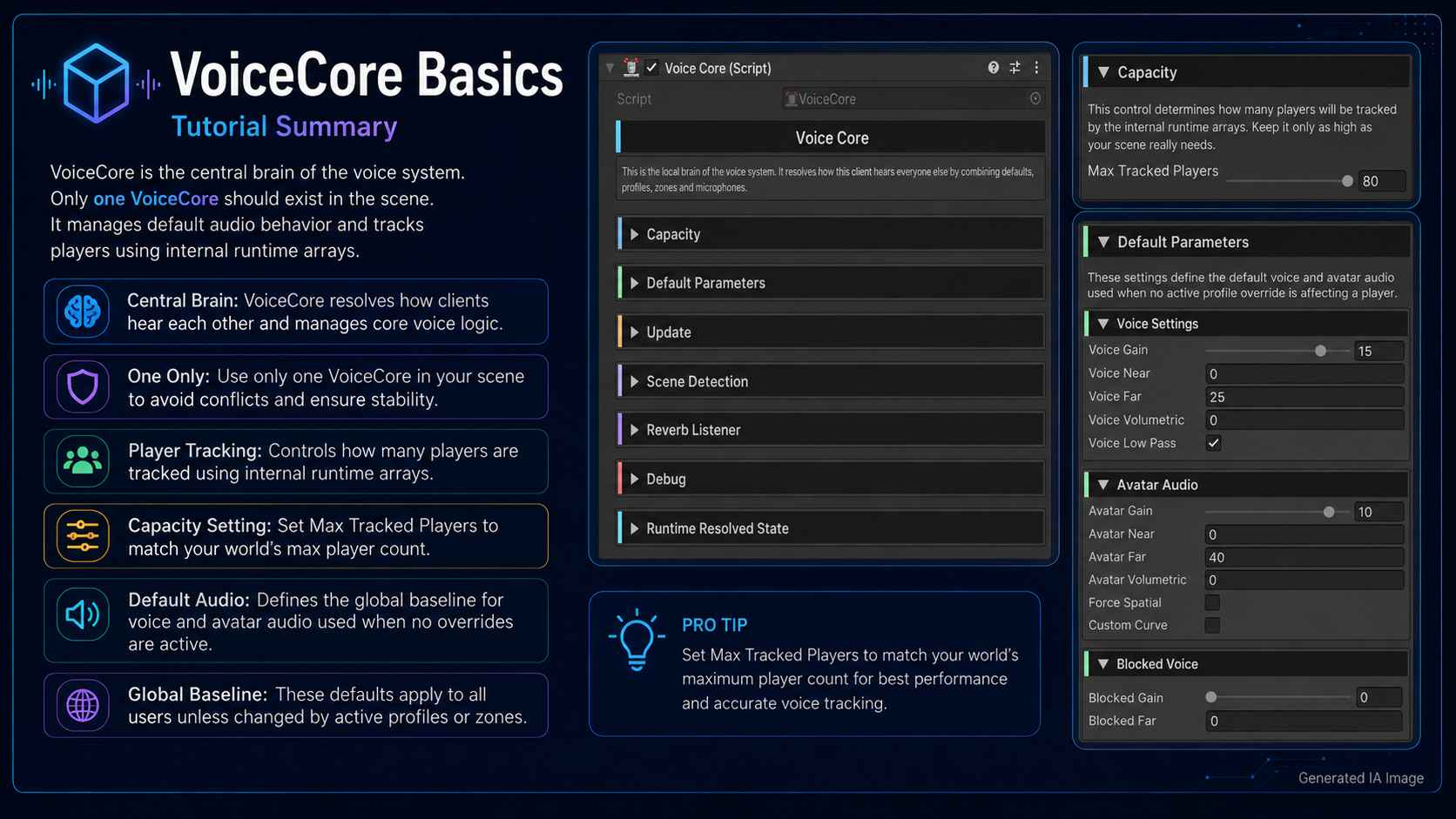
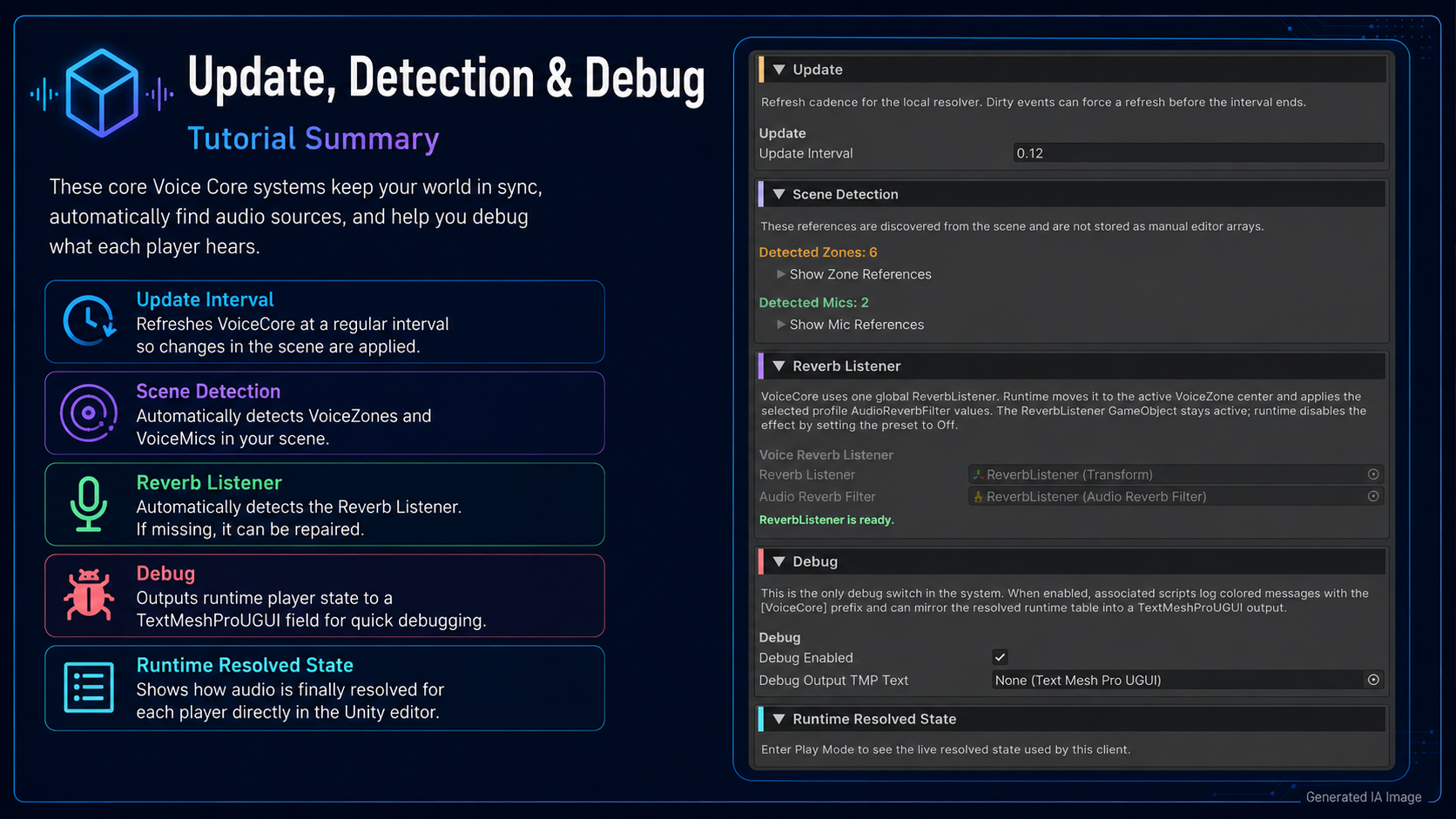
VoiceCore is the central brain that manages all voice routing logic in the world. It detects registered Voice Zones and Microphones, tracks players, checks which profile affects each player, resolves priority, channels, routing rules, and applies the correct VRChat voice settings locally.
VoiceCore can control:
- Default voice gain, near distance, far distance, volumetric radius, and lowpass
- Default avatar audio settings
- Blocked or isolated voice behavior
- Per-player resolved voice state
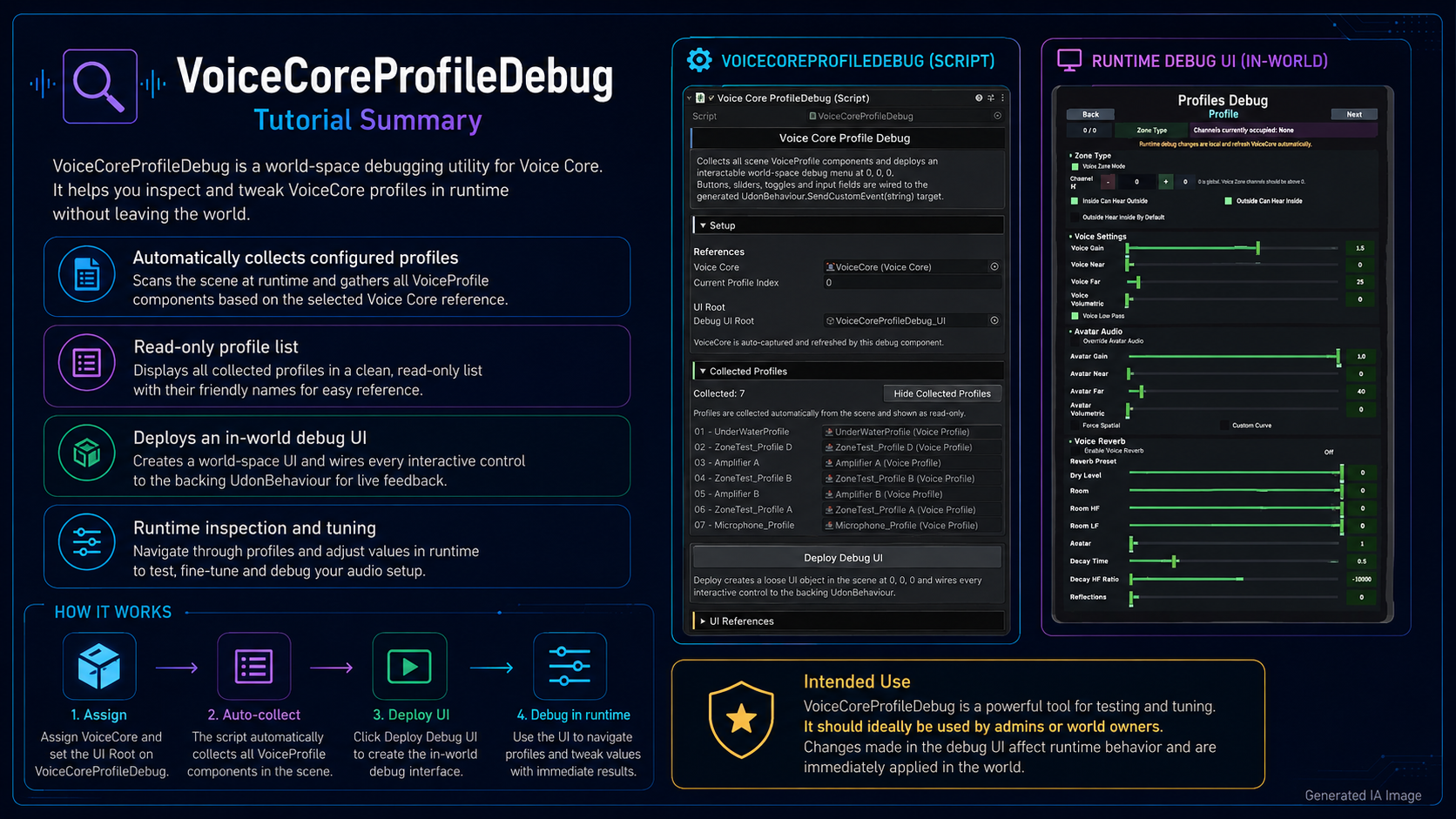
- Debug output table for testing and troubleshooting
- Up to 80 tracked players
Only one VoiceCore is usually needed in the scene.
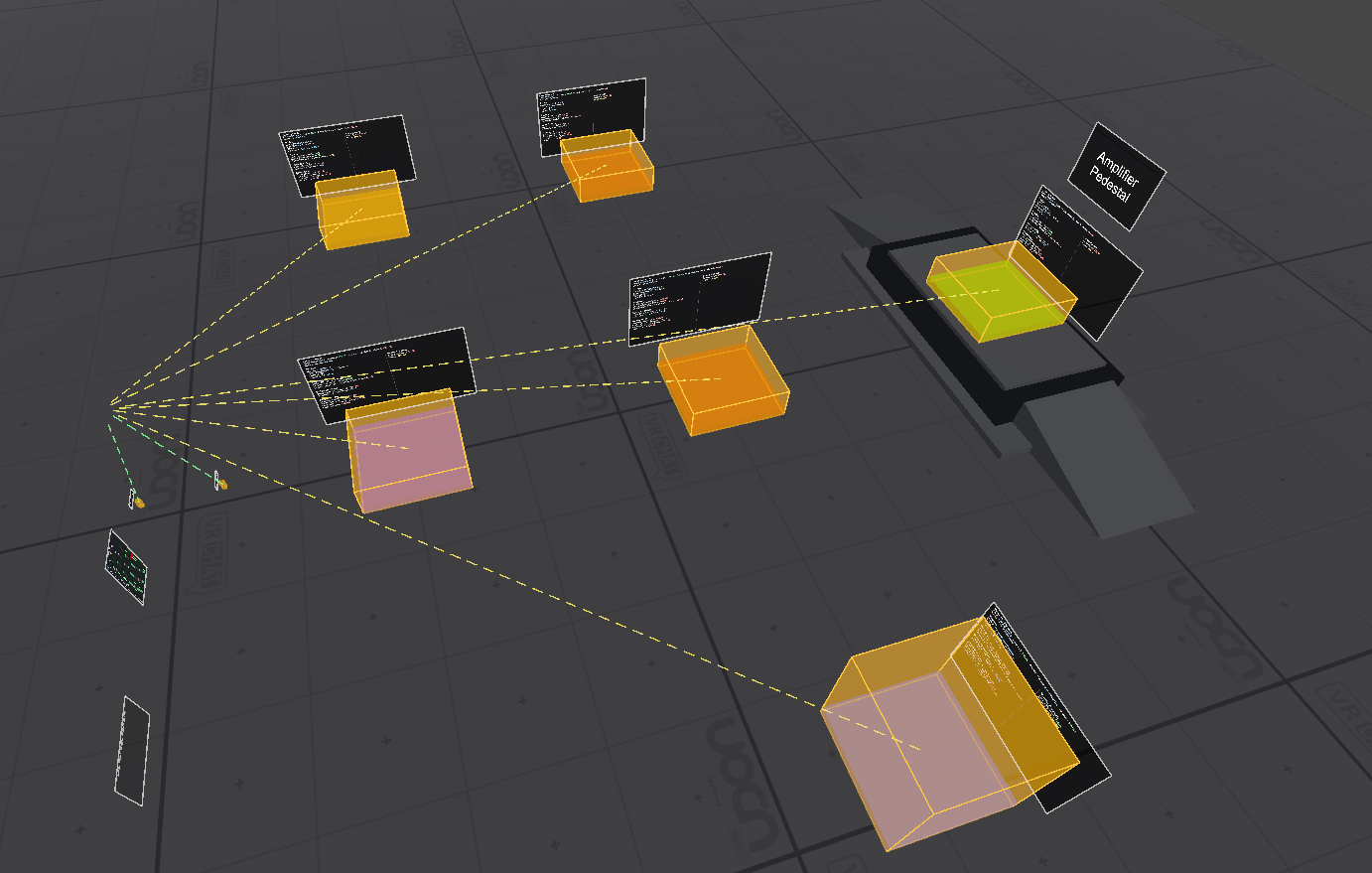
🔊 VoiceZone
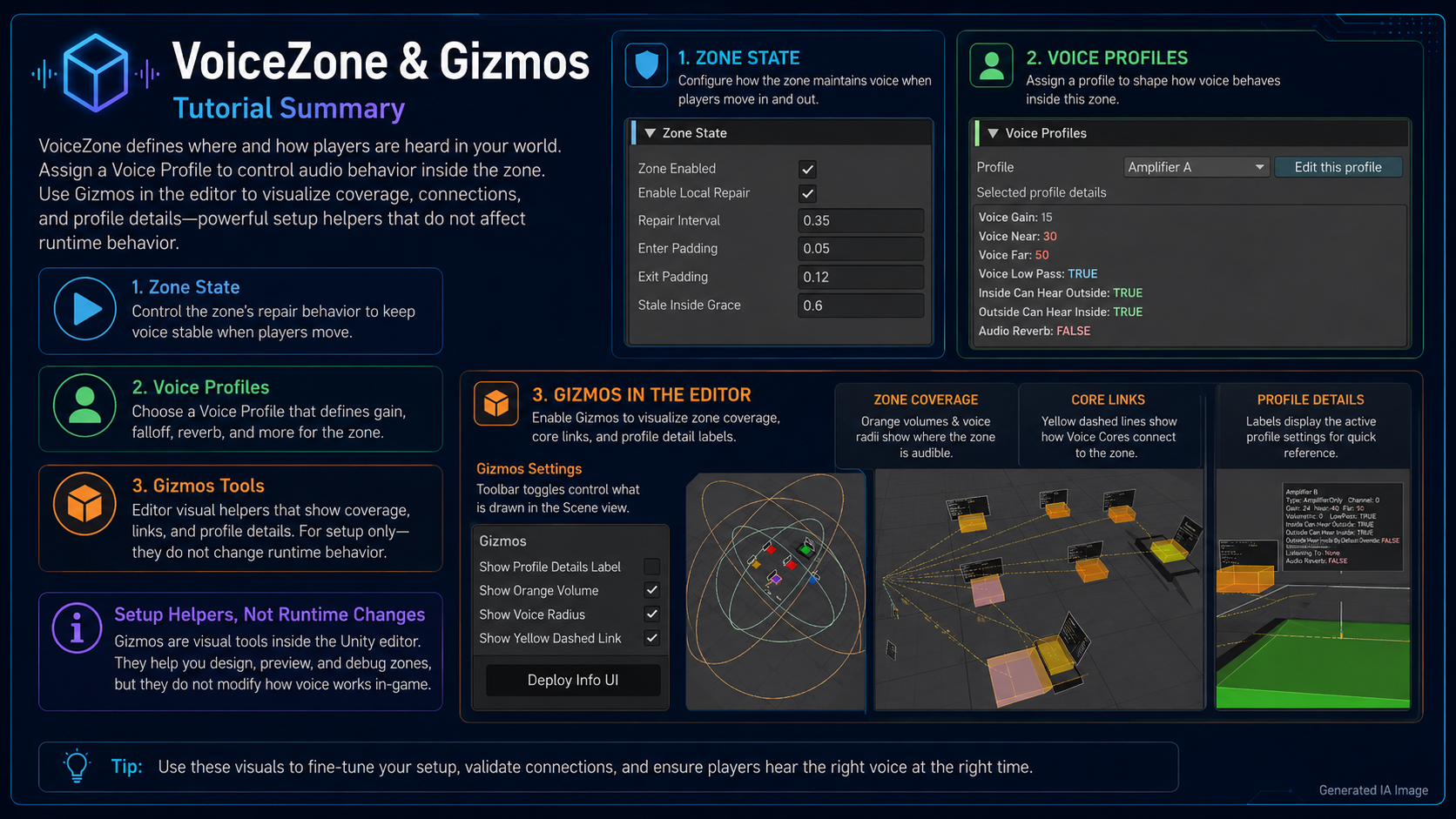
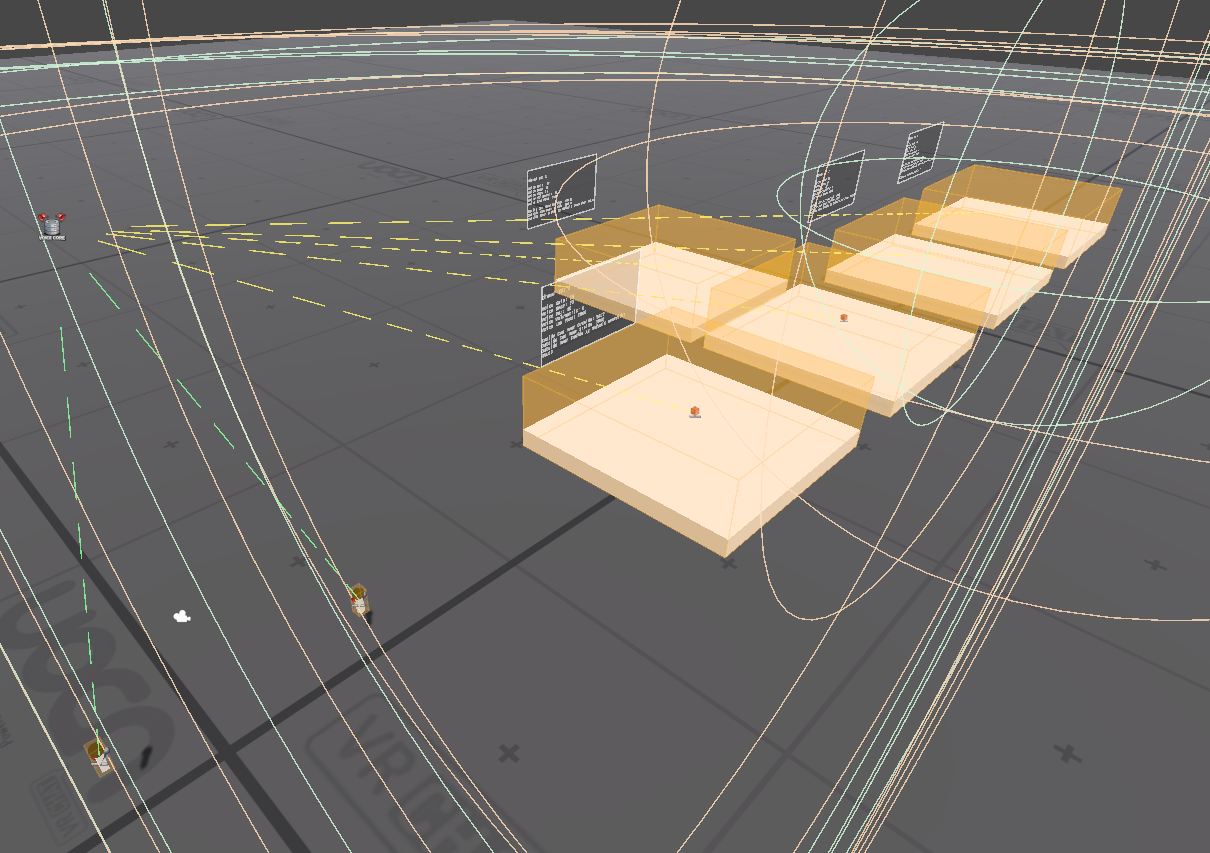
A trigger-based area that changes player voice behavior while they are inside.
Voice Zones are perfect for private rooms, staff areas, roleplay zones, clubs, stages, booths, portals, or any area where voice should behave differently.
Each VoiceZone uses a selected Voice Profile. When a player enters the zone, VoiceCore reads that profile and applies its rules.
VoiceZone supports:
- Custom voice channels
- Private or semi-private voice areas
- Local repair tracking for missed trigger events or late detection
- Priority-based resolution when multiple zones overlap
- Automatic trigger collider usage
Place a VoiceZone in your world, scale its collider, assign a profile, and it will control how voice behaves in that area.
🎙️ Microphone
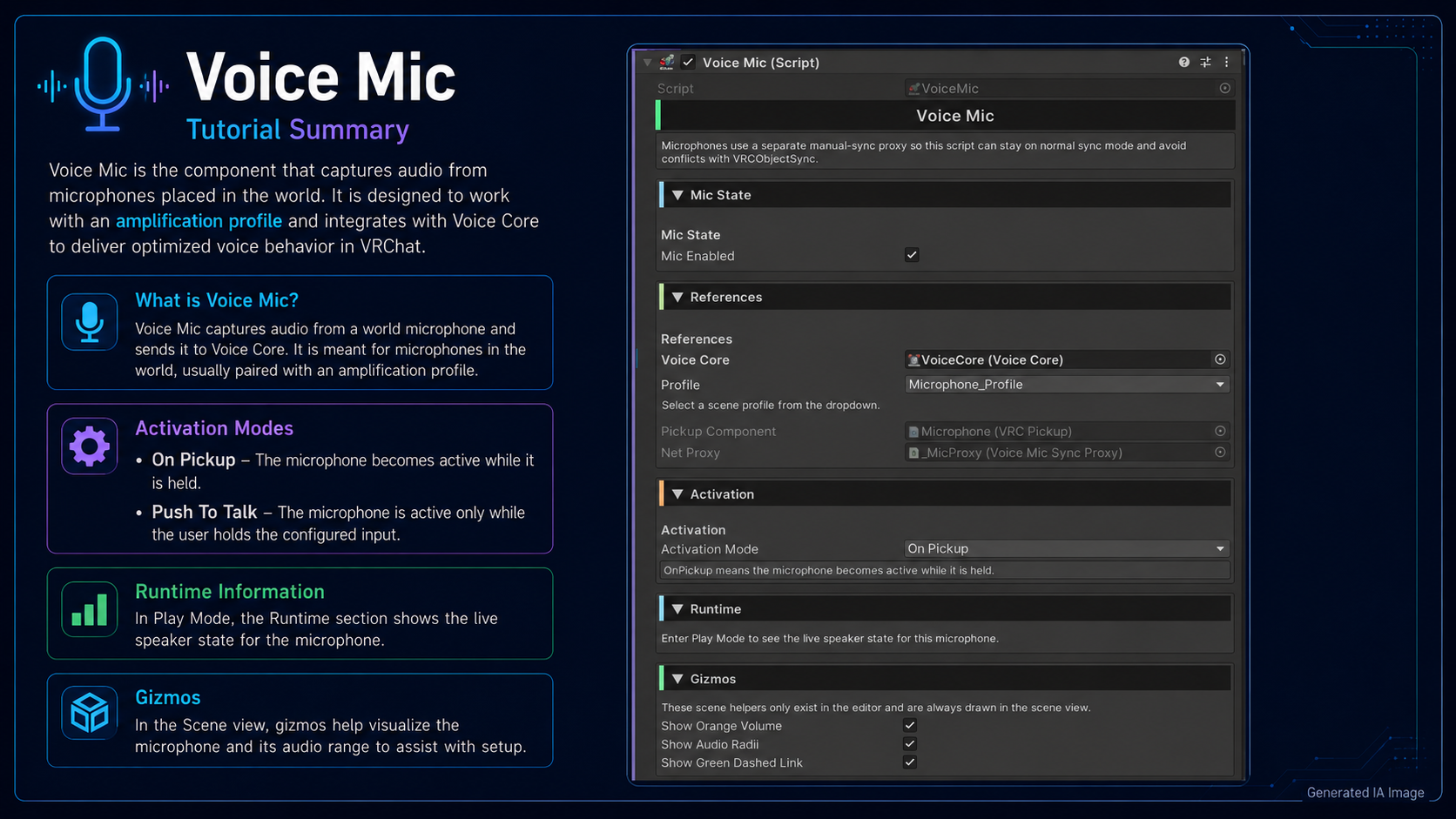
A pickup-based microphone system for amplified or routed voice.
The Microphone prefab allows players to speak through a selected profile when using the mic. This is useful for stages, events, clubs, announcement systems, karaoke rooms, admin areas, and roleplay worlds.
The microphone supports different activation styles:
- On Pickup: the mic activates when the player picks it up
- Push To Talk While Held: the mic only activates while the player is holding and using it
The microphone uses a synced proxy so other players can correctly detect who is currently speaking through it.
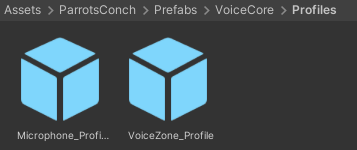
🧩 Profiles Folder
Inside the Profiles folder, you will find 2 example Voice Profiles that you can use as starting templates.
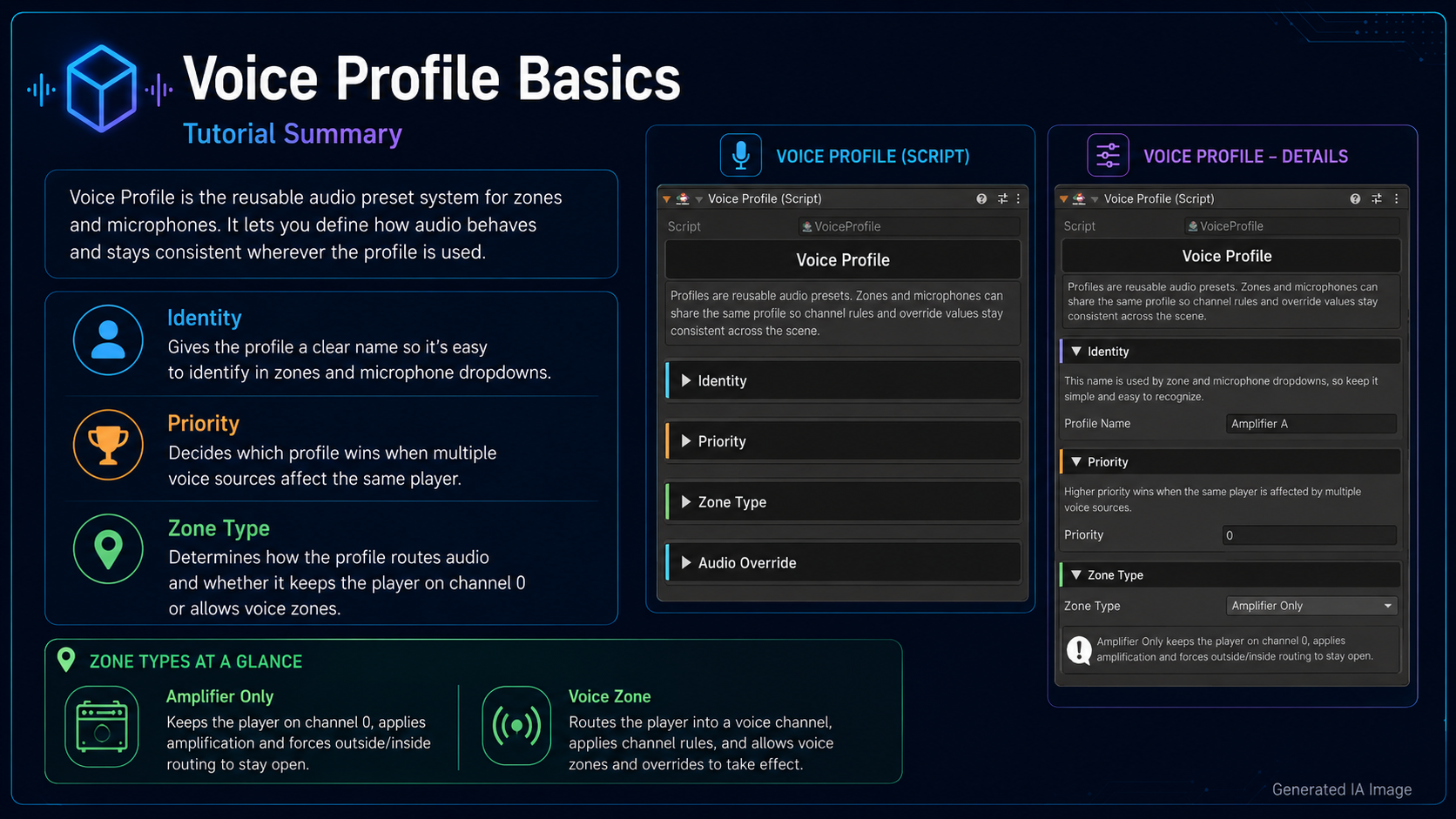
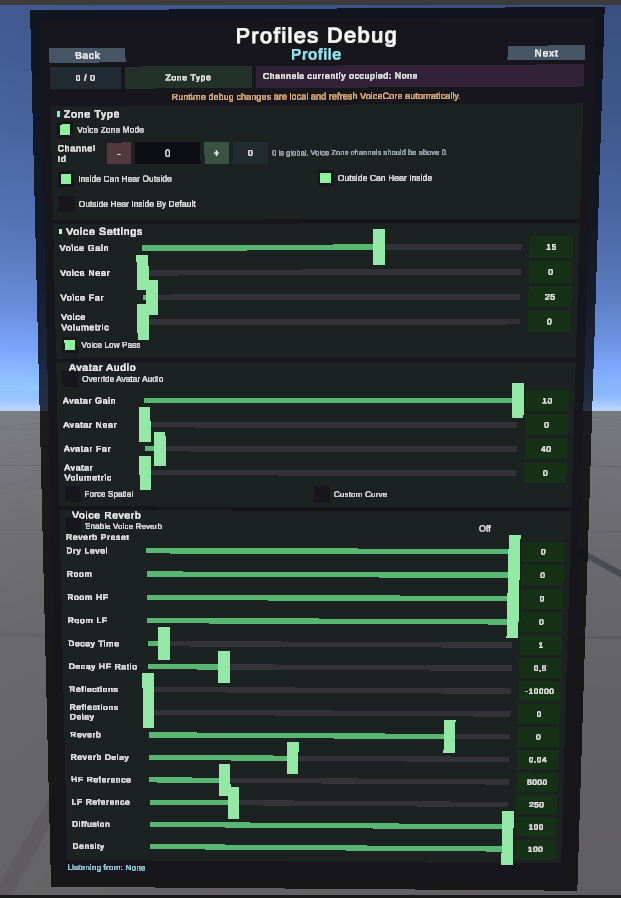
Profiles are the heart of the system. Instead of configuring every zone manually from zero, you create reusable profiles and assign them to Voice Zones or Microphones.
A Voice Profile is composed of:
🏷️ Identity
A friendly profile name used to identify the profile in the inspector.
⭐ Priority
When a player is affected by multiple zones or microphones, the profile with the higher priority wins.
🌐 Zone Type
Profiles can work in two main ways:
Amplifier Only
Keeps the player in the global voice route but boosts or modifies their voice settings. Great for microphones, stages, and announcement areas.
Voice Zone
Uses channel routing rules to isolate, connect, or partially separate voice between areas.
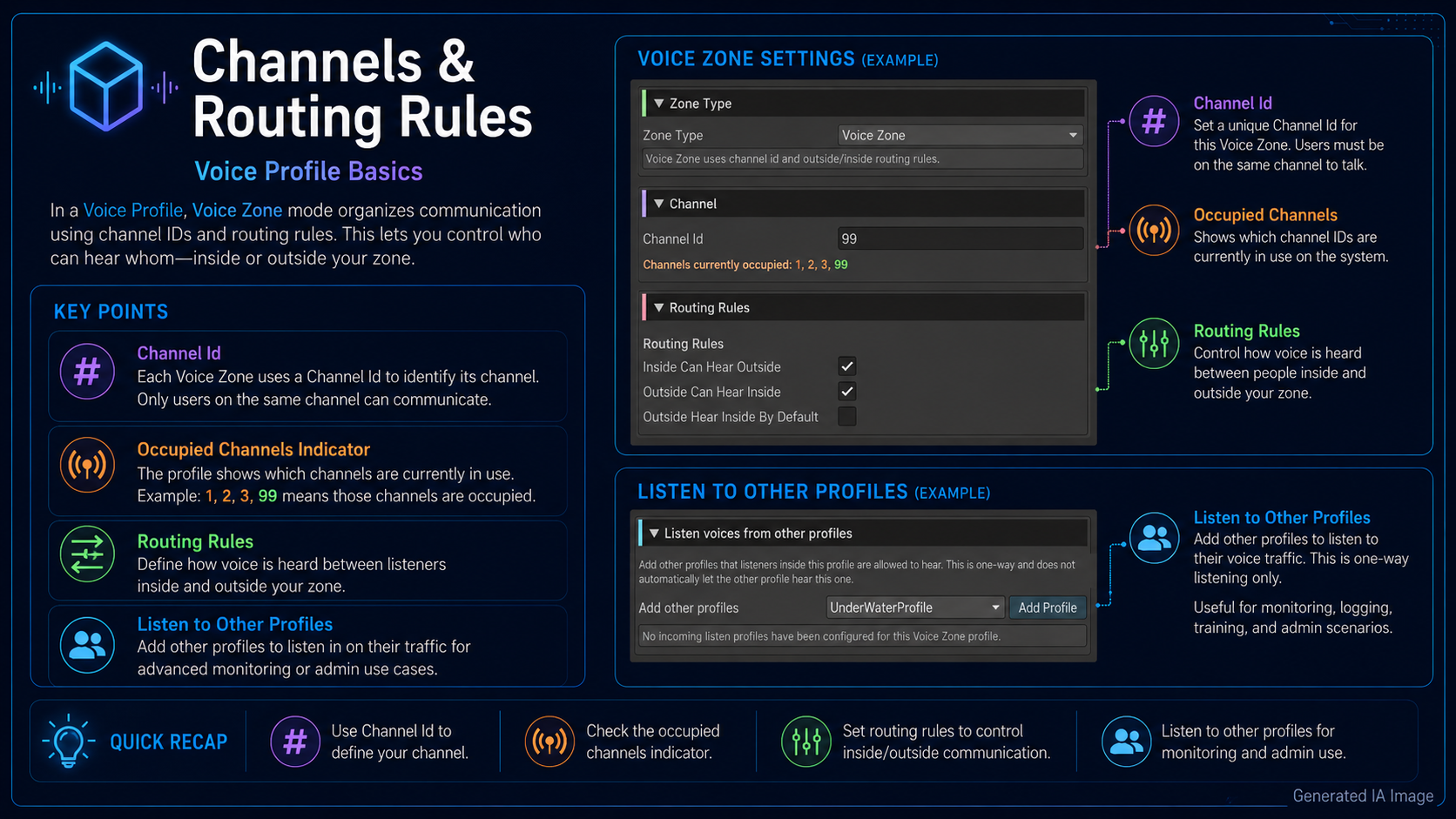
📡 Channel
Channel 0 is the global channel.
Channels above 0 are custom routed voice channels.
Players in the same routed channel can hear each other depending on the profile rules.
🚪 Routing Rules
Profiles can define how people inside and outside a voice area interact.
You can configure:
- Whether players inside can hear outside players
- Whether outside players can hear players inside
- Whether outside listeners should hear inside players using default VoiceCore settings
- One-way listening between specific profiles
This makes it possible to create setups like:
- Private rooms
- Interview booths
- Staff-only listening areas
- Stage microphones
- VIP rooms
- Spectator zones
- One-way monitoring systems
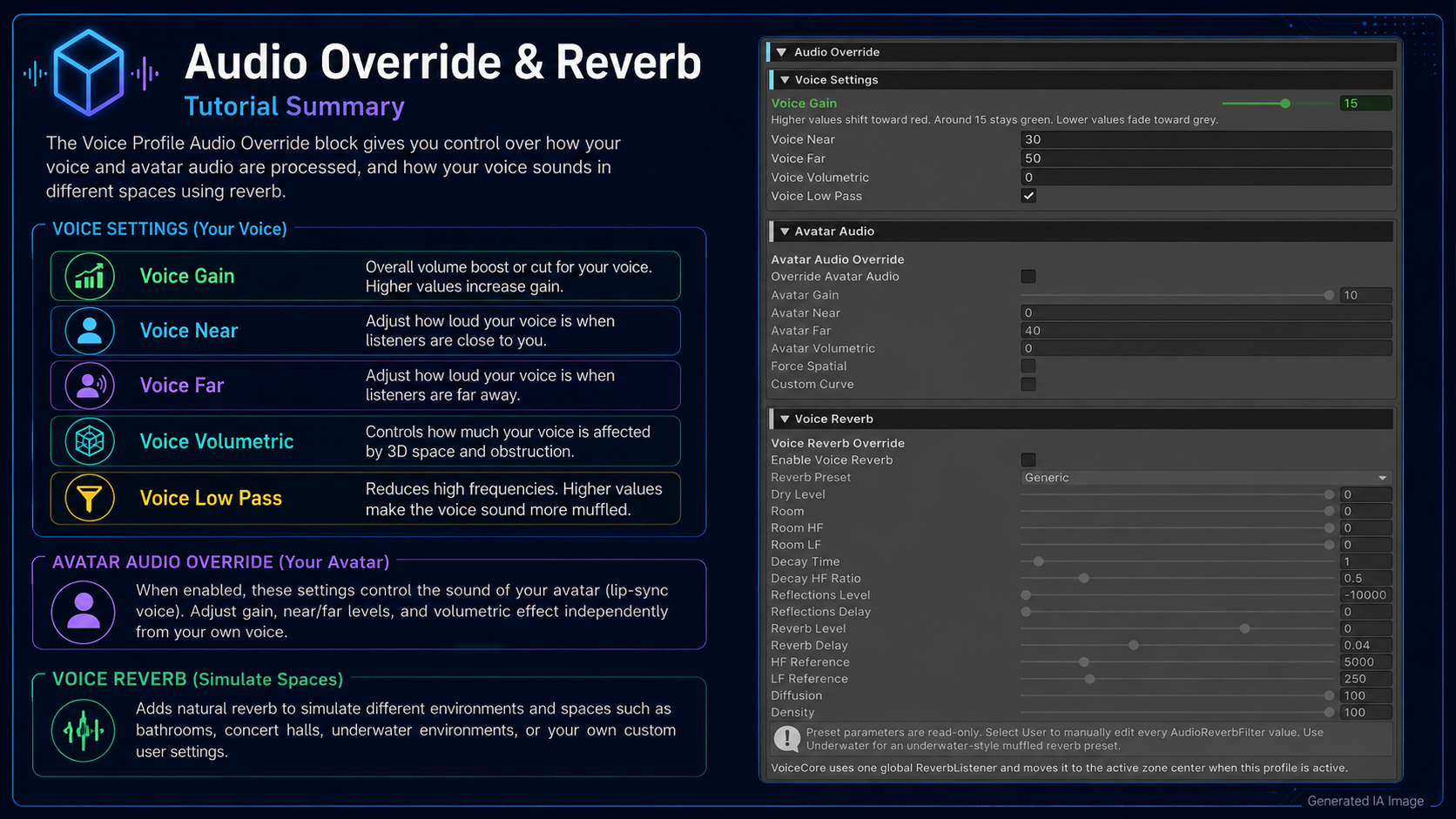
🎚️ Voice Override
Each profile can override voice settings such as:
- Voice gain
- Near distance
- Far distance
- Volumetric radius
- Lowpass
This lets you create louder microphones, quieter rooms, long-range voice areas, or isolated voice spaces.
🔈 Avatar Audio Override
Profiles can optionally override avatar audio settings too, including:
- Avatar audio gain
- Near radius
- Far radius
- Volumetric radius
- Force spatial
- Custom curve
Leave this disabled if you only want to affect microphone voice.
👂 Listen From Other Profiles
Profiles can be configured to hear other profiles in a one-way direction.
For example, a “Staff Room” profile can listen to a “Stage” profile without automatically allowing the stage to hear the staff room. This is useful for moderation, control rooms, event staff, or hidden monitoring setups.
There is also an optional high-range listen mode for special cases where one profile needs to hear another from very far away.
🚀 Basic Setup
- Import the package into your Unity project.
- Go to:
Assets/ParrotsConch/Prefabs/VoiceCore - Drag the VoiceCore prefab into your scene.
- Drag one or more VoiceZone prefabs into the areas where you want custom voice behavior.
- Assign a Voice Profile to each VoiceZone.
- Use the included example profiles or duplicate them to create your own.
- Optionally add the Microphone prefab for stage, event, or announcement voice.
- Test in VRChat and adjust gain, distance, channels, and routing rules as needed.
🎯 Perfect For
- Private rooms
- Staff-only areas
- Club worlds
- Stage microphones
- Event worlds
- Roleplay zones
- Interview booths
- VIP rooms
- Hidden listener systems
- Voice isolation zones
- Amplified announcement microphones
✨ Why Use VoiceCore?
VoiceCore gives you a flexible voice routing foundation without forcing you into one specific world design. You can keep things simple with a basic private room, or build more advanced setups with multiple profiles, priorities, one-way listening, microphones, and custom voice ranges.
Everything is organized around reusable prefabs and profiles, making it easier to expand your world over time.
Drag, configure, test, and ship. 🐚🎙️
🤖 AI-Assisted Content Disclaimer
This product was fully conceptualized and designed by Parrot’s Conch.
The original product idea, feature planning, permission structure, pseudocode, and core code matrix were created by the human developer behind Parrot’s Conch.
This product was developed in part with AI assistance. AI tools were used to assist with portions of coding, artwork, logos, promotional text, tutorials, documentation, and other development-related assets.
Testing, review, functionality checks, editing decisions, final configuration, product preparation, and packaging were completed by the human developer behind Parrot’s Conch.
Final files were reviewed, edited, configured, tested, and packaged by Parrot’s Conch.