Product Description
VRCBento 400 Calorie Material Studio
What it does
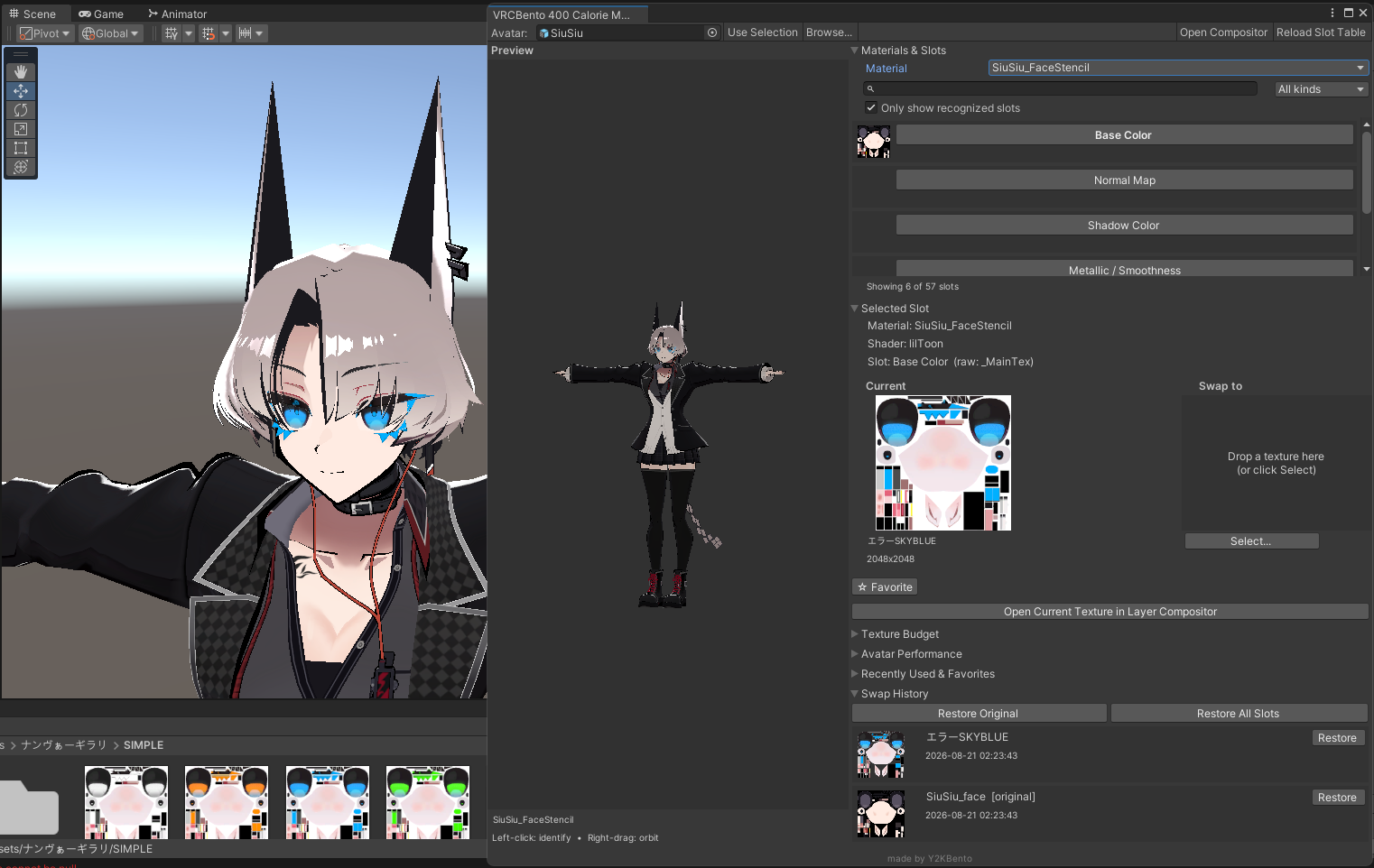
VRCBento 400 Calorie Material Studio is a Unity Editor extension built for one job: making VRChat avatar retexturing instant, visual, and safe. Click any part of your avatar to see exactly which material and texture is driving it, pick a new texture, watch it preview live on the model — then apply with full confidence.
No more hunting through the Inspector. No more guessing which _MainTex belongs to which mesh. No more breaking shared materials by accident.
Features
Click-to-identify preview
Orbit around your model (right-drag) and click any surface to instantly identify the material, renderer, and texture slot behind it. Works with static and skinned meshes, with a real mesh raycast you can trust.
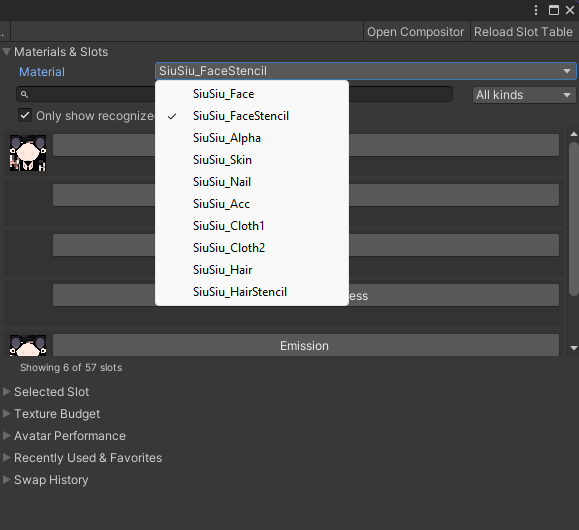
Smart slot & material picker
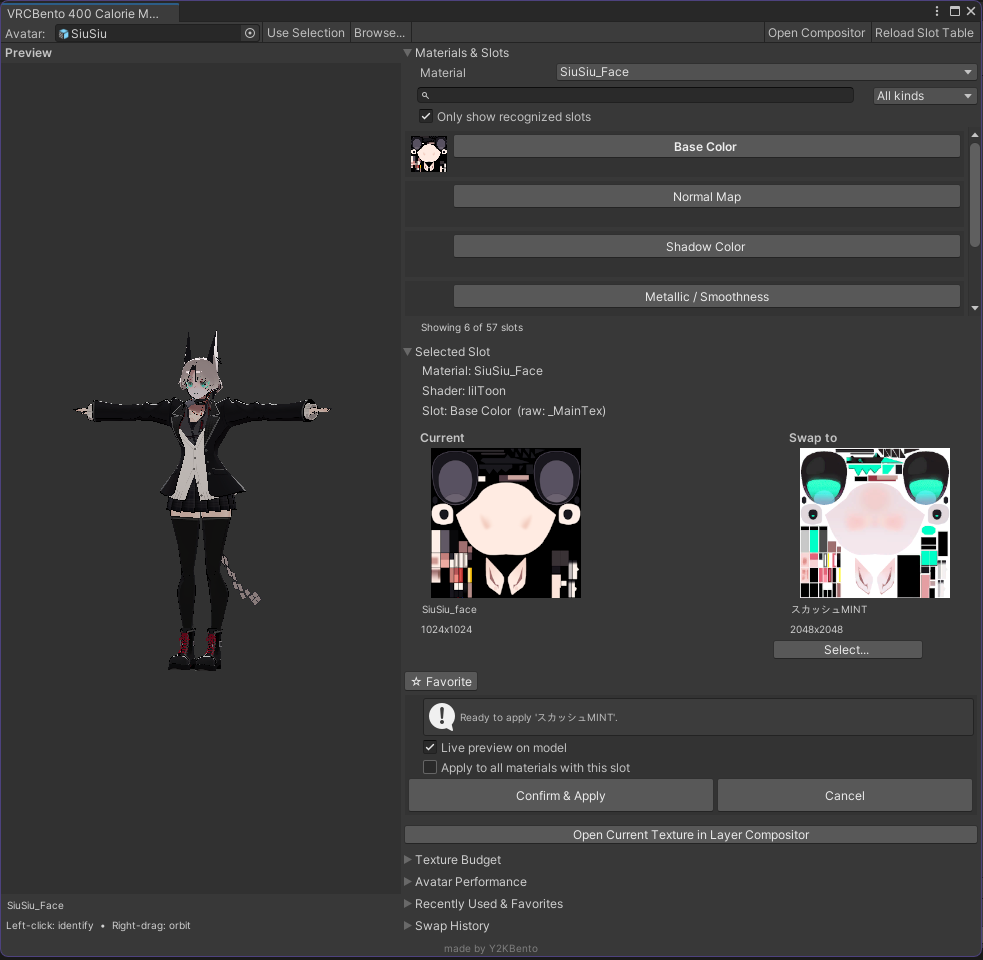
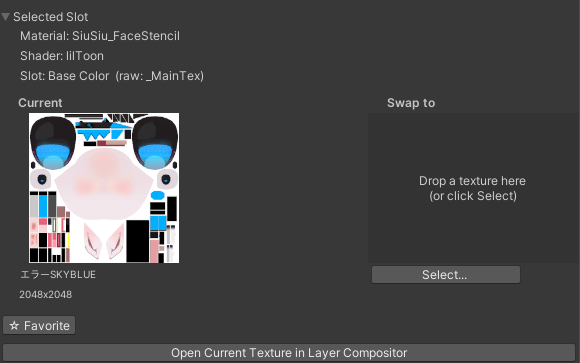
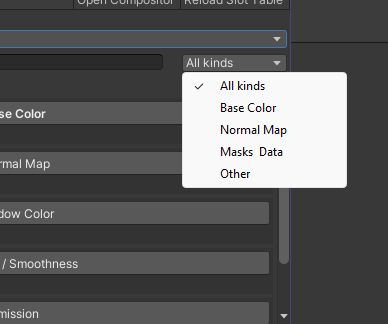
Search your textures, filter by kind, or show only recognized slots. Big 150px side-by-side Current vs. Swap-to previews so you always know exactly what you're changing before you change it.
Live preview — zero risk
See your swap applied to the actual model using non-destructive MaterialPropertyBlock previews before you commit. Nothing touches your materials until you hit Confirm.
Material safety guard
Detects shared and project materials, then lets you Make Copy, Edit In Place, or Cancel. Copies are auto-named Material_RendererName so you never corrupt an asset another avatar depends on.
Full shader support
Built-in slot tables for VRChat Toon Lit, Standard, lilToon, and Poiyomi — it knows the right texture property for every material, with a fallback for custom shaders.
History, recent & favorites
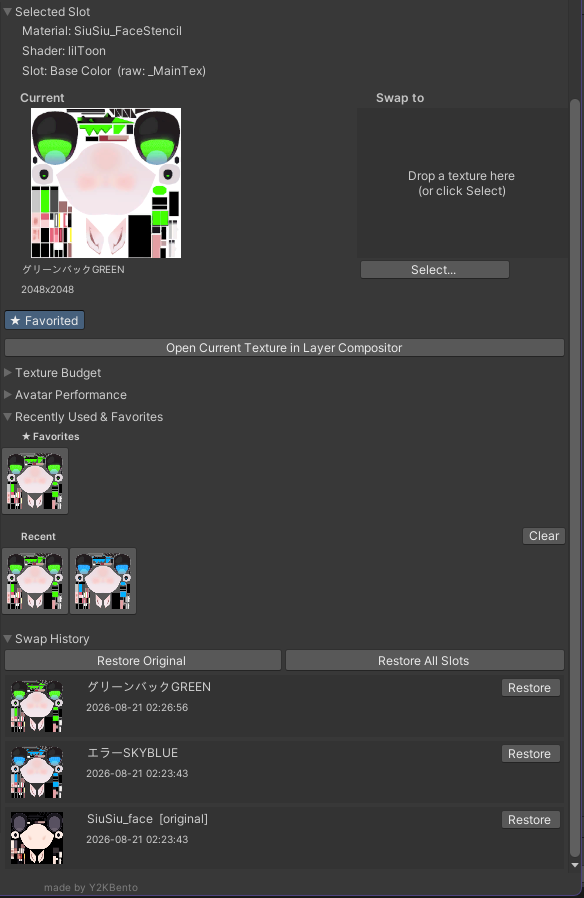
Every swap is tracked per-avatar. Star your favorites (pinned to the top of Recents), right-click to remove, and restore any single slot — or Restore All — whenever you change your mind.
Layer compositor
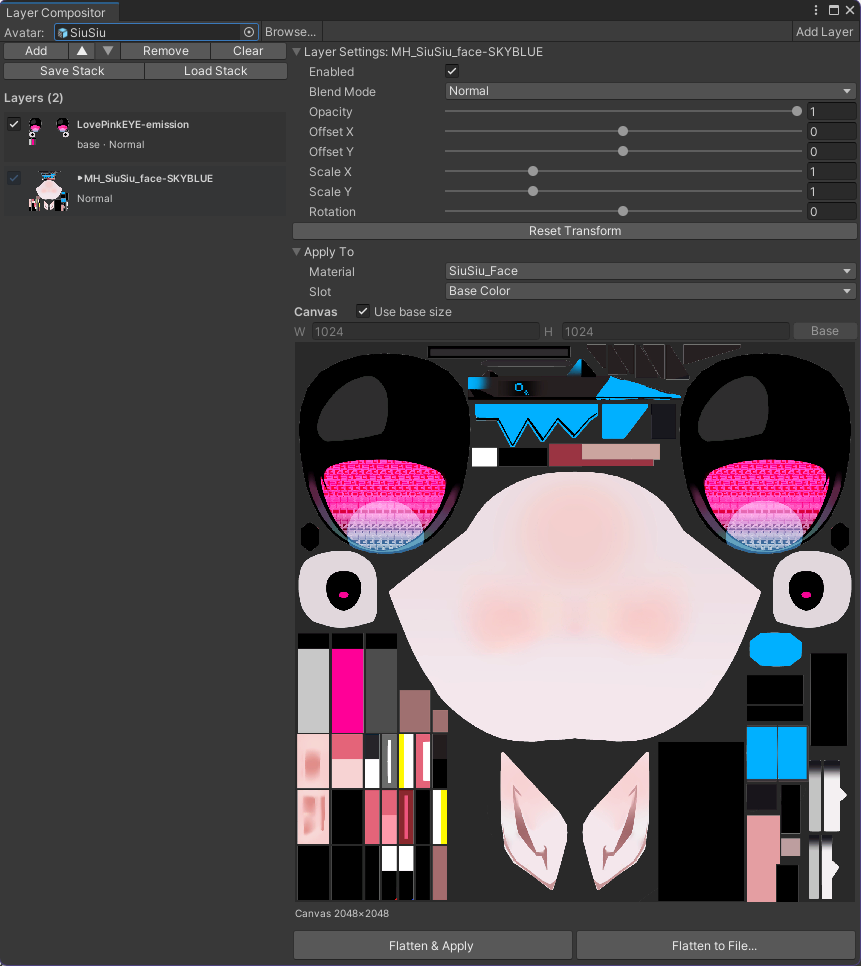
Stack textures, apply blend modes and transforms, drag-to-reorder layers, and preview the result before flattening. Flatten to File to export a baked texture, or Flatten & Apply it straight onto the avatar. Save and load layer stacks for reuse.
Performance at a glance
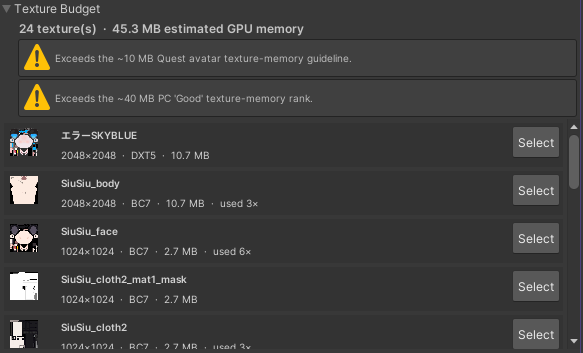
- Texture Budget foldout — GPU memory vs. VRChat Quest/PC guidelines.
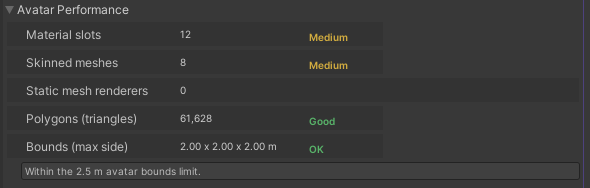
- Avatar Performance foldout — material slots, skinned meshes, poly count, bounds, ranked Excellent / Good / Medium / Poor.
Built for speed
Keyboard shortcuts for everything (G Use Selection, C Open Compositor, F Reframe), auto import settings, human-readable filenames, and an unreadable-mesh guard that offers one-click Read/Write enable.
Terms of Use.
Do NOT redistribute or resell.
Do NOT claims as your own.
Do NOT attempt to change or modify the script.
DO NOT INCLUDE THE PACKAGE IN YOUR AVATAR WHEN YOU SELL IT.