VRCDynamicPlayerTags - Dynamic Text Tag Replacement System
Collaborators
Product Description
VRCDynamicPlayerTags is a Unity Editor toolkit that automatically parses text arrays in VRChat game prefabs and dynamically replaces player name tags with actual player names during runtime.
What It Does
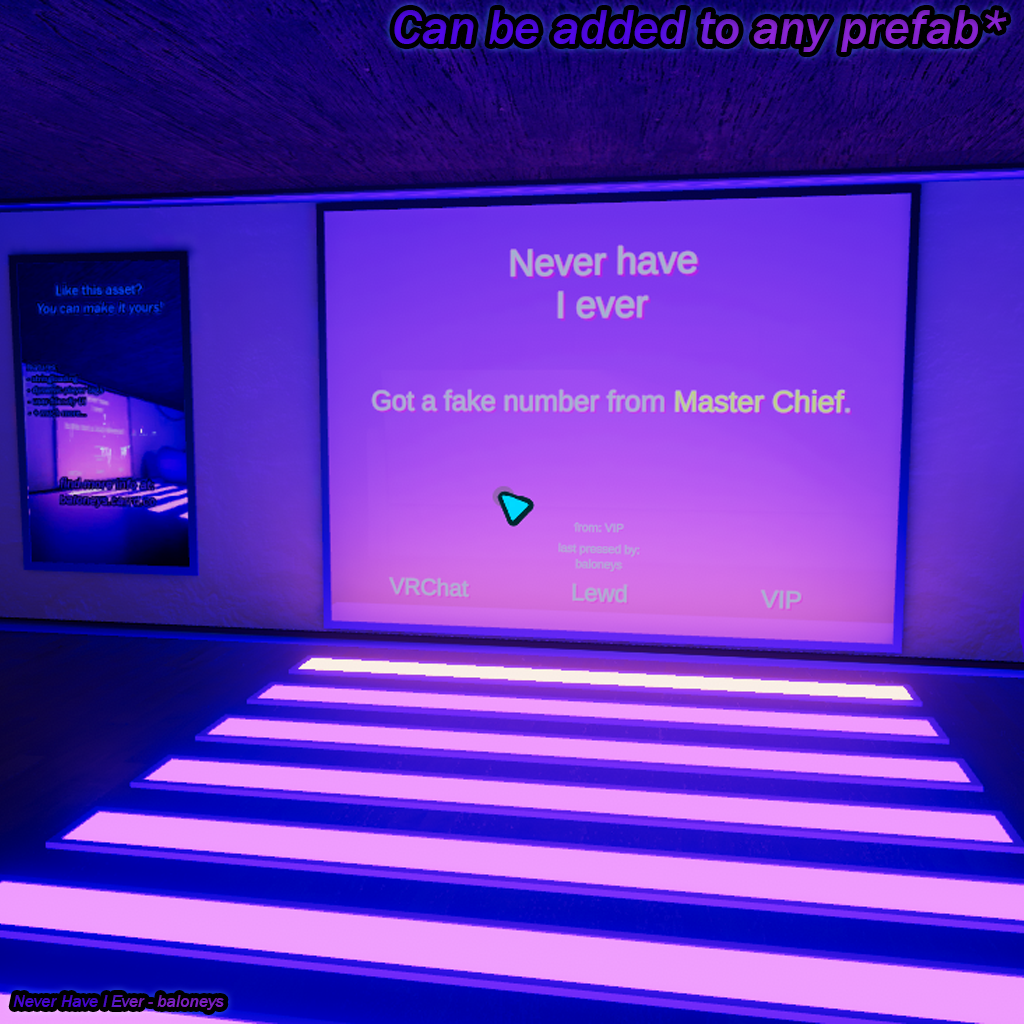
Games like Never Have I Ever, Spin the Wheel, and Truth or Dare use text arrays with prompts like:
- "Never have I ever told <player> a secret"
- "<player> must kiss <rem_player>"
- "<random> has to sing a song"
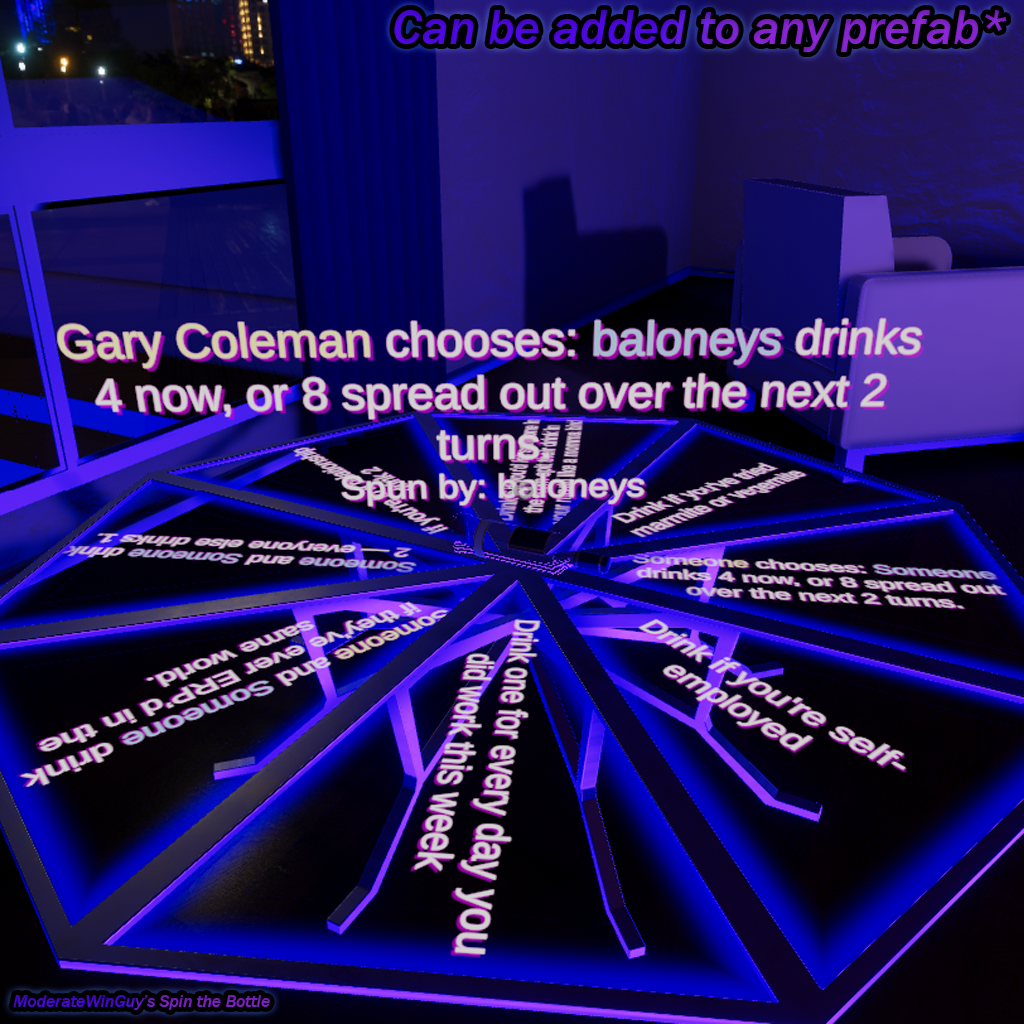
This system detects these special tags and replaces them with real player names from your world automatically—no manual configuration needed for each prompt.
How Tags Work
The script recognizes three special tags in your text:
<player> - Replaced with the current/primary player's name Example: "<player> won!" → "Alice won!"
<rem_player> - Replaced with a different random player's name (not the same as <player>) Example: "<player> must hug <rem_player>" → "Alice must hug Bob"
<random> - Replaced with any random player in the world Example: "<random> has to dance" → "Charlie has to dance"
Tags are replaced dynamically each time the text is displayed, so every game round feels unique!
Perfect For
✅ Never Have I Ever systems ✅ Spin the Wheel / Fortune Wheel prefabs ✅ Truth or Dare games ✅ Any game system that uses text arrays with player names
Community Preset Database
Access free preset configurations for popular game prefabs at https://kanaris-beans.com/dynabackend/vrc-dynamic-player-tags:
- ModerateWinGuy's Spin the Wheel
- Never Have I Ever systems
- Truth or Dare prefabs
- And more added by the community
Don't see your prefab? Submit your own configuration to help others!
Key Features
✅ Automatic tag detection and replacement in text arrays ✅ Three tag types: <player>, <rem_player>, <random> ✅ Works with any TextMeshPro text array ✅ Plug-and-play preset system for popular games ✅ Visual Unity Editor tool—no scripting required ✅ Network synced across all players ✅ Quest compatible and optimized ✅ UdonSharp source code included
Installation & Setup
Requirements:
- Unity 2022.3.6f1+ (current VRChat SDK)
- VRChat SDK3 - Worlds
- UdonSharp (included with SDK)
- TextMeshPro
Quick Setup:
- Import the Package
- Import the
.unitypackageinto your Unity project - Wait for Unity to import everything
- Import the
- Open the Manager Tool
- Go to
baloneys → VRC Dynamic Player Tags Managerin Unity's menu
- Go to
- Get a Preset Code (or configure manually)
- Visit kanaris-beans.com/dynabackend/vrc-dynamic-player-tags.html
- Find your game prefab (e.g., "Spin the Wheel")
- Copy the 6-character preset code
- Configure Your GameObject
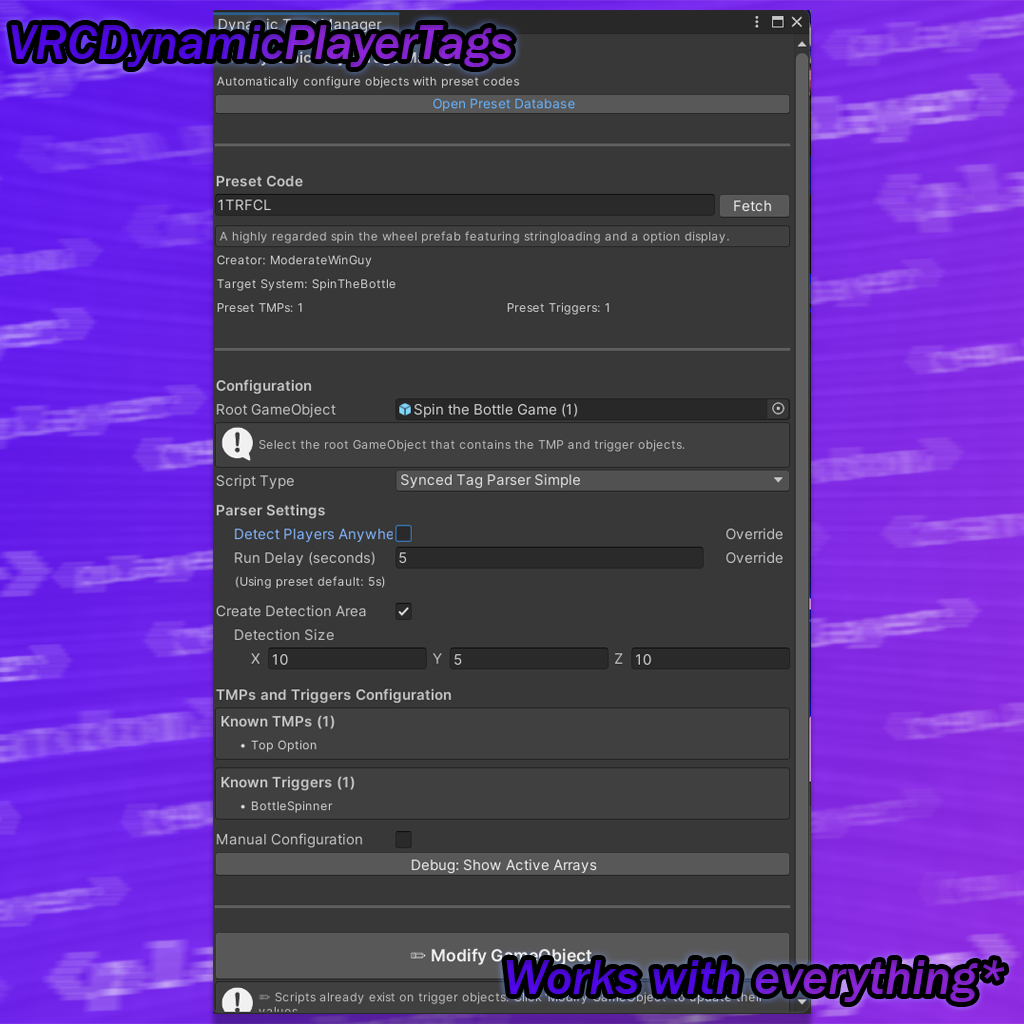
- In the Manager, enter the preset code and click "Fetch"
- Select your game's root GameObject in the hierarchy
- The manager will auto-populate TMP objects and trigger settings
- Choose script type: Simple (single TMP) or Colored (multiple TMPs)
- Tagify
- Click "✨ Tagify GameObject"
- The system applies the scripts and configures everything
- Test
- Enter Play Mode in Unity
- Test your game—tags should be replaced with player names!
Manual Configuration (No Preset):
If there's no preset for your game:
- Enable "Manual Configuration" in the Manager
- Add your TMP object names with "+ Add TMP"
- Add your trigger object names with "+ Add Trigger"
- Adjust detection settings if needed
- Click "✨ Tagify GameObject"
What's Included
- VRCDynamicPlayerTagsManager - Unity Editor configuration tool
- VRCDynamicPlayerTagsStripper - Component cleanup tool
- SyncedTagParserSimple - Basic tag parsing script (single TMP)
- SyncedTagParserSimpleColored - Advanced colored text (multiple TMPs)
- Comprehensive README - Full documentation with examples
- Discord Support - Active community and developer help
Two Script Types
SyncedTagParserSimple:
- Parses one TMP text object
- Shared detection area for triggers
- Lightweight and efficient
SyncedTagParserSimpleColored:
- Parses multiple TMP text objects
- Rich text formatting support
- Direct trigger detection
Technical Specs
- Unity: 2022.3.6f1+
- SDK: VRChat SDK3 - Worlds
- Dependencies: UdonSharp, TextMeshPro
- Platforms: PC, Quest, iOS
- Performance: Lightweight tag parsing
License
✅ Use in personal and commercial worlds ✅ Modify and customize freely ✅ Use across unlimited projects ❌ No reselling or redistribution
Support
- Active Discord: discord.gg/gYWJsYhwXN
- Preset Database: https://kanaris-beans.com/dynabackend/vrc-dynamic-player-tags.html
- Regular VRChat SDK updates
- Community-driven preset library
Make your VRChat game prompts dynamic—VRCDynamicPlayerTags handles player name replacement automatically!
By purchasing this asset, you agree to my terms and conditions which can be found here: https://kanaris-beans.com/terms.html