
Product Description
VRM2VRC (Beta)
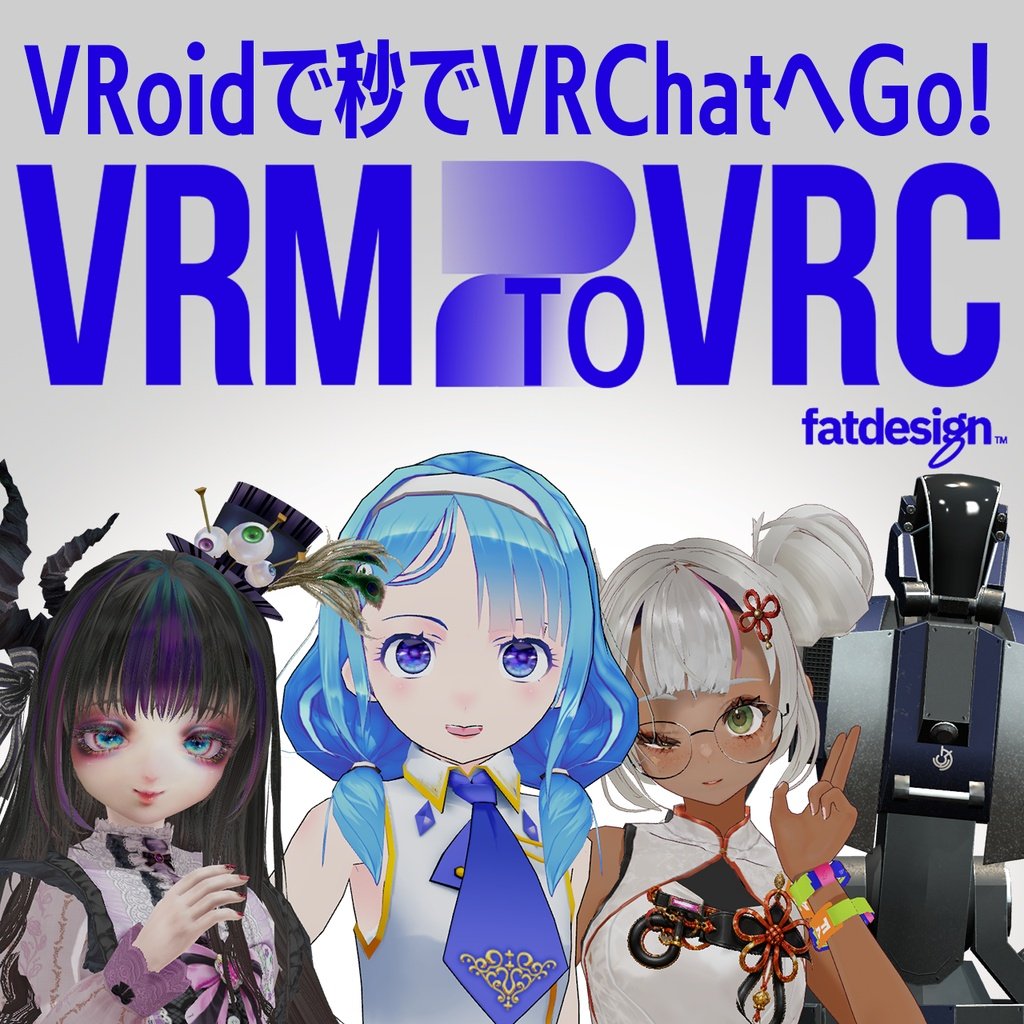
Drop in a .vrm. Get a VRChat-ready avatar. That's it.
V2C is a Unity Editor extension that converts VRM avatars for VRChat. It's the successor to VRM1.0 to VRChat Converter, now with VRM 0.x support — and it works with full-scratch VRMs, not just VRoid.
What takes an hour of manual setup takes about two minutes.
One package. No UniVRM, no extra tools.
Why V2C
No UniVRM required — this package does everything
Both VRM 0.x and 1.0, from import to VRChat conversion, all in one tool.
Just drag the .vrm in
Drag → Import → OK → Convert. Now it's ready to upload.
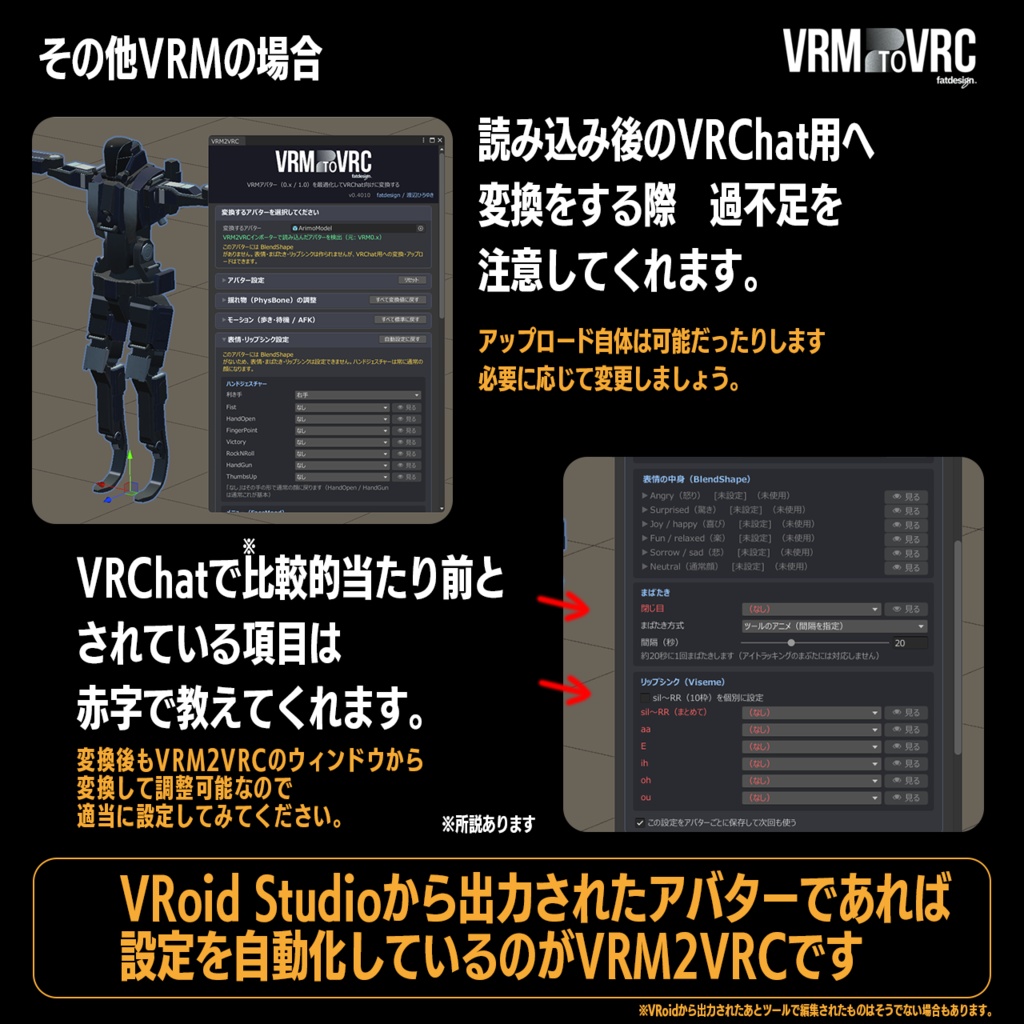
VRoid and XAvatar supported — and VRMs from anywhere else
VRoid VRMs convert straight through with no setting changes.
Automatic lilToon conversion
MToon materials are swapped to lilToon automatically. MToon10, MToon (0.x) and Standard are also available.
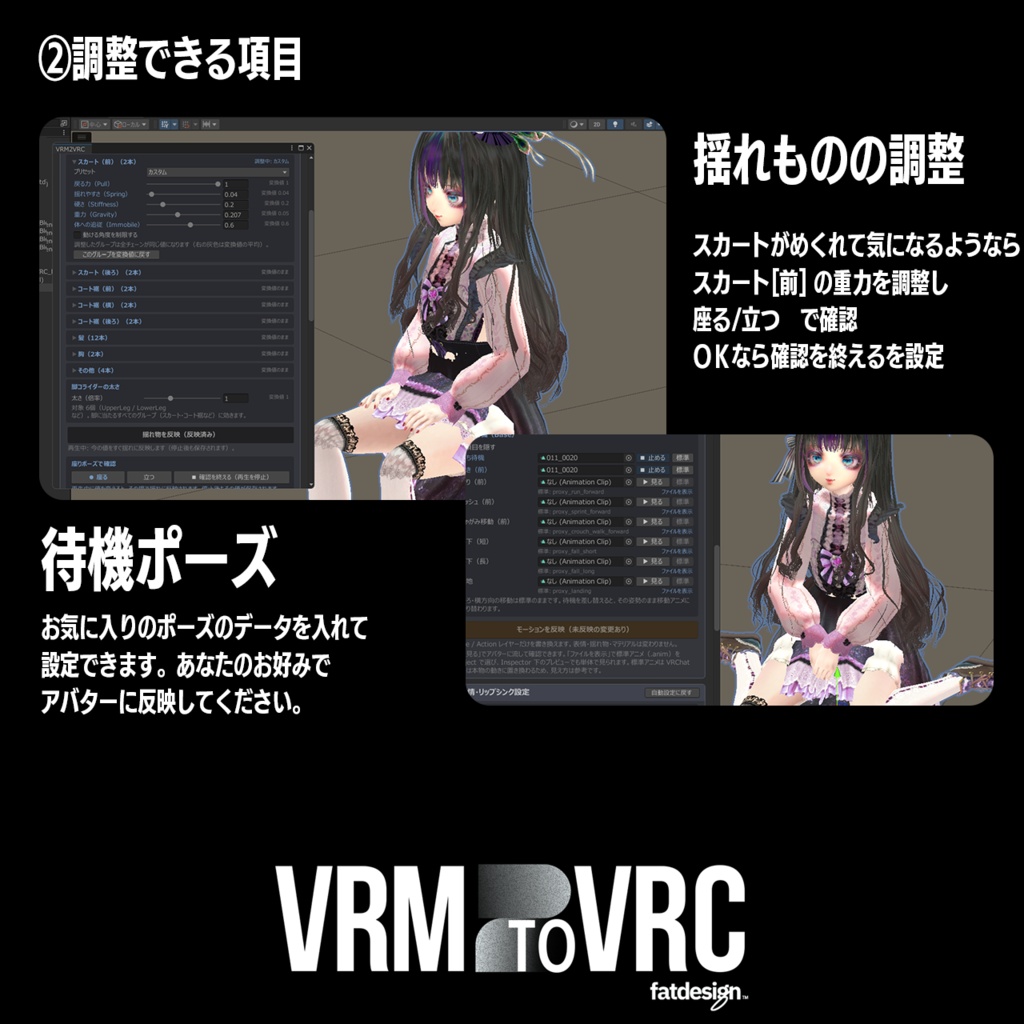
PhysBone conversion with live tuning
Adjust hair, skirts and chest by group. Change values during Play mode and see them update in real time, including a seated-pose preview.
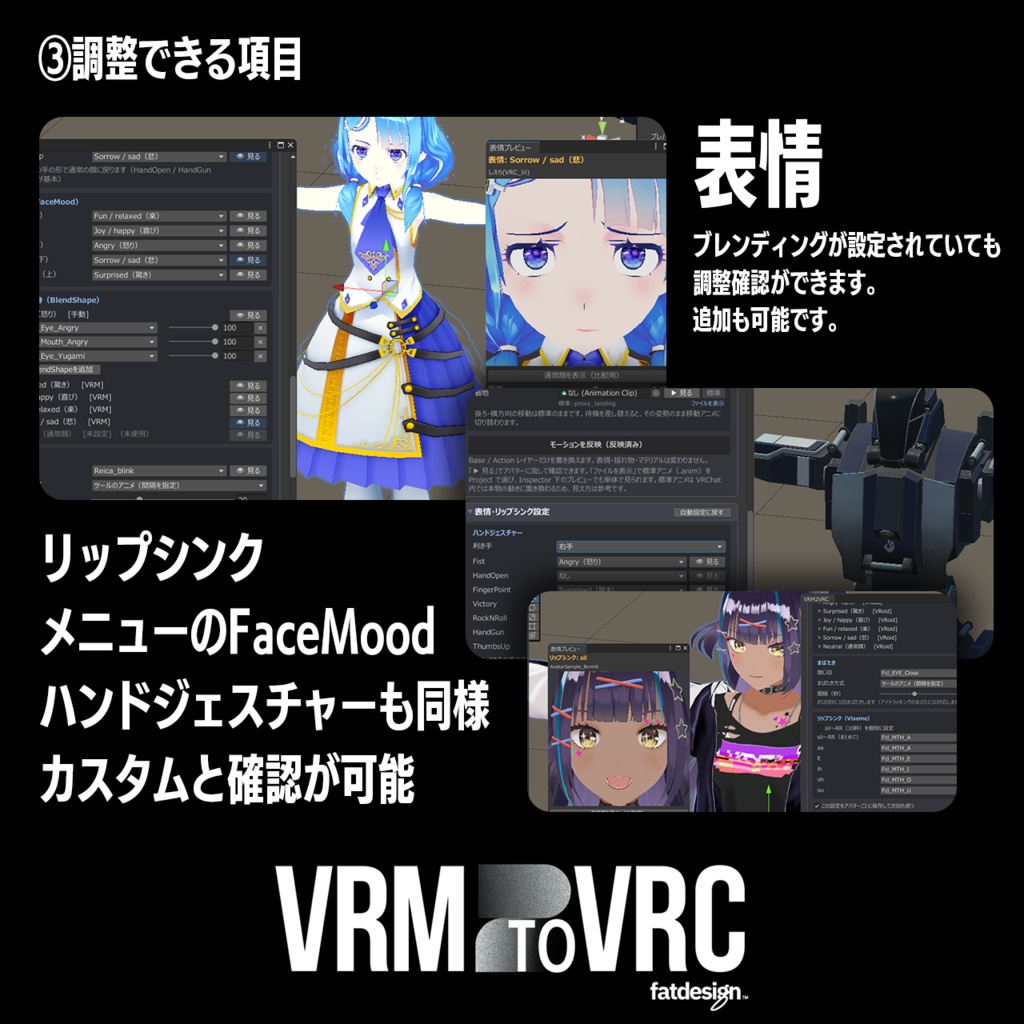
Expressions, lip sync, blinking and eye movement — all automatic
Reassign hand gestures and menu expressions, and check them in the preview.
Swap out motions
Replace idle, walk, crouch, prone and AFK with any animation you like.
Full-body tracking setup
Configure Force Locomotion and add a Locomotion on/off menu.
Fewer VRChat SDK warnings
Bone ordering and Write Defaults are cleaned up automatically.
Your original avatar stays untouched
Conversion runs on a duplicate. Expressions and physics stay editable after.
How to Use
1. Import the unitypackage into Unity — this is the only install step
2. Drag your .vrm into Assets, or use VRM2VRC > Import VRM
3. Press "Convert for VRChat"
4. Adjust expressions and physics as needed, then upload
Requirements
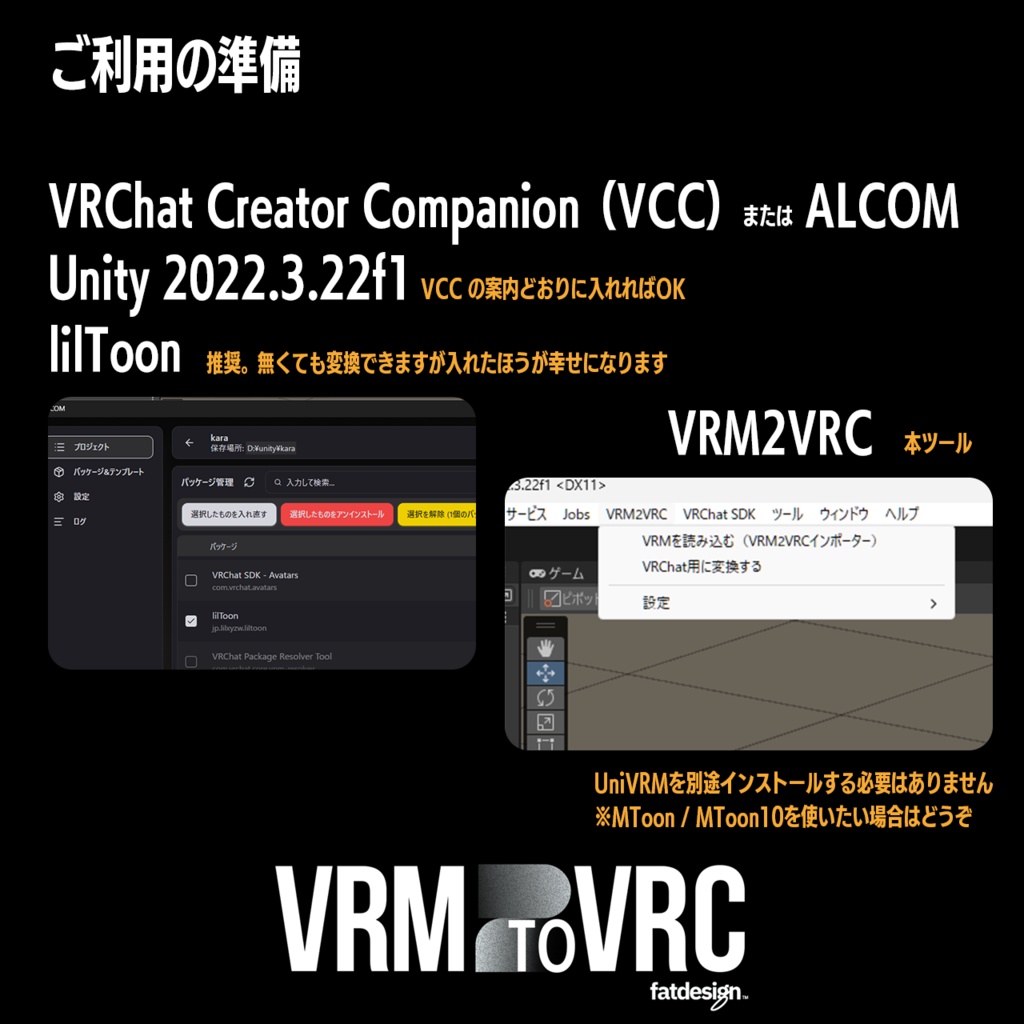
- Unity 2022.3
- VRChat SDK (Avatars) — required for uploading
- lilToon — recommended. Conversion works without it, but you'll be happier with it.
Already Used in Japan
VRM2VRC has been in the hands of Japanese VRoid creators since its first release, and this is the same tool — now available worldwide with a full English UI.
About the Beta
This is a beta release. Everything has been tested, but the feature set is large and a solo developer can't catch every bug. Reports on Discord genuinely shape what gets fixed next.
Beta pricing — this goes up once the tool leaves beta. All future updates are included at no extra cost.
https://discord.gg/JRmXuREVGf
Which Version Do I Need?
If you're an individual making avatars — including ones you sell — the standard version covers you. The Commercial License is only for organizations: company use, contract work, or offering conversion as a service.
Notes
- Please respect the license set by the creator of any VRM you convert.
- MToon / MToon10 display on PC only, not on Quest.
- Back up your Unity project before use.
- Redistribution of this tool is prohibited.
- To update, just import the new unitypackage over the old one.
Terms of Use
Permitted
Use by the purchaser. Creating VRChat avatars, personal or commercial. No credit required, though it's always appreciated.
Prohibited
Redistributing, transferring, reselling or lending this tool. Distributing modified versions. Bundling it into other tools or assets. Sharing with anyone other than the purchaser, including within a team or company. Any use that breaks the law or violates VRChat's terms of service.
Avatars You Convert
Follow the license set by the creator of each VRM. The creator of this tool accepts no responsibility for conversions, uploads or distribution that breach those terms.
Commercial and Corporate Use
For company use, contract work, or avatar conversion offered as a service, please purchase the Commercial License version.
Disclaimer
Provided as-is. No liability is accepted for any damage or trouble arising from use, including data loss, avatar issues or account impact. Operation is not guaranteed on every VRM or environment. Updates to Unity, the VRChat SDK, lilToon or UniVRM may break functionality.
This is an unofficial tool, not affiliated with VRChat Inc., the VRM Consortium, or the creator of lilToon. Copyright belongs to fatdesign / Hiroyuki Watanabe.
Release Notes
v0.501 — 2026/10/18
Continue straight into VRChat conversion after import. "Rebuild" to change materials, viewpoint and eye gaze while keeping your adjustments. Mesh splitting with preview and undo. Save-all for physics adjustments. UV animation materials supported. Hand-shape icons for gestures. Light theme. Blinking moved to VRChat standard, eye-tracking compatible. Advanced settings and Locomotion on/off menu. Toggle menu for split clothing (requires Modular Avatar). Finger tuning with preview. Shoulder height adjustment.
Fixes in v0.501
Expression animation paths reattached automatically. Expressions pointing at old mesh or shapekey names replaced. lilToon conversion preserves original VRM transparency ordering. Physics values now apply correctly when changed during Play mode.
v0.401 — 2026/10/07
Initial release.
Special Thanks
Beautiful VRoid and original VRM models used in this tool and its PV, with thanks:
- Sierra — https://x.com/super_sierra
- Nadoka (Suishindo) — https://x.com/wcfos
- YURARITO — https://x.com/yurarito000
Sponsor
Tsubameya Koga — https://x.com/Tsubameyakoga
Runs the blog Tsubameyaroku — https://tsubameyaroku.com/
Contact
Discord: https://discord.gg/JRmXuREVGf
X: https://x.com/fatdesign
Posting about it with #VRM2VRC #V2C #fatdesign really helps — I check those tags.
Have a good VRoid life!