
Product Description
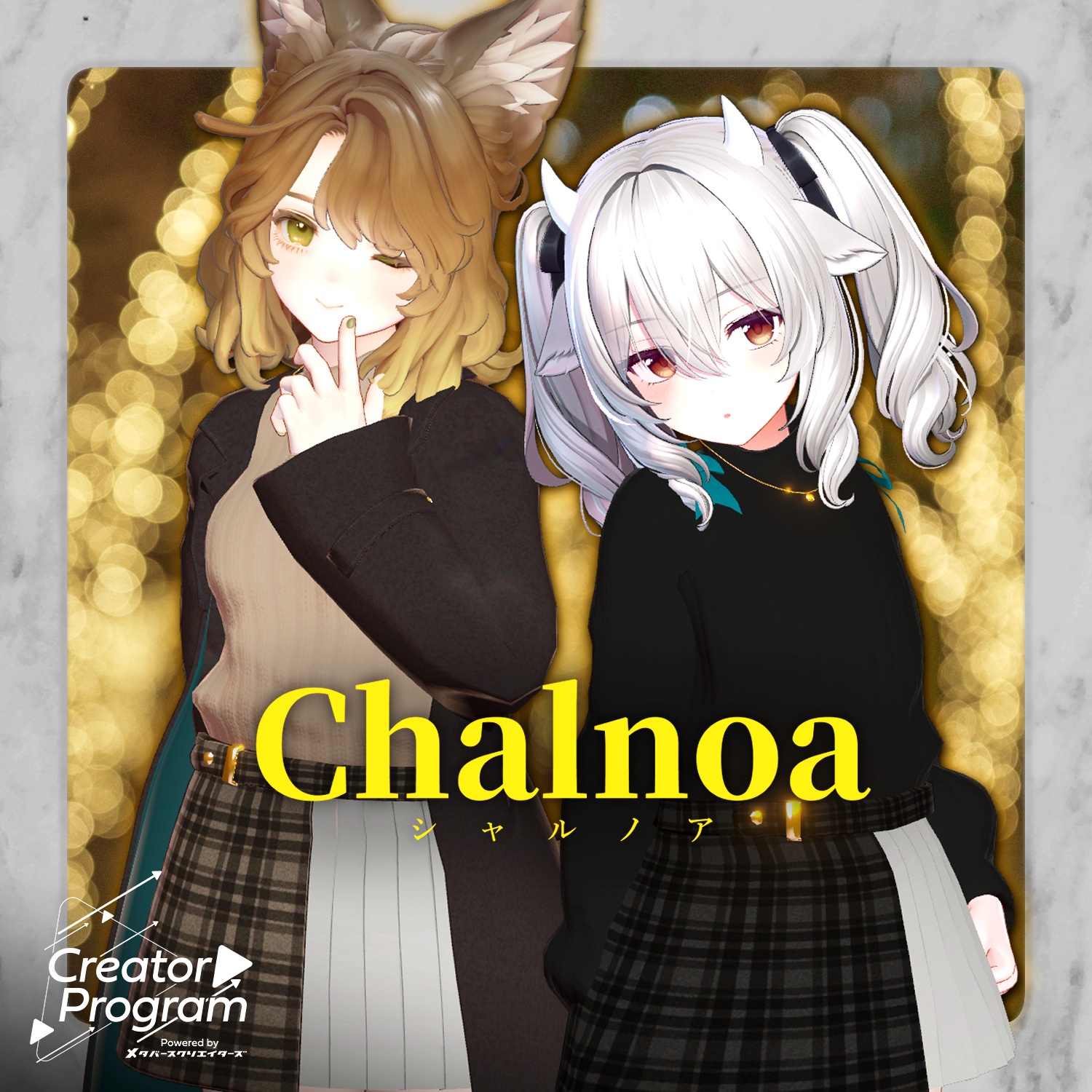
◆ Chalnoa ◆
Creator: Simejiro
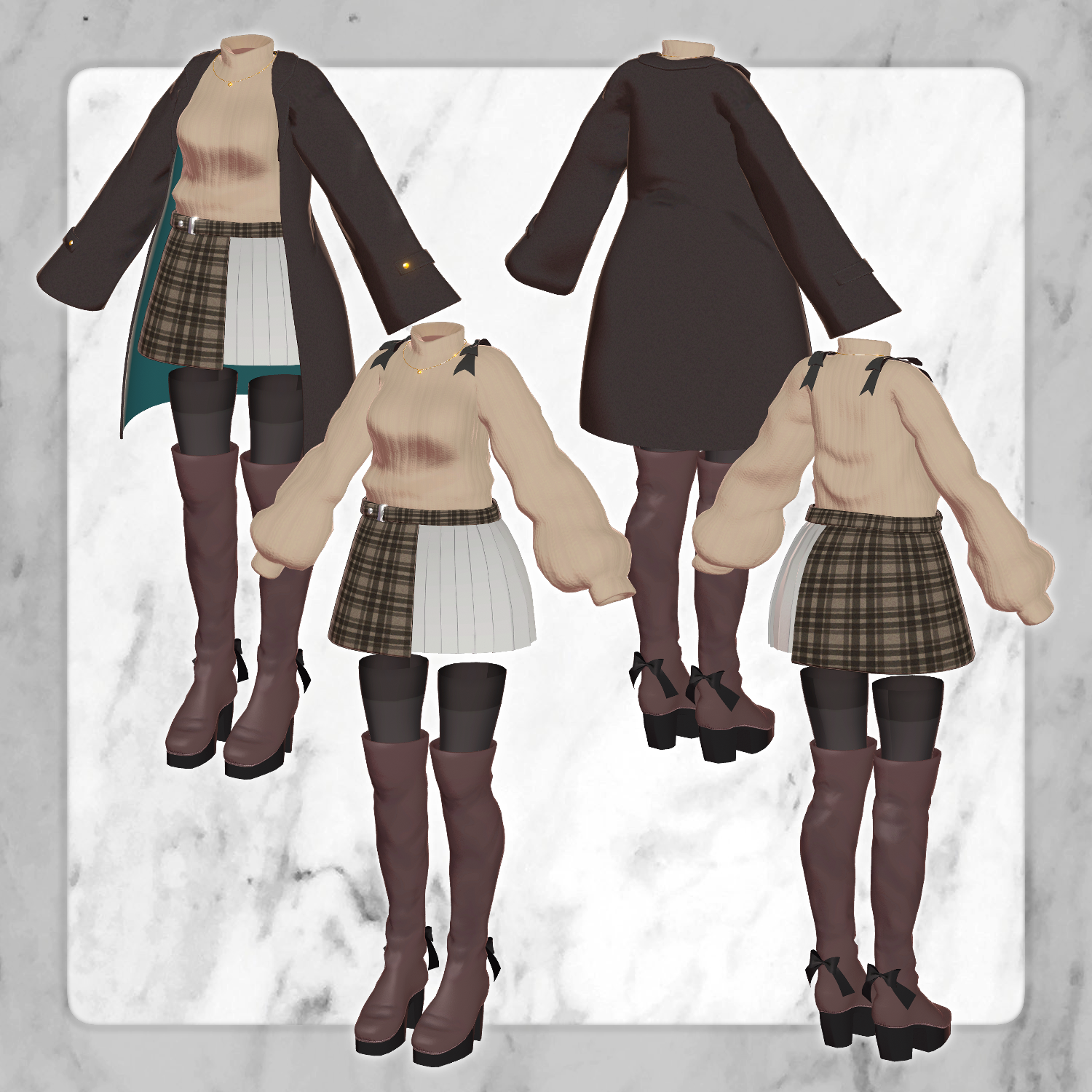
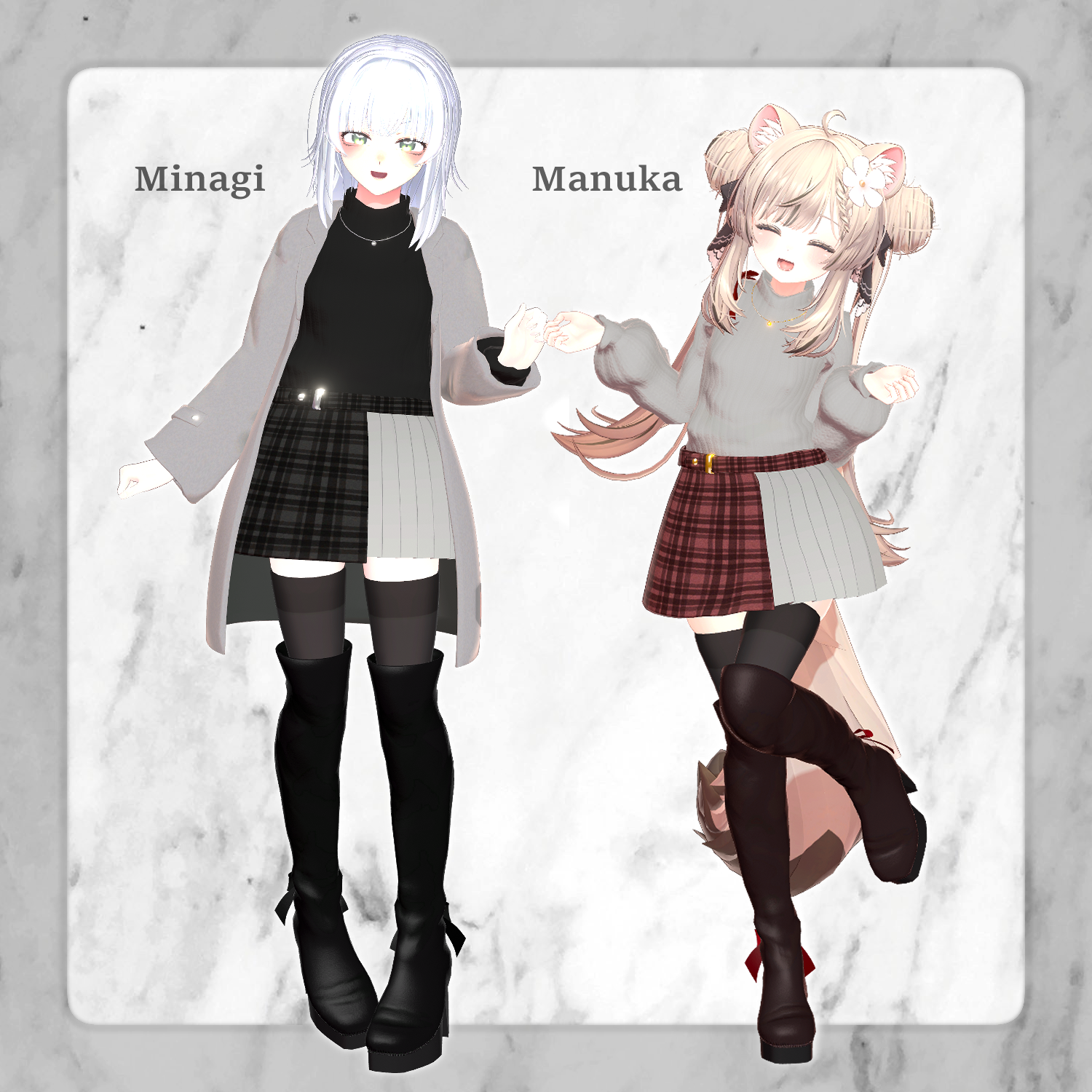
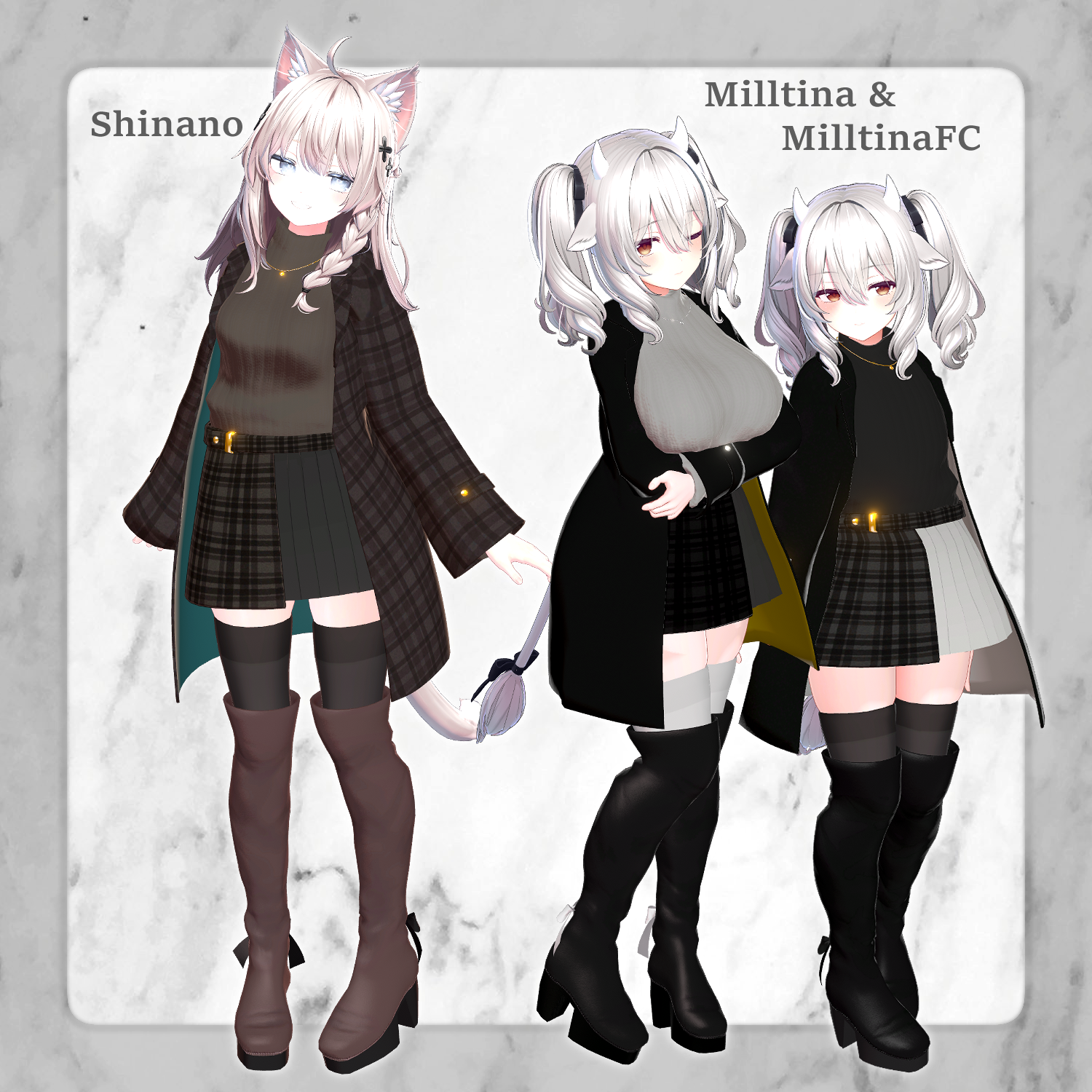
A warm coat and mini-skirt set, perfect for a winter date. Even when it gets warm and you take the coat off, the ribbons on the shoulders keep the look adorable.
This product is a clothing model designed for avatars. Avatar body data is not included.
Due to the nature of digital downloads, returns and refunds are not possible. Please confirm and agree to the product description and terms of use before purchasing.
◆ Item Overview
Contents:
For_[Avatar Name].Unitypackage
FBX
Textures
Modification files (psd/clip)
ReadMe.txt (Main text)
Required Shaders:
liltoon: https://lilxyzw.booth.pm/items/3087170
Required Assets:
Modular Avatar: https://modular-avatar.nadena.dev/ja/docs/intro
● Model Data
Total Polygon Count: 28,480
Boots: 6,392
Coat: 8,736
Necklace: 232
Petticoat: 640
Ribbon: 1,048
Skirt: 2,302
Socks: 3,754
Sweater: 5,376
Mesh Count: 8
Material Count: 4
PhysBone Components: 6
Import Folder Path: Assets > MetaverseCreators_CP > simejiro > Chalnoa
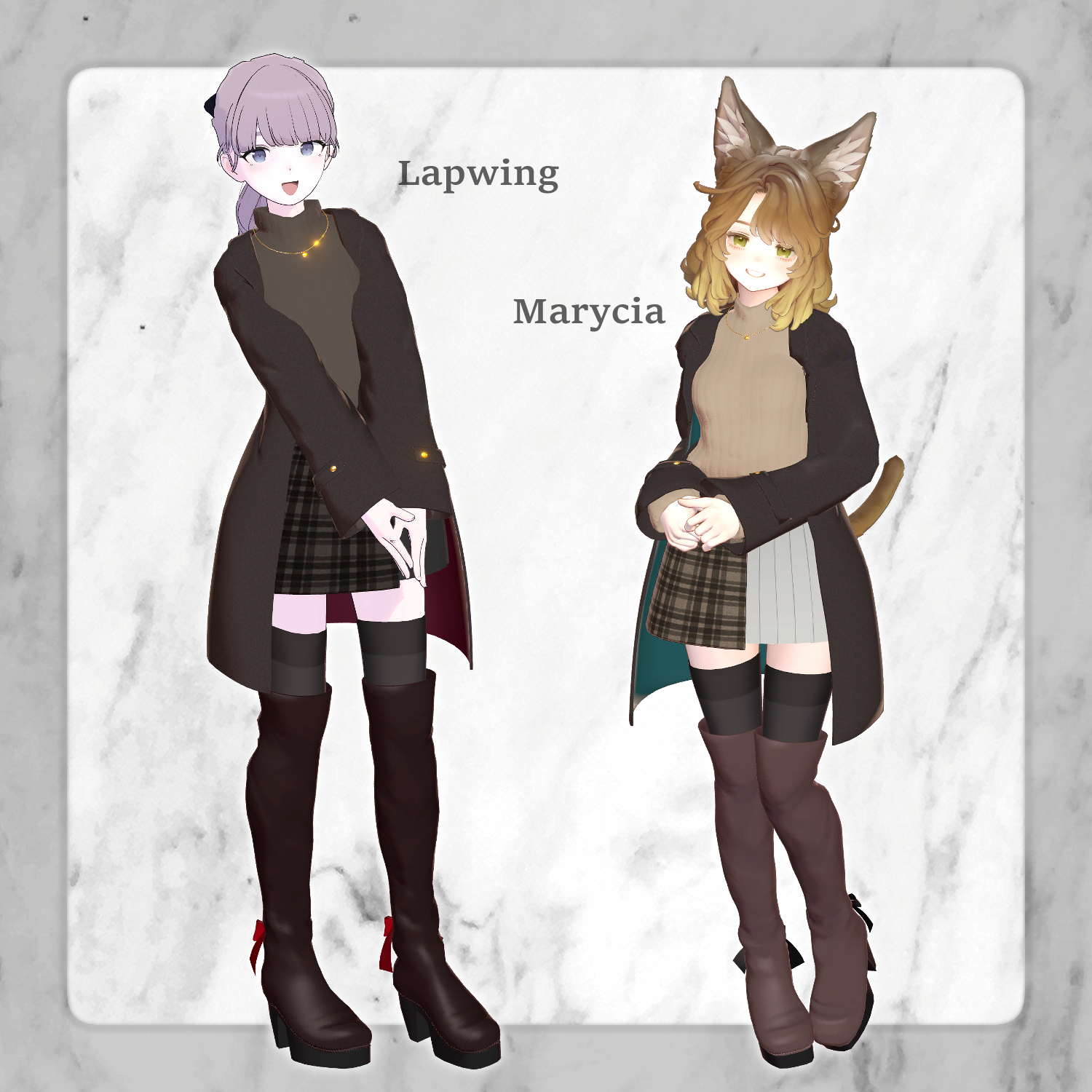
◆ Supported Avatars
Shinano https://ponderogen.booth.pm/items/6106863
Milltina https://dolosart.booth.pm/items/6538026
Manuka ver1.02 https://jingo1016.booth.pm/items/5058077
Minagi #Minagi3D https://metacreatorstyo.booth.pm/items/7430855
Lapwing https://booth.pm/ja/items/4993931
Marycia #Marycia3D https://booth.pm/ja/items/6305948
Note: When putting on the outfit, you will use shape keys to hide the avatar body (shrinking the body parts to prevent clipping).
◆ Installation Steps
Set up the latest VRC SDK via VCC.
Install required assets (liltoon, Modular Avatar) via VCC.
Import the latest package for your specific avatar.
Import this product's package.
Drag and drop the avatar (or the dressing/modification prefab if available) into the Scene Hierarchy.
If necessary, hide or set the avatar's default clothing/underwear to "Editor Only."
Drag and drop the Chalnoa_[Avatar Name].Prefab directly onto the avatar object.
Upload via the VRC SDK.
Important Notes:
MA Shape Changer: This outfit uses Modular Avatar’s "MA Shape Changer." When you drop the outfit onto the avatar, it will automatically trigger shape keys to thin the body or remove meshes to prevent clipping. You can delete this component if you prefer to set it up manually.
Body Clipping: If parts of the body look unintentionally thin after setup, check the avatar's shape keys and reset them to 0.
Floor Clipping: Feet may sometimes sink into the ground. It is recommended to use tools like FloorAdjuster to fix this.
◆ Color Customization
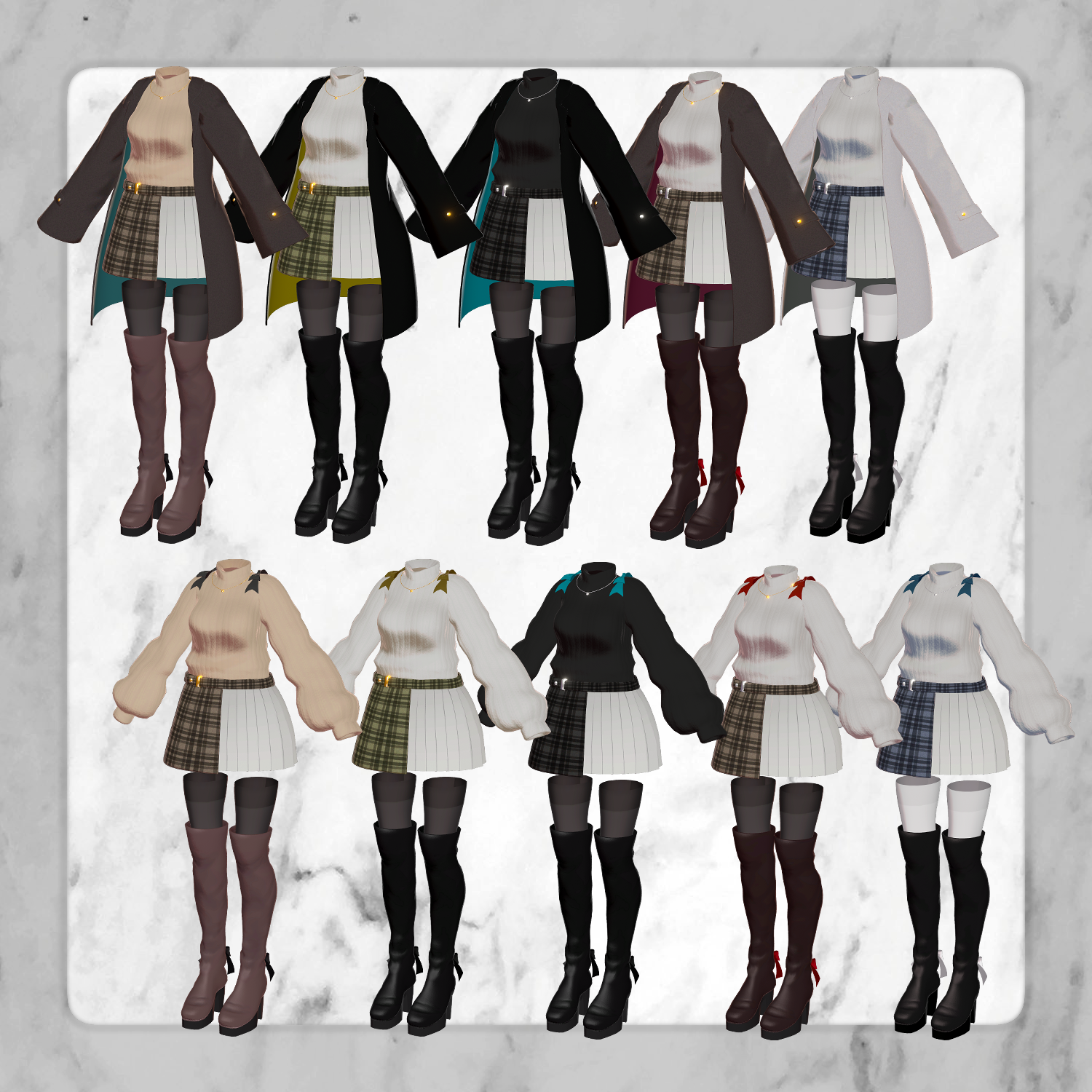
You can swap materials using the color variations found in the Common > Material folder. You can also use the included psd or clip files to create your own custom colors.
◆ Terms of Use
https://drive.google.com/drive/folders/1qRMXoIxM1ZgacBPfwOigQRtXP1vCbNMn?usp=sharing
Please also adhere to the terms of use for your base avatar.
◆ Creation Environment
Modeling: Blender Ver 3.6.5
Textures: CLIP STUDIO PAINT
Setup: * Unity Ver 2022.3.22f1
VRChat SDK - Avatars Ver 3.7.6 (VCC)
liltoon 1.8.5
ModularAvatar 1.11.5
◆ Credits
Creator: しめ次郎 (Simejiro) URL: https://metacreatorstyo.booth.pm/ URL: https://sime-jiro.booth.pm/ (Personal BOOTH)
Support: https://discord.gg/bmw3PWE37M