Bulk Material Swap Creator - VRCFury!
Product Description
MatSwapBulkCreator — VRCFury Material Swap Generator
🚀 Bulk Generate Material Swap Toggles in Seconds
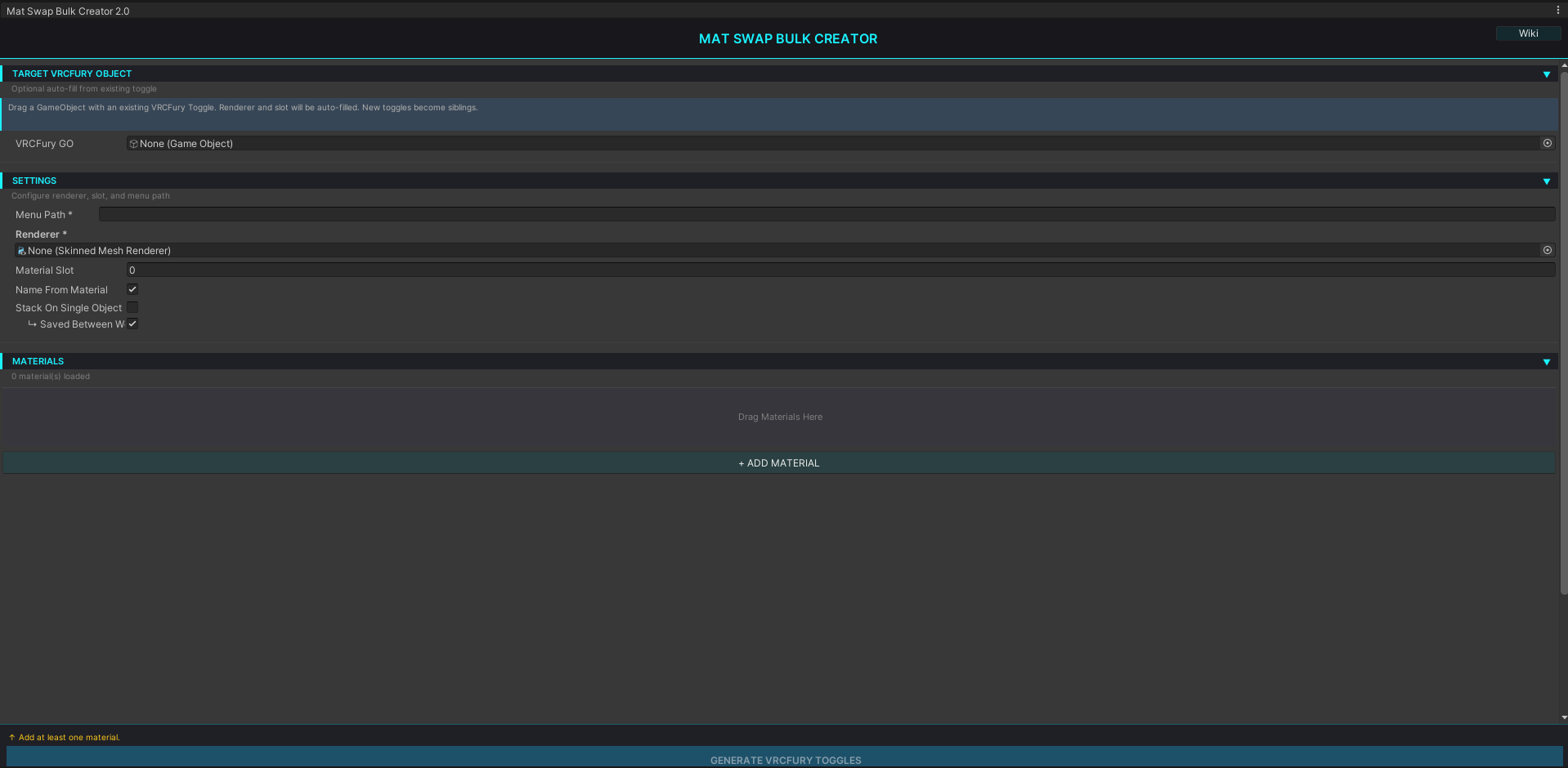
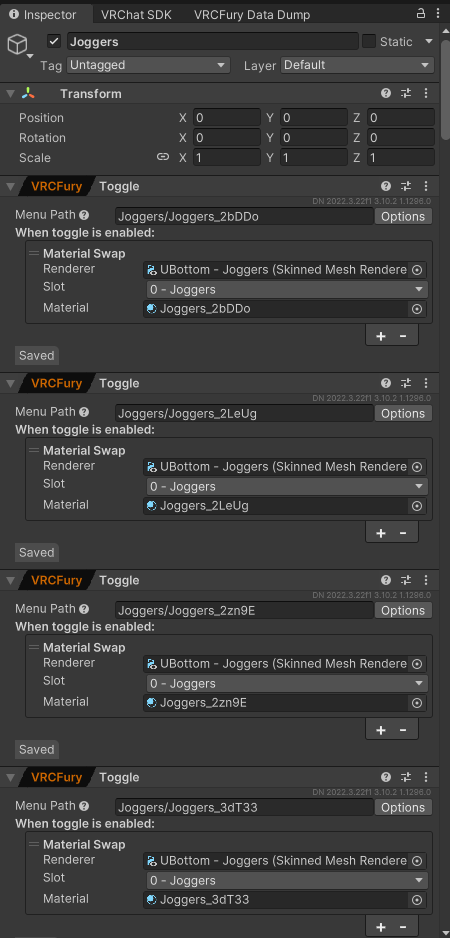
Stop manually creating VRCFury toggles one-by-one. MatSwapBulkCreator is a professional editor tool that automates material swap toggle generation. Drag materials, set options, click generate. Done.
Perfect For:
- Avatar creators building complex wardrobe systems
- Clothing designers with multiple fabric variations
- Shader artists managing material swaps
- Anyone tired of repetitive toggle setup
✨ Key Features
⚡ Bulk Generation
Create dozens of toggles from materials instantly. What took hours now takes minutes.
🧬 Version-Agnostic
Reflection-based type discovery works across VRCFury versions automatically. No hardcoded dependencies.
↩️ Full Undo Support
All operations are undo-safe. Grouped changes means one Ctrl+Z undoes everything.
📦 Flexible Stacking
Stack toggles on one GameObject for clean hierarchy, or spread across many for modularity.
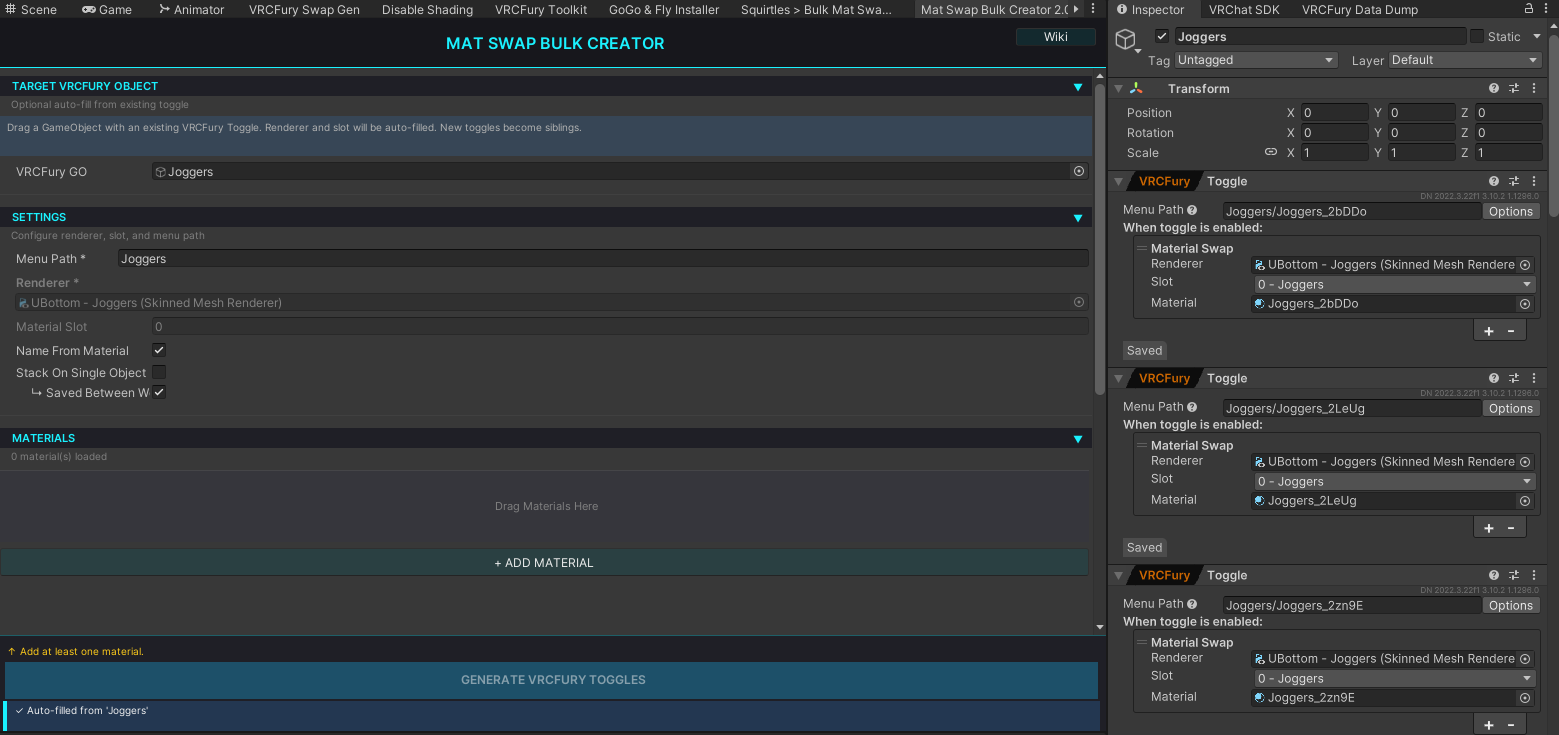
🎯 Smart Auto-Fill
Drag an existing VRCFury toggle to auto-populate renderer and slot. Save time on repetitive setups.
📖 Built-in Documentation
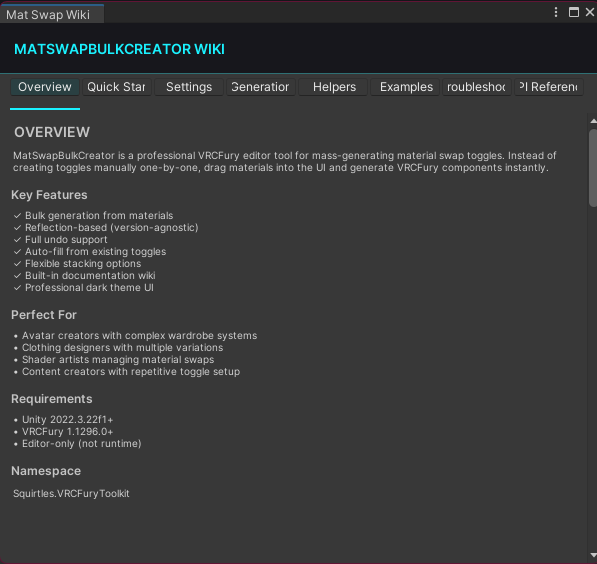
Popup wiki window with 4 tabs: Overview, Quick Start, Settings, API. No external docs needed.
🛡️ Input Validation
Prevents broken toggle setups with smart validation. Color-coded status messages guide your workflow.
📋 What's Included
MatSwapBulkCreator.cs— Complete editor window + wiki popupREADME.md— Full documentation with examples- Built-in help system (no external docs required)
- Source code (fully customizable)
Requirements:
- Unity 2022.3.22f1+
- VRCFury 1.1296.0+
- Editor-only (not runtime)
⚡ Quick Workflow
- Open: Squirtles > VRCFury Toolkit > Mat Swap Bulk Creator
- Assign: Drag your avatar's SkinnedMeshRenderer
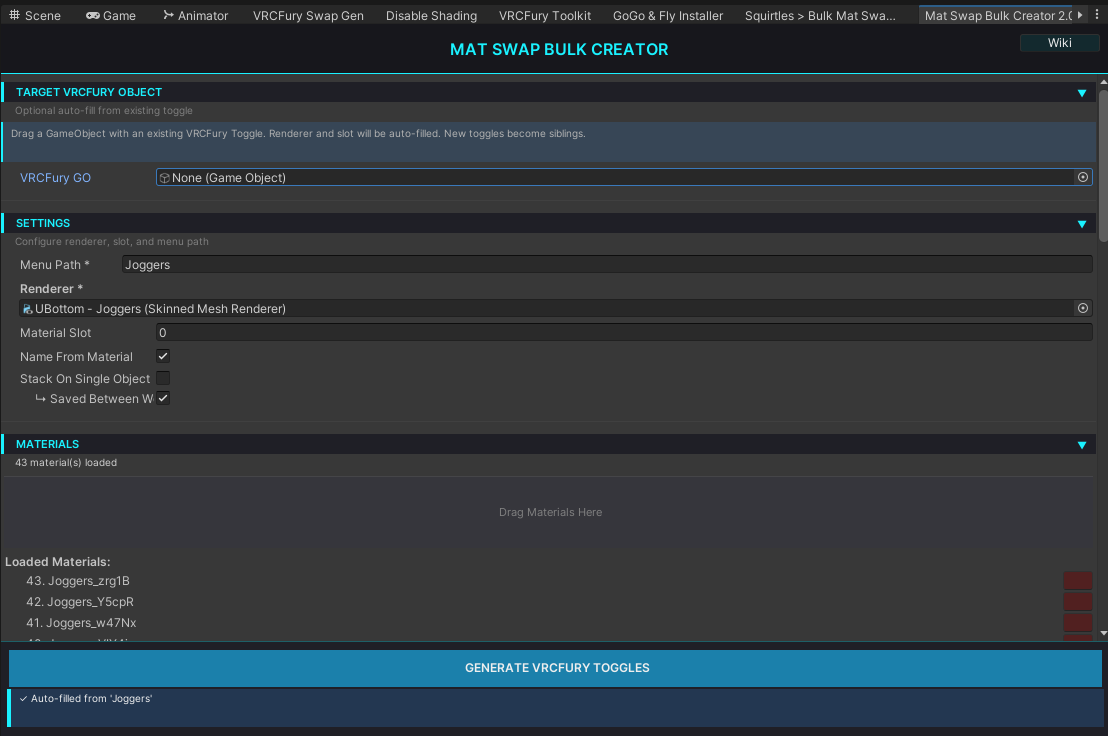
- Add: Drag materials into the Materials section
- Configure: Set menu path (e.g.,
Closet/Shirts) - Generate: Click ⚡ Generate VRCFury Toggles
- Done: Toggles created with full undo support
🎮 Professional UI
- Dark theme designed for long editing sessions
- Scrollable sections with collapsible categories
- Tab-based wiki with 4 pages of documentation
- Status messages with color-coded feedback
- Drag-and-drop material assignment
🔧 Advanced Features
- Reflection-based type discovery (works with any VRCFury version)
- Dynamic GameObject creation or stacking
- Grouped undo operations (one change = one undo)
- Auto-read from existing toggles
- Menu path validation and hints
- Modular architecture (customize easily)
💡 Use Cases
✅ Avatar with 10+ outfit variations
✅ Character with swappable skins/colors
✅ Accessory system with multiple options
✅ Shader material replacements
✅ Texture variants for clothing
🎓 Example
Create 3 shirt material swaps in 30 seconds:
- Drag avatar body (SkinnedMeshRenderer)
- Add 3 shirt materials
- Set menu path:
Closet/Shirts - Click Generate
- Result: Toggles for ShirtRed, ShirtBlue, ShirtGreen
All in the VRCFury menu in-game. Undo-safe.
📖 Documentation
- In-app wiki (click 📖 Wiki button) — 4 tabs, searchable
- Detailed README — Examples, troubleshooting, API reference
- Well-commented source — Easy to understand and customize
🛠️ Fully Customizable
Source code is included and yours to modify:
- Change colors, fonts, or UI layout
- Add custom reflection types
- Extend WikiWindow with more pages
- Integrate into your own tools
✅ What Creators Say
"Finally, no more manual toggle creation. This saves hours."
"The auto-fill feature is a lifesaver. Drag one toggle, fill everything."
"Built-in documentation is clutch. Never need to ask questions."
🚀 Get Started
- Add to your project (Editor folder)
- Restart Unity
- Open the tool
- Drag materials → Generate
- Check built-in wiki for advanced options
Version: 1.0.0 | License: Custom | Support: Built-in wiki + commented source code
Ready to stop grinding toggles? MatSwapBulkCreator is your answer.