![High Priestess Zevannah [PC/QUEST][SPS][VRCHAT AVATAR]](https://jinxxy-c.jinxxy-cdn.com/cdn-cgi/image/format=auto/c6149a59-766f-508d-bba0-bb29382260b7/3859344159517181724/956255306530688000.png)
![High Priestess Zevannah [PC/QUEST][SPS][VRCHAT AVATAR]](https://jinxxy-c.jinxxy-cdn.com/cdn-cgi/image/format=auto/c6149a59-766f-508d-bba0-bb29382260b7/3859344159517181724/956255245672903680.png)
![High Priestess Zevannah [PC/QUEST][SPS][VRCHAT AVATAR]](https://jinxxy-c.jinxxy-cdn.com/cdn-cgi/image/format=auto/c6149a59-766f-508d-bba0-bb29382260b7/3859344159517181724/956255101740694528.png)
![High Priestess Zevannah [PC/QUEST][SPS][VRCHAT AVATAR]](https://jinxxy-c.jinxxy-cdn.com/cdn-cgi/image/format=auto/c6149a59-766f-508d-bba0-bb29382260b7/3859344159517181724/956255256488207360.png)
![High Priestess Zevannah [PC/QUEST][SPS][VRCHAT AVATAR]](https://jinxxy-c.jinxxy-cdn.com/cdn-cgi/image/format=auto/c6149a59-766f-508d-bba0-bb29382260b7/3859344159517181724/956255108343347200.gif)
![High Priestess Zevannah [PC/QUEST][SPS][VRCHAT AVATAR]](https://jinxxy-c.jinxxy-cdn.com/cdn-cgi/image/format=auto/c6149a59-766f-508d-bba0-bb29382260b7/3859344159517181724/956255128409205760.png)
![High Priestess Zevannah [PC/QUEST][SPS][VRCHAT AVATAR]](https://jinxxy-c.jinxxy-cdn.com/cdn-cgi/image/format=auto/c6149a59-766f-508d-bba0-bb29382260b7/3859344159517181724/956255250792028160.png)
![High Priestess Zevannah [PC/QUEST][SPS][VRCHAT AVATAR]](https://jinxxy-c.jinxxy-cdn.com/cdn-cgi/image/format=auto/c6149a59-766f-508d-bba0-bb29382260b7/3859344159517181724/956255135948824576.png)
Product Description
Get a 15% discount by joining my Discord Server
Here
High priestess Zevannah, controller of shadow and light, a powerful and beautiful goddess to add to your arsenal!
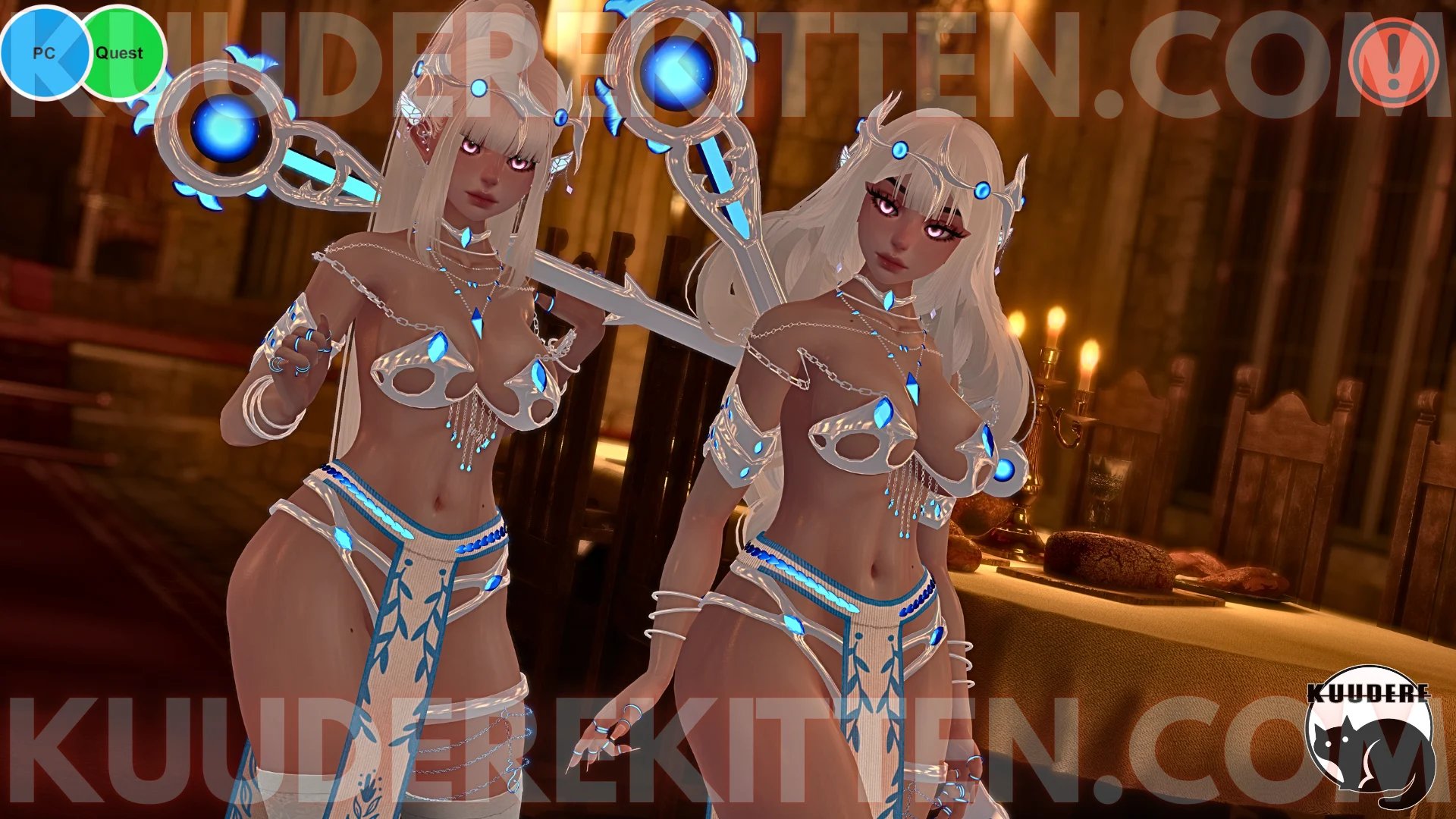
FEATURES
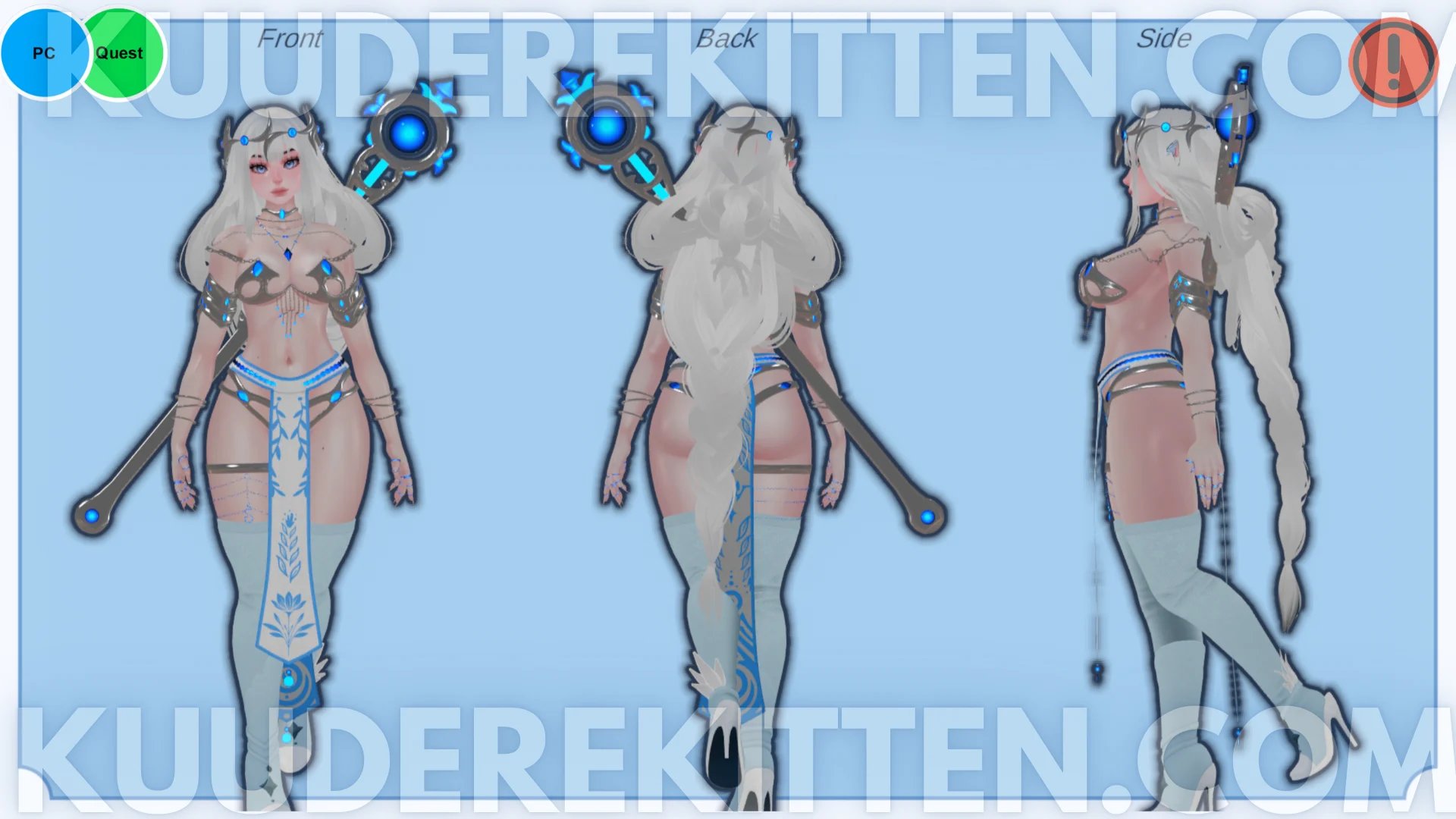
- Fantasy enchantress style vrchat avatar
- PC + Quest Compatible
- Full Clothing Toggles
- Skin Tone Slider (Pale to Dark)
- 3 skin tones on quest
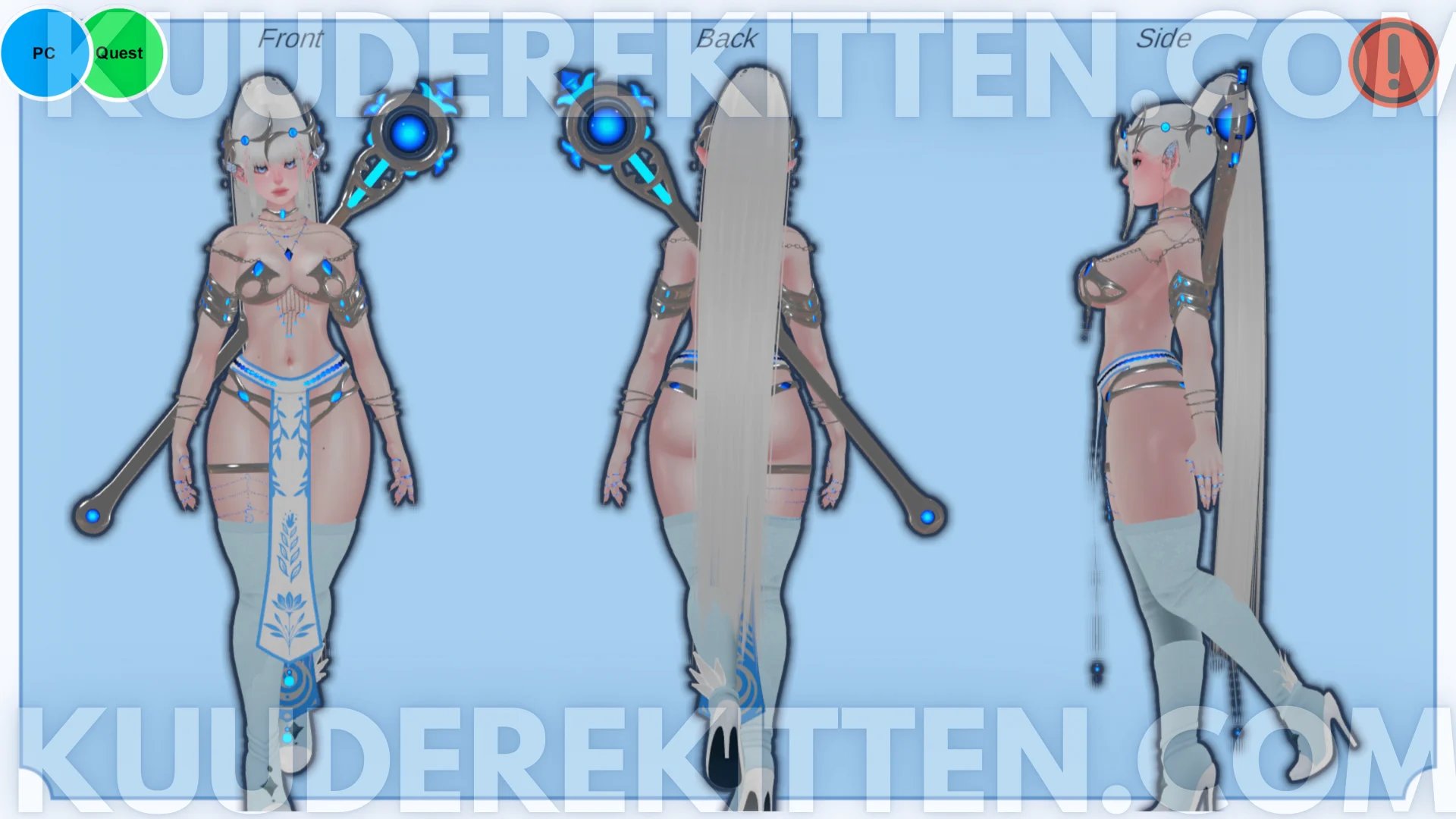
- Two Hairstyles w combinable styles
- High Ponytail w/ Bangs
- Long flowing Braided Hair w/ bangs
- Lip Size Toggle
- Face Piercing Toggle
- Staff on back or in-hand
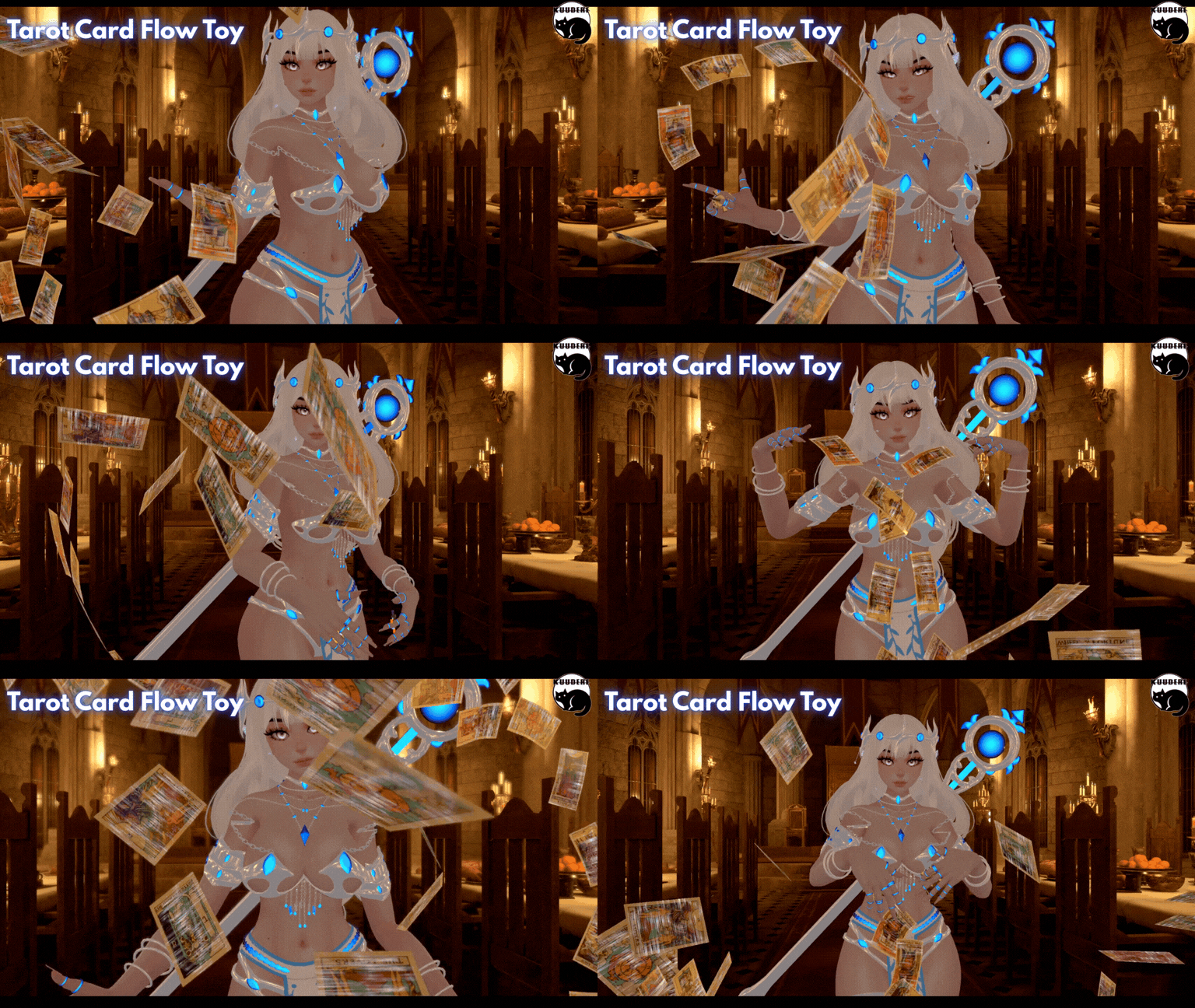
- Tarot Card Flow Toy
- Eye Color RGB Hue Shift
- GoGoloco Installed
- SPS Prefab Included w/ wholesome lollipop attachment
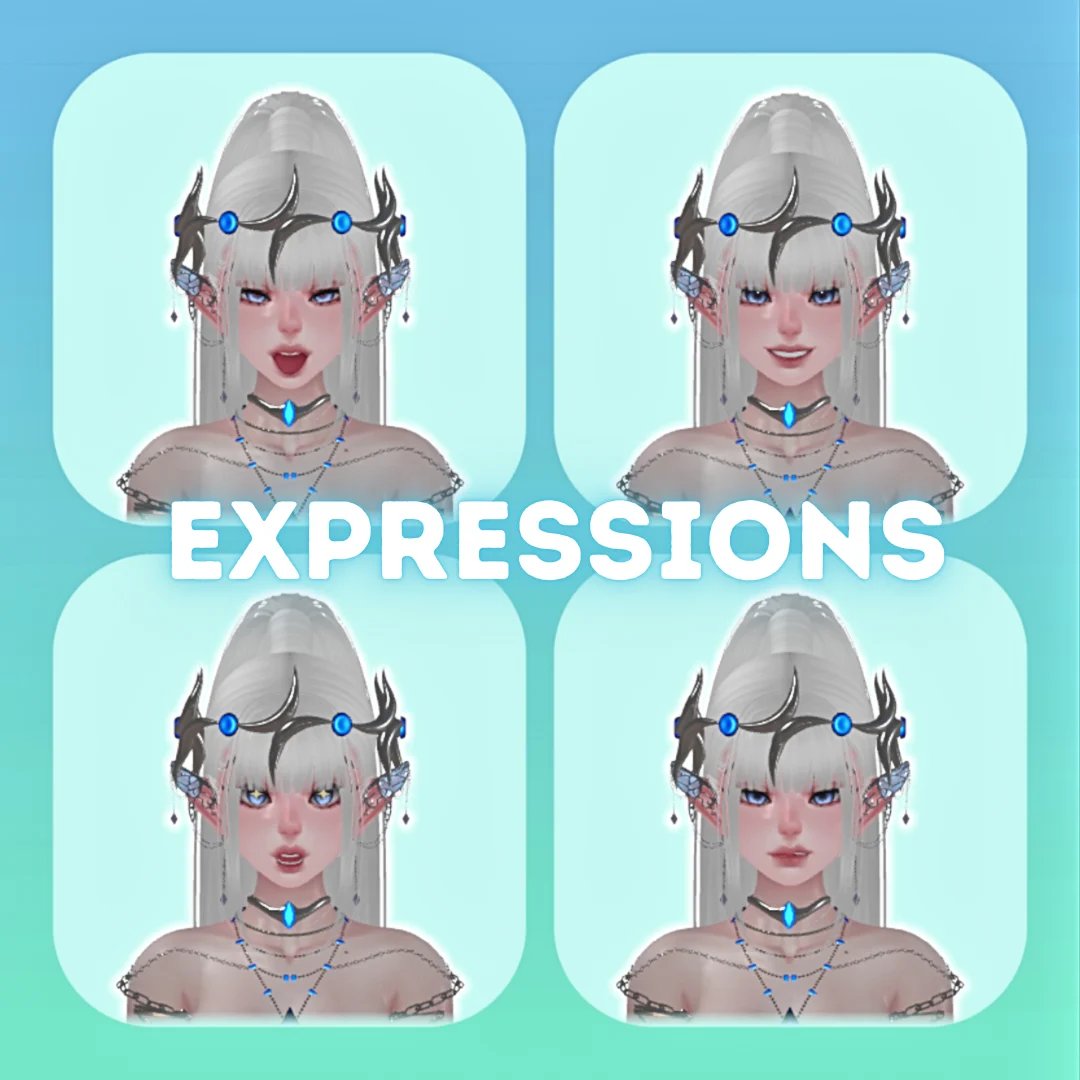
Gesture Expressions
Hairstyles
Extras
Please take the following into consideration before purchase!!!!!
- I DO NOT PROVIDE UPLOADS!!!!!
- Access to Unity + knowledge using the VCC to upload is required!
- This product does not include SPP Files. FLAT TEXTURES ONLY
- Quest version may not contain all toggles due to quest limitations
Rules for Purchase
- DO NOT redistribute this avatar.
- DO NOT take assets from this avatar for either personal or commercial use, please refer to the credits for each individual asset!
- DO NOT sell or give away edits of this avatar (even to your friends)
- DO NOT sell or give away the original avatar for free (even to your friends)
- DO NOT upload this avatar as public or make it available in a public world.
- DO NOT purchase this avatar on a share account!
- DO NOT upload this avatar to a 3rd party website.
- If purchasing this item as a gift, you must use gifting function at checkout!
- DO NOT Purchase this item for yourself, and then give it away to somebody as a gift
- ONE personal license per avatar. (You are the only one authorized to use the avatar)
- DO NOT redistribute custom components including but not limited to; blendshapes, materials, any/all script settings, physics, toggles, animations, gestures or textures from this avatar.
- You Must Include your Discord Name + VRC Name at time of purchase. Incorrect or missing info will result in being banned from my store + server.
- ALL SALES ARE FINAL. Digital product cannot be refunded. Chargebacks + fraudulent reports to your bank will result in being banned from my store + server.
Credits
- Body https://zinpia.sellfy.store/
- Head https://23mink.gumroad.com/
- Hair https://payhip.com/Saikura
- Shoes/socks https://payhip.com/darcyvr
- Garter https://deimos.sellfy.store/
- Staff https://payhip.com/EmpressMoon
- Flow Toy https://gmsboxvr.com/
- Armor https://payhip.com/JorgenVRC
- Skirt/Jewelry https://yukina.sellfy.store/
- Metal Crown https://payhip.com/Ryafalls
- Rings https://issuezvrc.gumroad.com/
- GoGo Loco https://franadavrc.gumroad.com/
- Lollipop https://wholesomevr.gumroad.com/
- Hair Texture https://cicieaaavr.gumroad.com/
- Ear Cuffs https://payhip.com/Eggly69
- Wholesome Lollipop https://wholesomevr.gumroad.com/
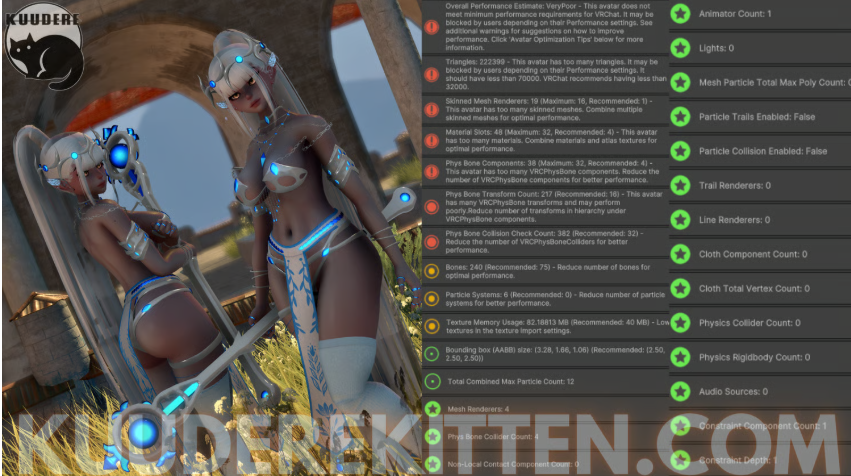
Avatar Stats
Stats on PC
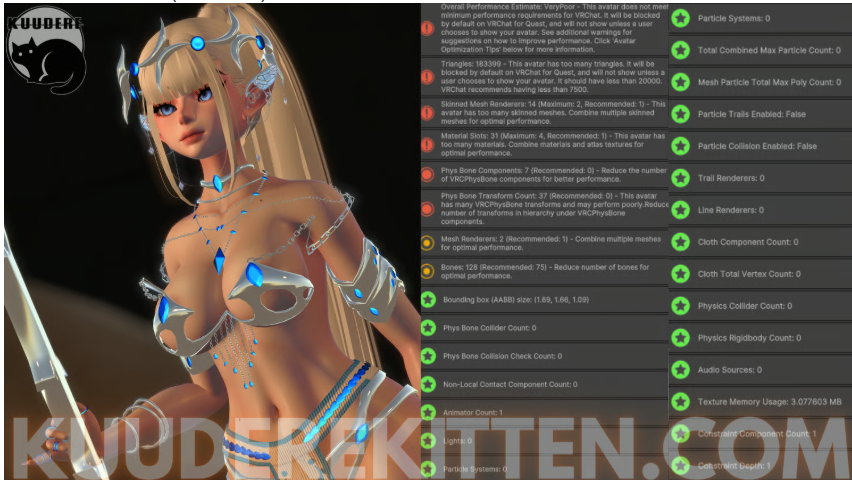
 Stats on Quest (Android)
Upload Instructions
Make sure VRCFURY + Poiyomi Toon Shaders are installed in the VCC. You can install them here: https://vrcfury.com/download/
https://poiyomi.github.io/vpm/
How to Upload for PC
- Create New VCC Project (Avatars 2022)
- Import Poiyomi Toon Shaders + VRCFURY in VCC Package Management
- Open Project
- Import Avatar Package, drag scene into hierarchy
- Sign into SDK + upload selected version to PC
- (If uploading for quest- copy the blueprint ID for part 2)
How to Attach Quest Version:
- Upload PC Version First (instructions above)
- Switch SDK To Android
- Paste Blueprint ID from PC version into the Quest Version's blueprint ID slot
- Upload! It will automatically attach